MP3, WAV, FLAC, AAC: The Complete Audio Formats Guide (2026)
By Bruno Dissenha — Developer and creator of Audio-Editor Online. Bruno built this platform after struggling to find a free, private audio editor that actually worked without catches. He writes about audio editing to help the same people the tool was made for.
Published on: April 10, 2026
Find out which audio format to use for each situation — with a comparison table, detailed explanation of each format, and a practical decision guide.
Contents
- Why does the audio format matter?
- Audio Formats Comparison Table
- MP3: the world's most popular format
- WAV: maximum quality without compromise
- FLAC: lossless compressed for audiophiles
- AAC: the modern successor to MP3
- OGG: open source and efficient for the web
- M4A: the default Apple format
- Decision Guide: which format to use for each situation
- Frequently Asked Questions (FAQ)
Why does the audio format matter?
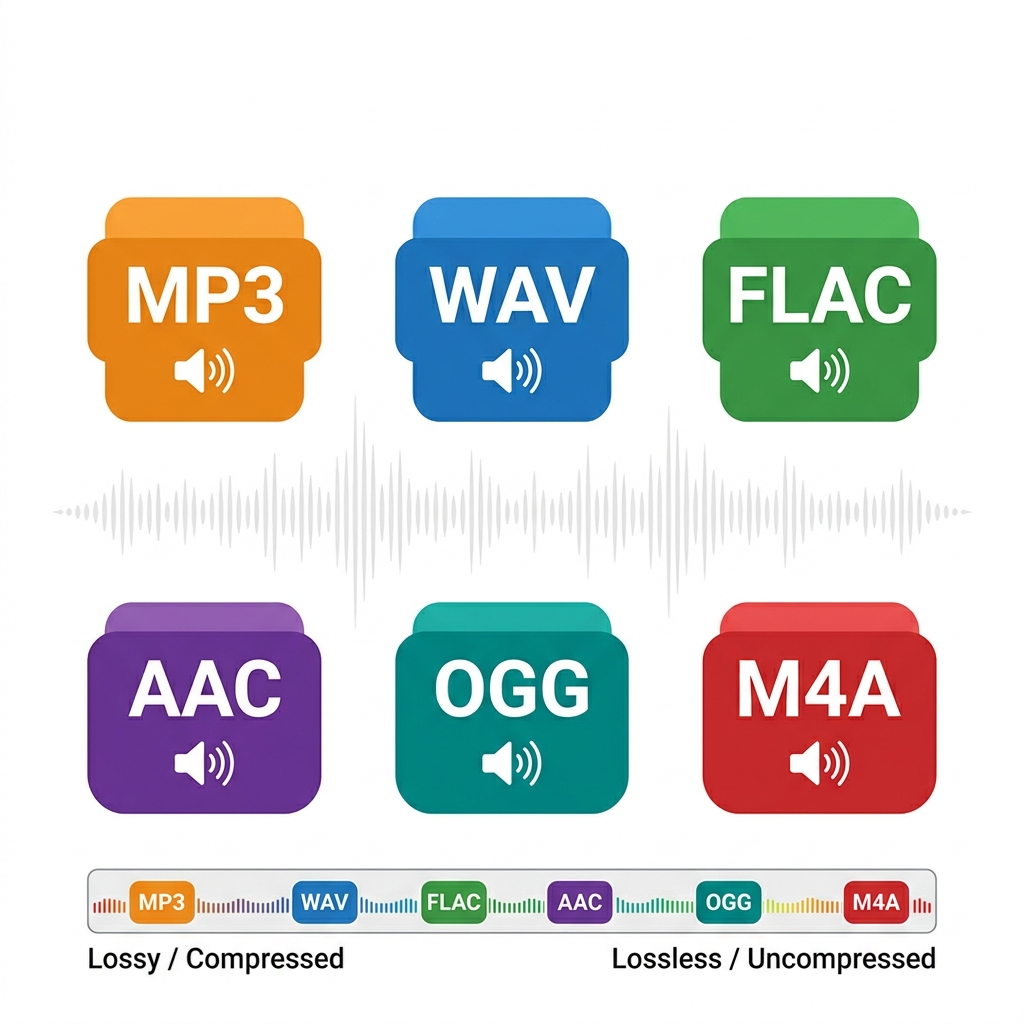
Choosing the wrong audio format can cost you quality that can never be recovered, waste unnecessary disk space, or produce files that are incompatible with your target platform. It's a technical decision with real practical consequences — and most people simply use whatever format their software defaults to, without understanding the impact.
The central question for any audio format is straightforward: how does it handle data compression? There are two fundamental types:
Lossy formats: compress the file by permanently discarding some audio data. MP3, AAC, OGG, and M4A are lossy. The discarded data is removed intelligently — the algorithm eliminates frequencies the human ear theoretically won't notice — but the loss is permanent. Once converted to MP3, the original audio data cannot be recovered.
Lossless formats: compress or store audio without discarding any data. WAV and FLAC are lossless. The file can be decompressed and the original audio is reproduced with 100% fidelity.
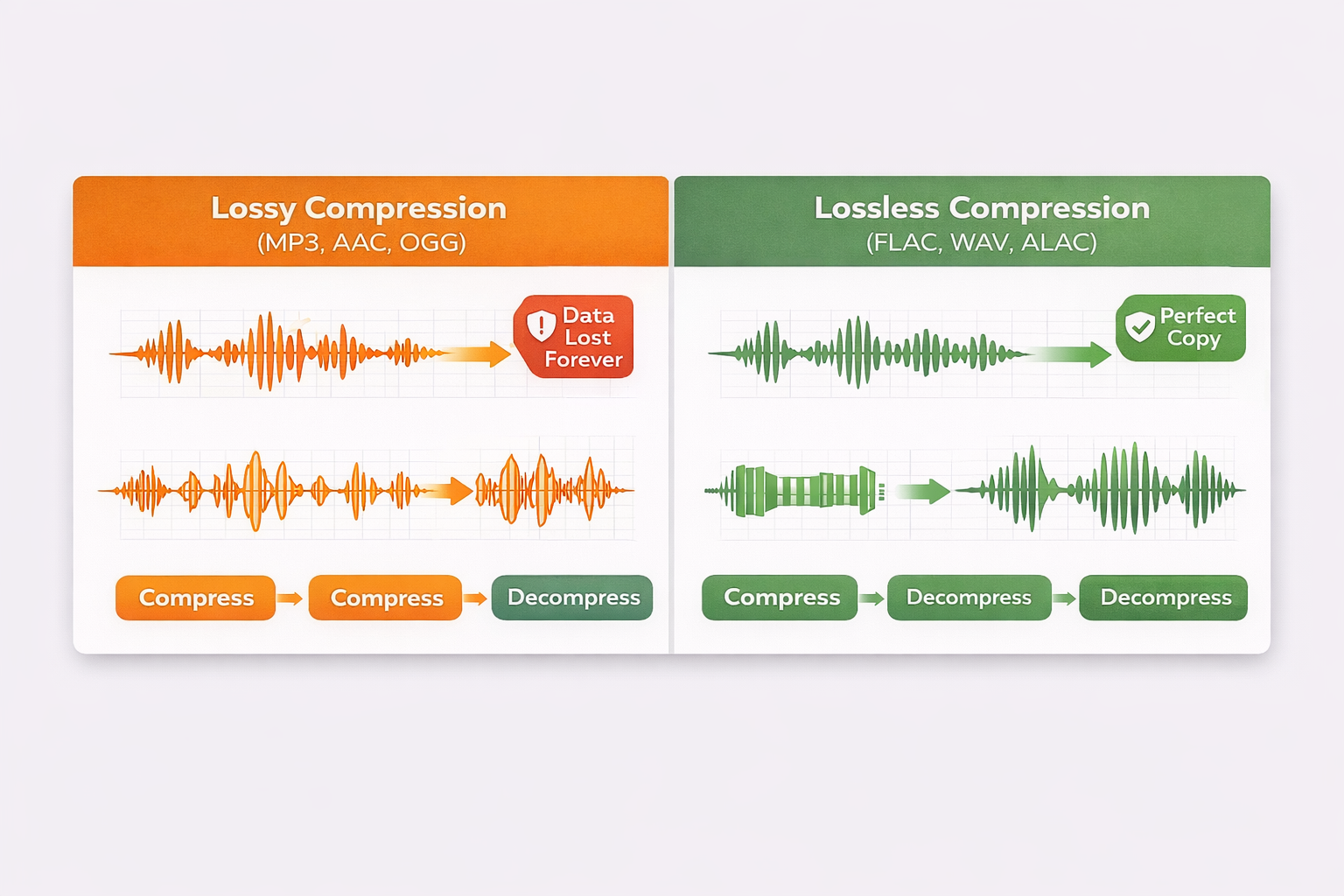
Understanding this distinction is the first step toward making conscious decisions about which format to use at each stage of your work.
Audio Formats Comparison Table
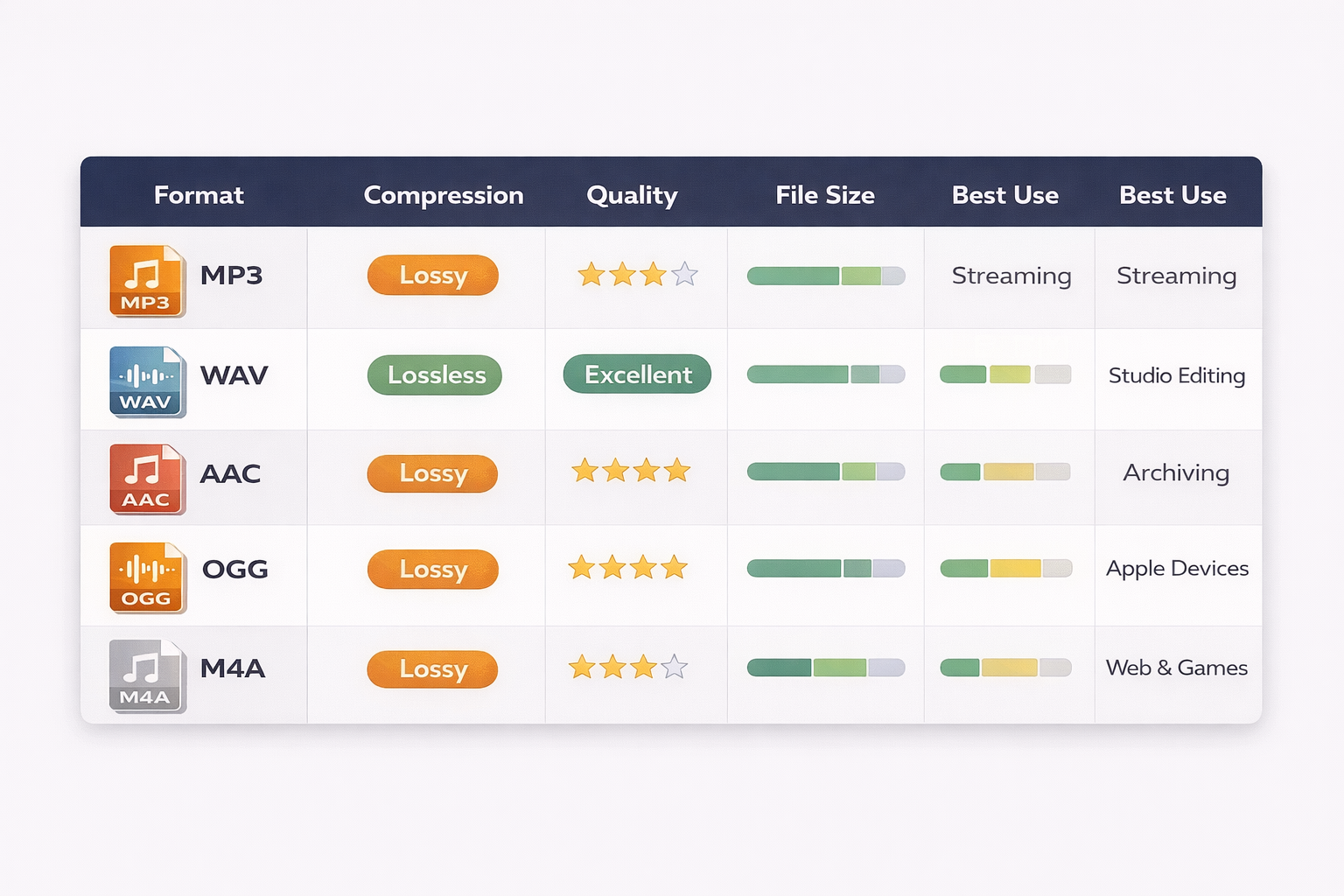
| Format | Compression | Quality | File Size | Best Use |
|---|---|---|---|---|
| MP3 | Lossy | Good | Small | Streaming, general sharing |
| WAV | Lossless | Maximum | Large | Studio, professional editing |
| FLAC | Lossless | Maximum | Medium | Archiving, audiophiles |
| AAC | Lossy | Excellent | Small | Apple, modern streaming |
| OGG | Lossy | Good | Small | Web, games, open source |
| M4A | Lossy | Excellent | Small | Apple, podcasts on iPhone |
MP3: the world's most popular format
MP3 (MPEG-1 Audio Layer III) is the most recognized audio format on the planet. Launched in the 1990s, it revolutionized music distribution by making it possible to compress a CD track — which takes around 40 MB as WAV — into a 3 to 5 MB file with quality acceptable to most listeners.
How it works: MP3 uses a psychoacoustic model to identify and remove frequencies that the human ear struggles to perceive — sounds that are very high, very low, or masked by louder sounds nearby. The result is a much smaller file, but with data permanently discarded.
Advantages:
- Compatible with absolutely every device and platform
- Very small file size (from 128 kbps to 320 kbps)
- Ideal for distribution, streaming, and sharing
- Widely accepted on podcast platforms, social media, and media players
Disadvantages:
- Permanent quality loss — every time you re-export an MP3, the quality degrades further
- Not ideal for editing — always work in WAV and export to MP3 only at the very end
- Loss is more noticeable at lower bitrates (below 128 kbps)
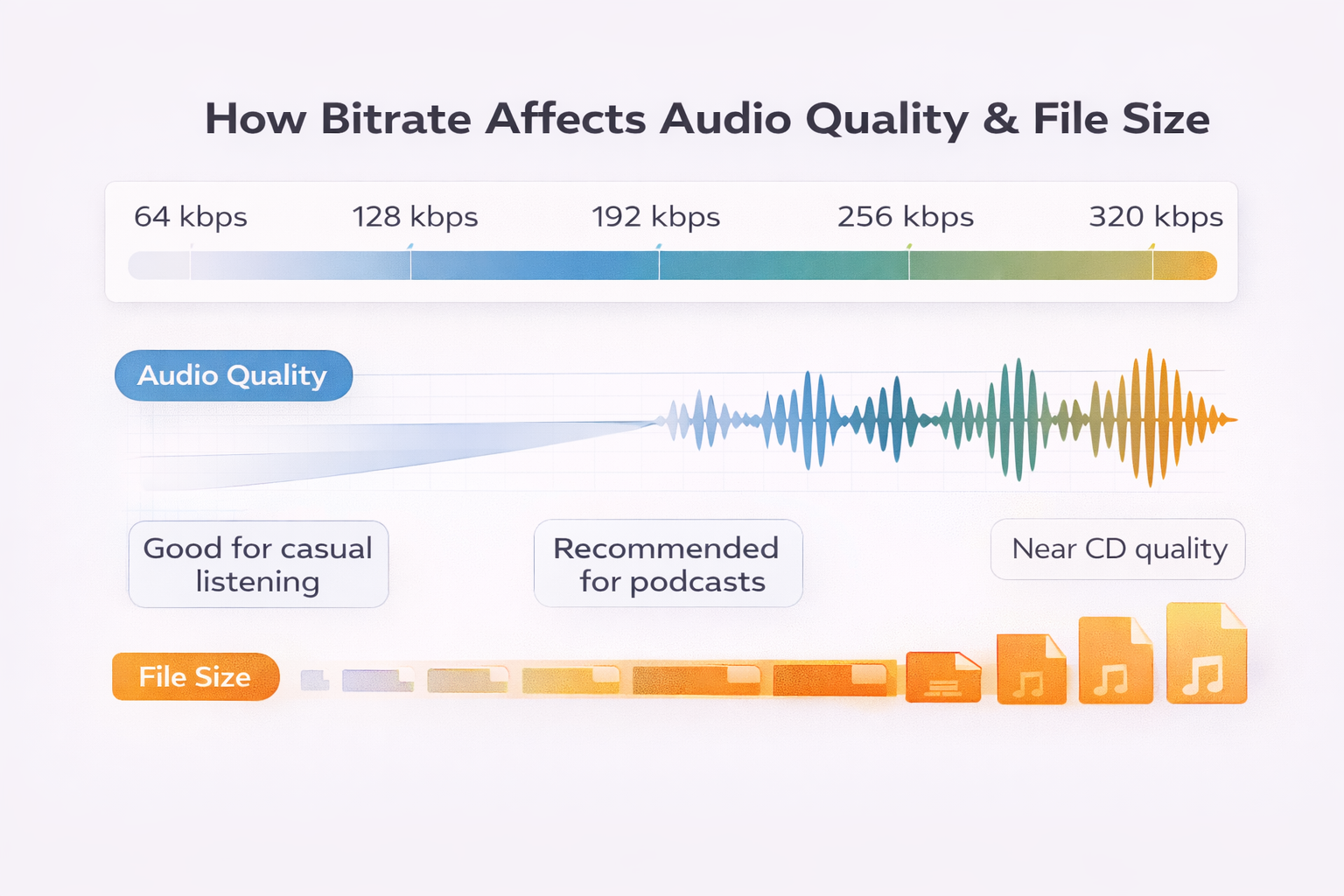
Recommended bitrate: 192 kbps for casual listening, 256 kbps for podcasts, 320 kbps for near-CD quality. You can set the export bitrate in our free online audio editor.
When to use MP3: podcast distribution, music sharing, uploading to streaming platforms, sending via email or messaging apps — any situation where file size matters more than absolute fidelity.
WAV: maximum quality without compromise
WAV (Waveform Audio File Format) is the uncompressed audio format developed by Microsoft and IBM. It stores audio exactly as it was captured, without removing or compressing any data. It's the digital equivalent of a perfect carbon copy of the original recording.
How it works: WAV applies no compression algorithm. Every audio sample is stored in full — which is why files are large. A 3-minute audio track in WAV 44.1kHz/16-bit takes around 30 MB, compared to 5 MB for the same track as MP3 320kbps.
Advantages:
- Absolutely perfect quality — no data is discarded
- Universal standard for studios, DAWs, and professional editing software
- Can be converted to any other format without additional quality degradation
- Supports multiple channels (stereo, surround, multitrack)
Disadvantages:
- Very large files — impractical for streaming or sharing
- Not suitable for final distribution to audiences
- Takes up significant disk space for large collections
When to use WAV: initial recording, professional editing, mixing, mastering — any stage of the production process where you want to preserve maximum quality. The WAV file is your starting point; other formats are the final destination.
Recommended settings for professional use: 44.1 kHz / 24-bit for music, 48 kHz / 24-bit for video audio and professional podcasting.
FLAC: lossless compressed for audiophiles
FLAC (Free Lossless Audio Codec) solves the WAV problem: it's lossless (no quality loss), but uses intelligent compression to reduce file size. Think of it as a ZIP file for audio — the file is smaller, but when you decompress it you get exactly the original audio, bit for bit.
How it works: FLAC uses lossless compression algorithms that identify repeating patterns in the audio data and represent them more efficiently, without discarding any information. A 30 MB WAV file can become an 18–22 MB FLAC file, with 100% identical quality.
Advantages:
- 100% identical quality to WAV — zero loss whatsoever
- Files 40% to 60% smaller than equivalent WAV
- Open source and free — no licenses or royalties
- Growing support in hi-fi streaming services (Tidal, Amazon Music HD, Deezer HiFi)
- Ideal for long-term archiving of music collections
Disadvantages:
- Still larger than lossy formats like MP3 and AAC
- Not natively supported by all players (especially older ones)
- Not accepted by most podcast platforms and social media sites
When to use FLAC: archiving original recordings, personal hi-fi music collections, distributing to HiFi platforms, preserving masters — any situation where you want WAV quality but with smaller files.
AAC: the modern successor to MP3
AAC (Advanced Audio Coding) was specifically developed to overcome the limitations of MP3. Using more modern and efficient algorithms, AAC delivers superior sound quality to MP3 at the same file size — or equivalent quality with a smaller file.
How it works: AAC uses more sophisticated psychoacoustic techniques than MP3, making better use of the limitations of human hearing to discard data more intelligently. The result is more efficient compression with fewer audible artifacts, especially at lower bitrates.
Advantages:
- Better quality than MP3 at the same bitrate — especially noticeable below 256 kbps
- Standard adopted by Apple (iTunes, iPhone, Apple Music), YouTube and most modern streaming services
- Excellent balance between quality and file size
- Supported on most modern devices
Disadvantages:
- Less universally compatible than MP3 — may not work on very old devices
- Also lossy — the quality loss is permanent
- Different implementations (HE-AAC, LC-AAC) can create compatibility issues
When to use AAC: podcasts for Apple Podcasts and Spotify, YouTube content, distribution to any modern streaming platform, audio files within the Apple ecosystem.
Recommended bitrate: 128 kbps for voice (podcasting), 192 kbps for casual music listening, 256 kbps for high quality.
OGG: open source and efficient for the web
OGG (Ogg Vorbis) is a completely open source lossy audio format — no patents, no royalties, no usage restrictions. Developed by the Xiph.Org Foundation as a free and open alternative to MP3, it is widely adopted in games, web applications, and platforms that prioritize open source technology.
How it works: OGG uses the Vorbis codec for compression, which provides audio quality comparable to MP3 and AAC, especially at medium bitrates. Technically it is more efficient than MP3 in compression — an OGG file at 160 kbps generally sounds better than an MP3 at 160 kbps.
Advantages:
- Completely free and unrestricted by licensing
- Audio quality comparable or superior to MP3 at the same bitrate
- Widely used in games (Minecraft, among others) and web applications
- Excellent for browser-based streaming (native support in HTML5
<audio>)
Disadvantages:
- Not natively supported by Apple devices (iPhone, iPad, Mac)
- Not accepted by the major podcast and music streaming platforms
- Less familiar to end users
When to use OGG: web applications, games, Linux systems, any context where open source is a priority or where you control the playback environment. For general public distribution, prefer MP3 or AAC.
M4A: the default Apple format
M4A is an MPEG-4 file container that typically stores AAC-encoded audio. It is the format the iPhone uses by default to record voice memos, and what iTunes historically used for purchased music files.
How it works: technically, M4A is an MP4 file containing only audio (no video). The internal codec is usually AAC, meaning the sound quality is equivalent to an AAC file — the difference is in the container (the wrapper), not the content.
Advantages:
- Native format of the Apple ecosystem — perfect compatibility with iPhone, iPad, Mac and Apple Music
- Same quality as AAC in a widely recognized container
- Supported natively in Windows 10/11 and most modern players
- Efficient file size
Disadvantages:
- Historically problematic compatibility on Linux systems and older players
- Less universal than MP3
- Not supported in some live streaming and broadcasting contexts
When to use M4A: when producing for the Apple ecosystem, when the file was recorded on an iPhone and you want to keep it in the original format, or when distributing to platforms that support it (Apple Podcasts, iTunes).
Decision Guide: which format to use for each situation
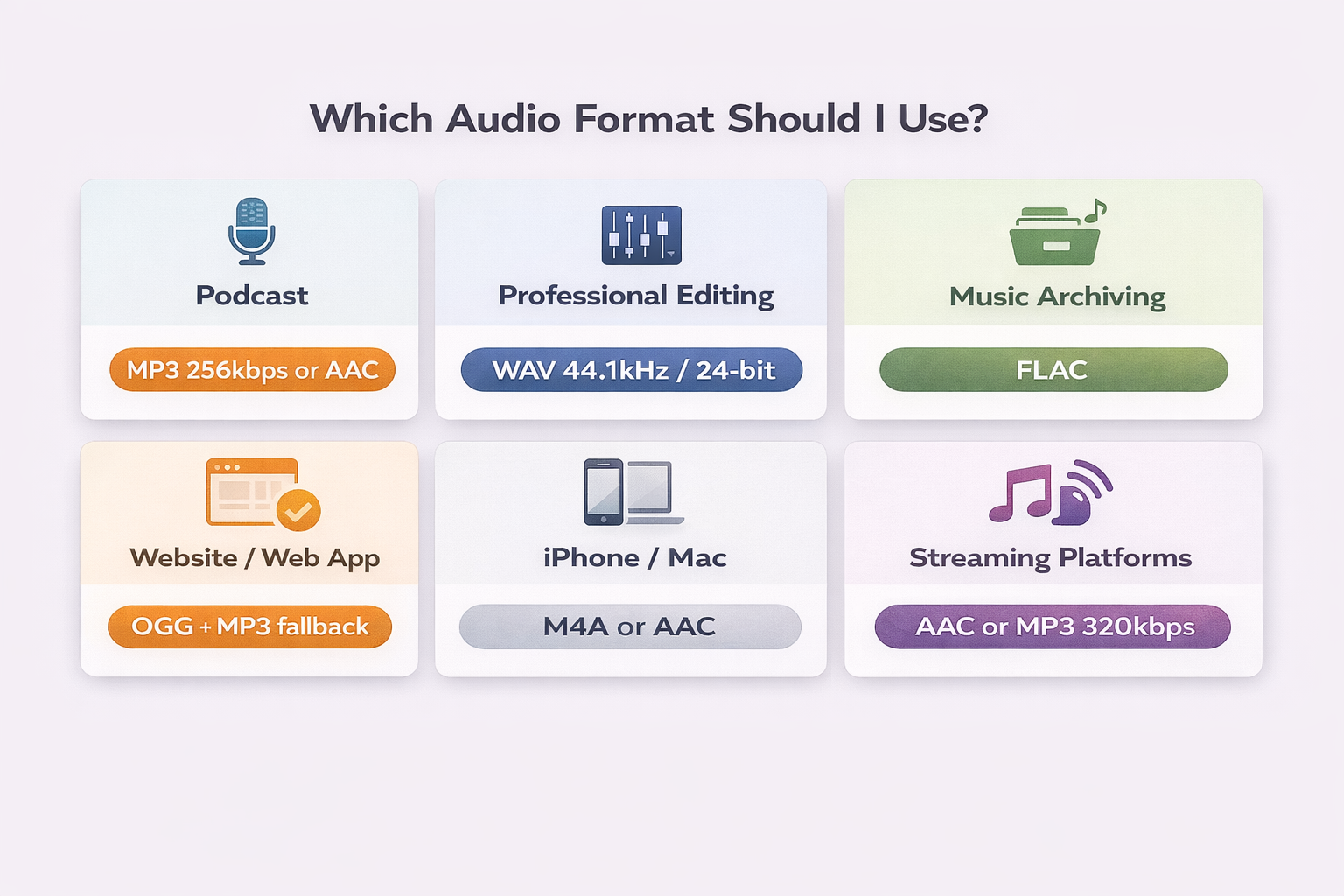
Once you understand how each format works, the choice becomes straightforward. Use this quick guide as a reference:
Podcast for Spotify, Apple Podcasts, or any platform:
Use MP3 256 kbps or AAC 128–192 kbps. MP3 is the most compatible; AAC offers slightly better quality at the same file size. Avoid WAV — platforms convert the file anyway, and a massive WAV offers no practical advantage.
Professional editing in a studio or home setup:
Use WAV 44.1 kHz / 24-bit for music or WAV 48 kHz / 24-bit for video audio. Always work in WAV during editing and export to the final format only when the project is finished. Converting during the editing process accumulates quality loss.
Archiving recordings or a music collection:
Use FLAC. You preserve 100% of the original quality with files significantly smaller than WAV. It's the ideal format for storing masters and recordings you want to preserve long-term.
Audio for a website or web application:
Use OGG + MP3 as fallback. OGG works in Chrome, Firefox and Opera; MP3 covers Safari and Apple devices. Serving both formats via the HTML5 <audio> element ensures universal compatibility.
Audio recorded or played on an iPhone or Mac:
Use M4A or AAC. These are the native formats of the Apple ecosystem and work perfectly on those devices without conversion.
Hi-fi streaming (Tidal, Amazon Music HD):
Use FLAC. Hi-fi platforms accept FLAC and deliver the audio without additional compression to subscribers on high-fidelity plans.
You can convert between any of these formats for free using our online audio editor — no installation, no watermarks, and with full privacy: your files never leave your device.
Frequently Asked Questions (FAQ)
MP3 vs WAV: which has better quality?
WAV always has better quality than MP3 — it's a lossless format that preserves 100% of the original audio. MP3 permanently discards part of the audio data to reduce file size. For any use case where maximum quality matters (recording, editing, mixing), use WAV. For distribution and sharing, MP3 offers an excellent balance between quality and file size.
Does converting WAV to MP3 permanently lose quality?
Yes. When you convert a WAV to MP3, the data discarded by the compression algorithm is gone forever — there is no way to recover it. That's why the golden rule is: always keep the original WAV file and export to MP3 only once the file is finished. If you convert back from MP3 to WAV, you'll have a large WAV file with MP3 quality, not the original's quality.
Is FLAC better than MP3 for streaming?
In pure technical quality, yes — FLAC is lossless and MP3 is lossy. But in practice, most streaming platforms like Spotify and Apple Music don't accept FLAC and convert everything to their own formats before distribution. Only hi-fi platforms like Tidal, Amazon Music HD, and Deezer HiFi stream FLAC directly to the listener. For conventional streaming, MP3 or AAC are the practical formats.
What is bitrate and how does it affect quality?
Bitrate is the amount of data processed per second in an audio file, measured in kbps (quilobits per second). The higher the bitrate, the more data is used to represent the audio — and therefore the higher the sound quality, at the cost of a larger file. For MP3: 128 kbps is adequate for casual listening; 256 kbps is recommended for podcasts; 320 kbps is the maximum quality for the format. Bitrate only applies to lossy formats — WAV and FLAC don't use variable bitrate in the same way.
What format do YouTube and Spotify accept?
YouTube accepts virtually any audio format (including MP3, AAC, WAV, FLAC) and converts internally to its own streaming formats. For video uploads with audio, AAC 192 kbps or higher is recommended. Spotify accepts MP3, AAC, OGG, and FLAC for submission via distributors, but streams to listeners in OGG Vorbis (standard quality) or AAC (some plans). The platform normalizes audio to -14 LUFS regardless of the format submitted.
Conclusion
Choosing the right format for each situation isn't technical pedantry — it's a practical decision with a direct impact on output quality, disk space usage, and compatibility with platforms and devices. The simple rule: WAV or FLAC to preserve, MP3 or AAC to distribute.
If you need to convert between any of these formats, Audio-Editor Online lets you do it for free, directly in the browser, without uploading to external servers — your files stay on your device.
Still have questions about which format to use for your specific project? Get in touch via our contact form.