Did you record a podcast in parts and need one continuous file? Digitized an album track by track? Have lesson chapters that should play one after another? These are sequential-joining tasks. If narration and music must play at the same time, you need multitrack mixing instead.
These three scenarios share the same solution: audio merging. Joining multiple audio files into a single continuous file is one of the most frequent operations in sound content production — and, when done correctly, is completely imperceptible to the final listener.
In this complete guide, you will learn the difference between merging and mixing audio, how to prepare files before joining, which transition types to use in each situation, how to handle files in different formats, and how to do it all for free, right in your browser.
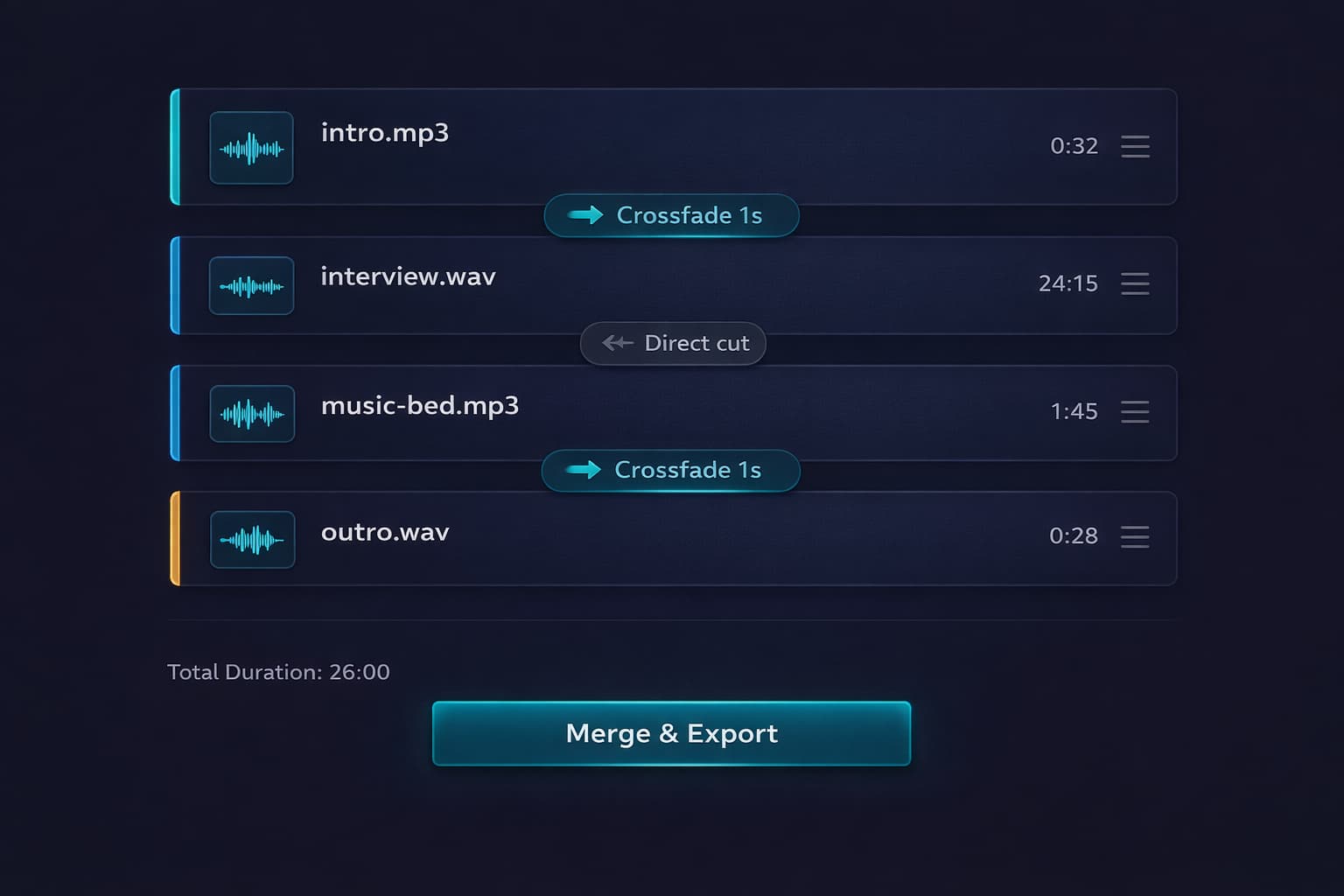
Table of Contents
Merging vs. Mixing Audio: What's the Difference?
Before starting, it is important to understand the difference between two operations that many people confuse — and that produce completely different results.
Merge (Concatenate)
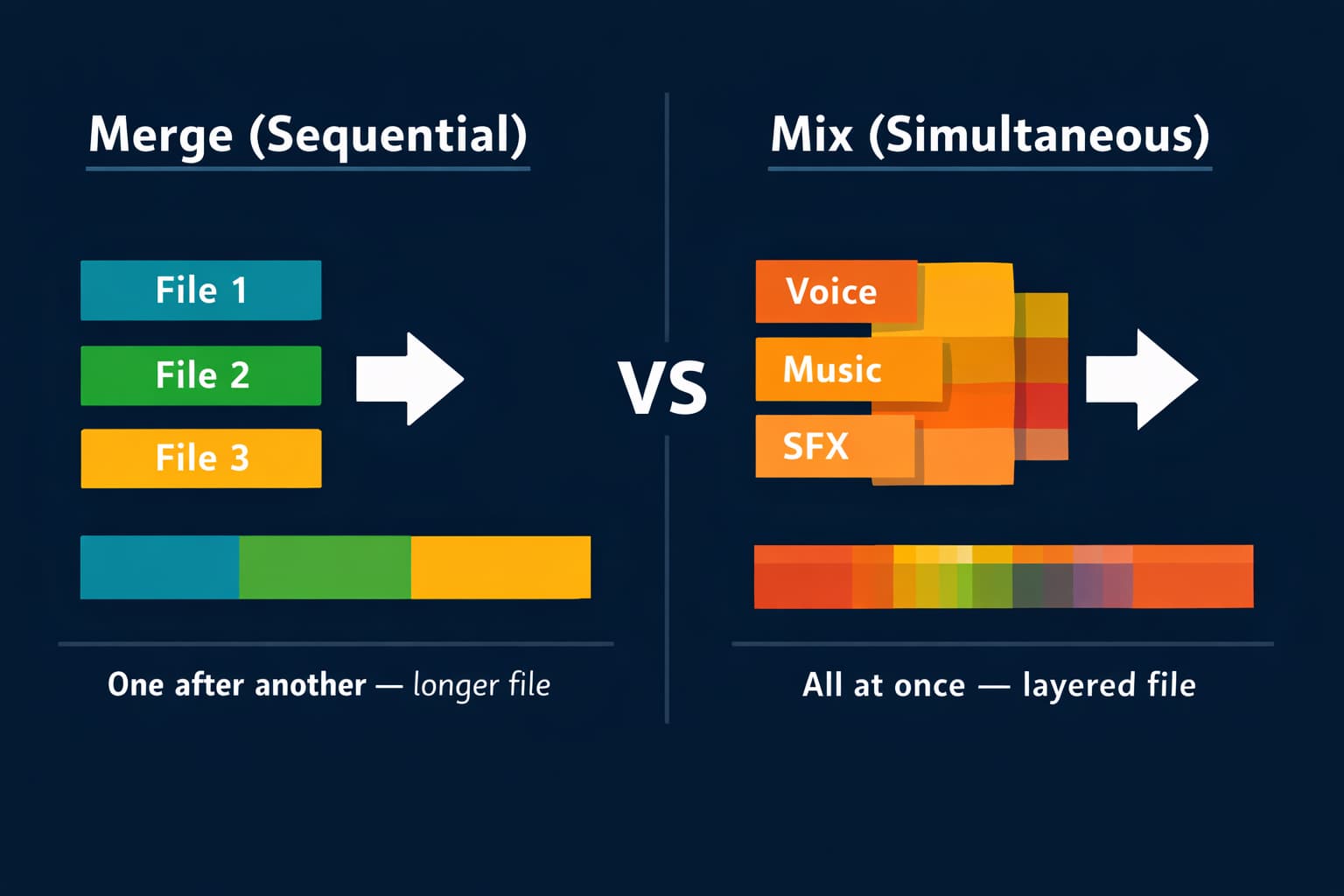
Merging audio means joining multiple files in sequence — one after another, forming a single longer file. File 1 ends, file 2 begins, file 3 follows, and so on. The result is a single continuous track where all content plays in linear order.
Practical example: you have three files — the podcast intro (2 minutes), the main content (45 minutes), and the closing (3 minutes). Merging the three creates a single 50-minute file where the intro plays, then the content, then the closing.
When to use merging:
- Join parts of a podcast recorded in separate sessions
- Combine audiobook chapters into a single file
- Join album tracks into a continuous compilation
- Unite segments of a class or lecture recorded in parts
Mix (Overlay)
Mixing audio means playing multiple files simultaneously — overlaid, playing at the same time. The result is a single file where all layers coexist. This is what happens in a song: vocals, guitar, bass, and drums are mixed together.
Audio-Editor Online's merge tool performs sequential concatenation. The editor does not currently mix overlapping tracks; use a multitrack application when voice and music must play together.
Preparation: What to Do Before Merging
The quality of the final file depends directly on how the individual files were prepared before merging. Skipping this step is the most common mistake — and the one that most frequently results in audible differences between merged segments.
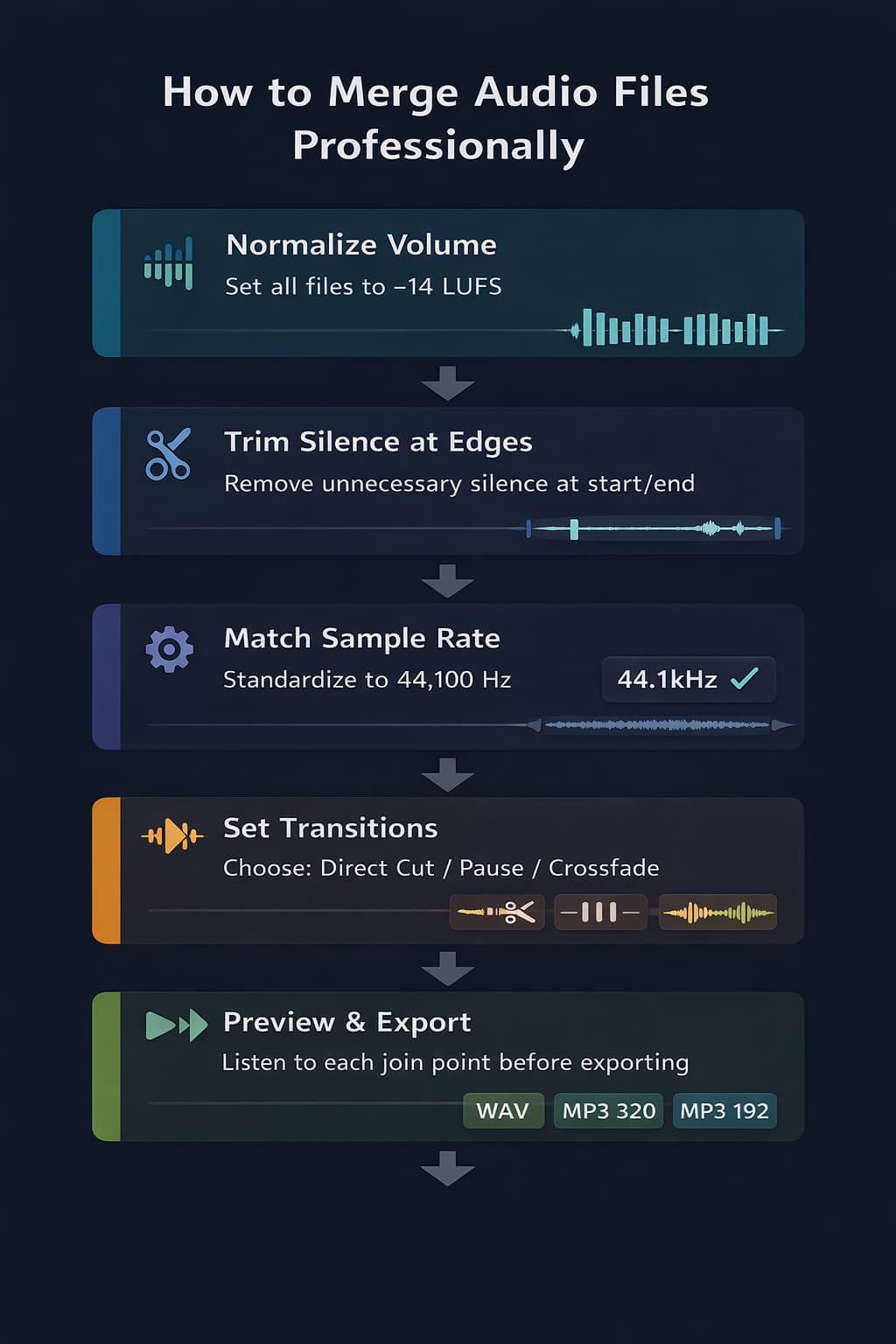
1. Normalize the volume of all files
The most common problem in amateur merges is volume differences between segments: the first segment sounds loud, the second sounds quiet, the third is at a completely different level. The listener notices immediately, and the result sounds incoherent.
Before merging, use the volume tool to correct obvious level differences and compare each file at the same monitoring volume. Peak normalization does not make perceived loudness equal. When delivery requires LUFS, measure each exported source with a standards-based loudness meter.
2. Check the sample rate
The sample rate defines how frequently audio is sampled per second — measured in Hz. The most common standard is 44,100 Hz (44.1 kHz), used in CDs and most productions. 48,000 Hz (48 kHz) is also common in video audio.
3. Standardize the format when possible
Different extensions may work when every source can be decoded. The editor aligns decoded buffers to the project sample rate and mono/stereo layout. Compatibility depends on the codec and browser, not only on the filename extension.
4. Remove unnecessary silence at the edges
Check the beginning and end of each file before merging. Many recordings have 1 to 3 seconds of silence at the start (before the microphone is activated) and at the end (after the recording stops). This silence accumulates: if you merge 10 files with 2 seconds of silence at each edge, you could end up with over 30 seconds of unwanted silence distributed throughout the final file.
Use the audio cutting tool to trim the edges of each file before merging.
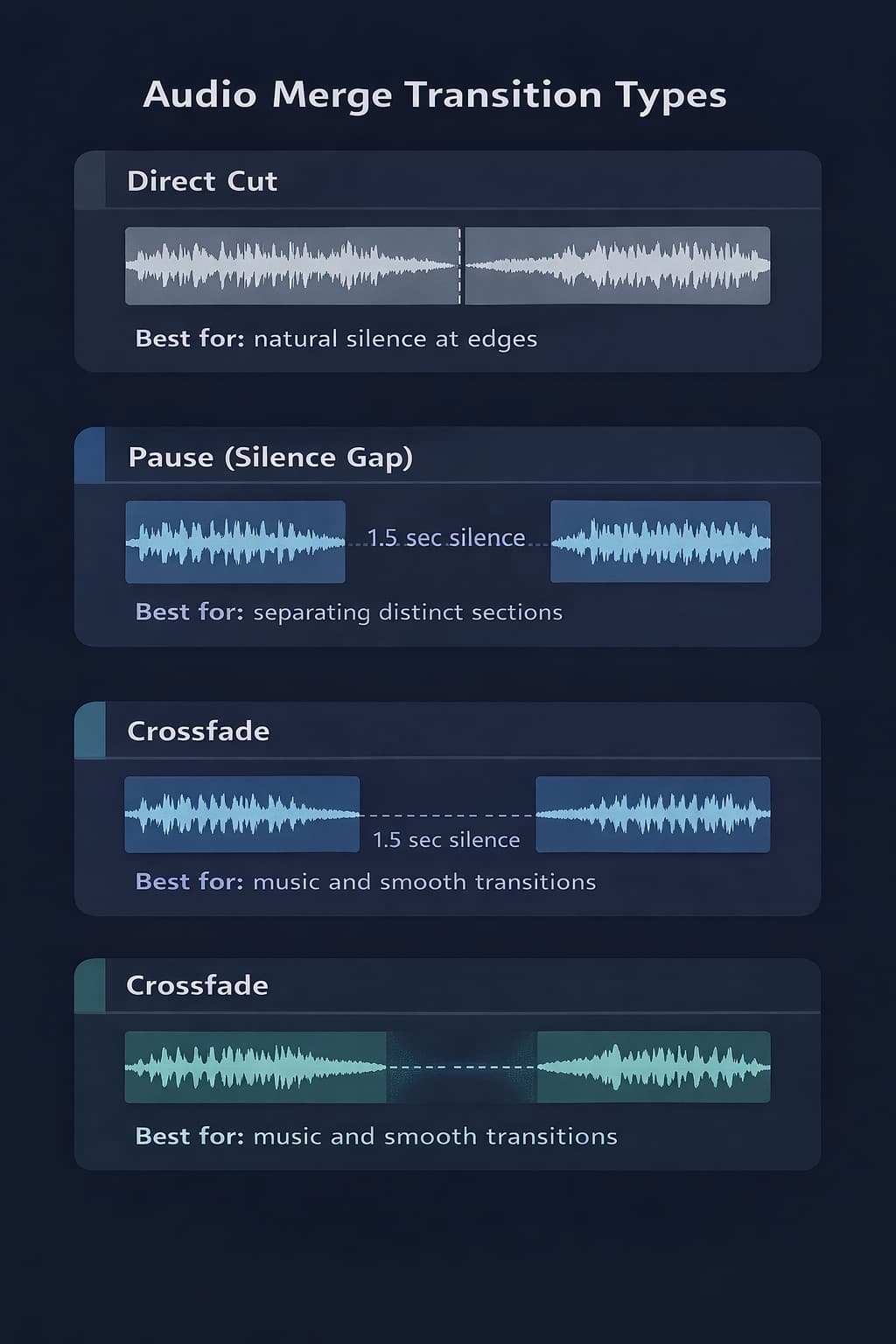
Transitions: what to prepare before joining
The current merge tool uses a direct join. Pause and crossfade are useful production concepts, but they are not controls in this queue. Add silence or edge fades to the individual files first; use a multitrack editor for overlap.
No Transition (Direct Cut)
Files are joined directly — the last sample of file 1 is immediately followed by the first sample of file 2, with no gap or overlap.
With Pause (Silence Between Segments)
To create a pause here, add the desired silence to the end or beginning of a source before placing it in the queue. The merge operation itself does not insert silence.
Crossfade (Overlap with Fade)
A crossfade overlaps two files while one fades out and the other fades in. Because this editor concatenates rather than overlaps sources, crossfade requires a multitrack tool and cannot be produced by the current merge queue.
How to Merge Audio Online: Step-by-Step
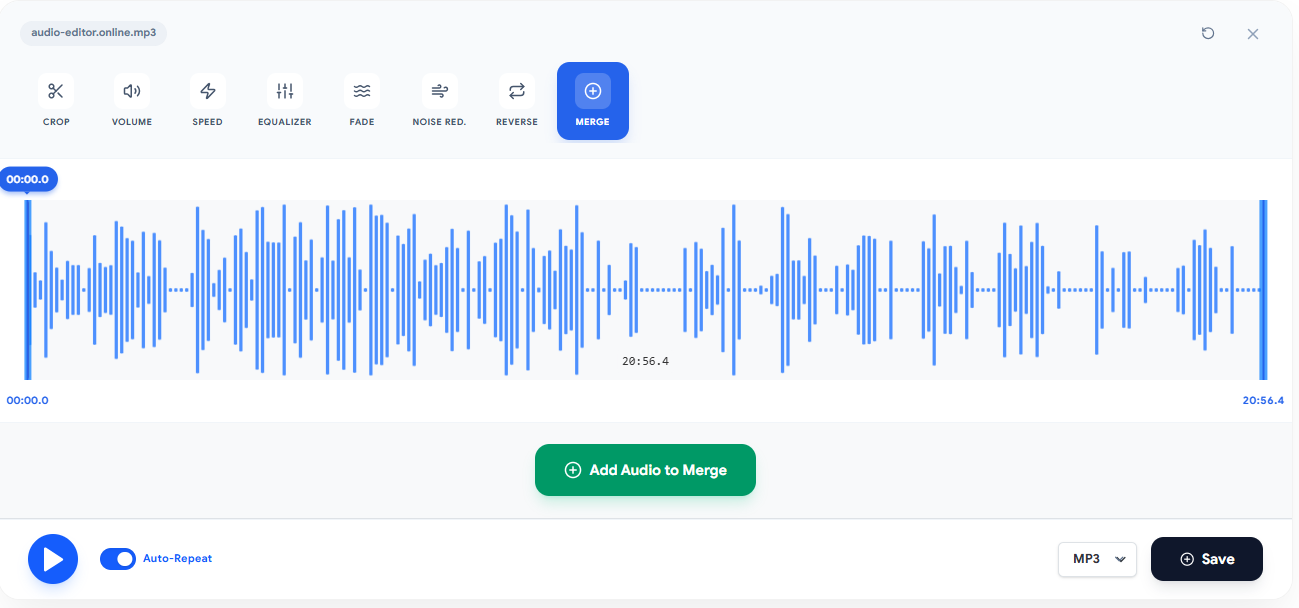
With Audio-Editor Online, prepare a small queue, verify its order, preview the sequence, apply the join, and listen before export. Browser and codec support vary by device.
Step 1: Access the tool and upload your files
Go to the audio merge tool and upload the files you want to join. You can:
- Add compatible audio or video sources to the queue
- Keep the queue within the five-item limit for each operation
- Remove or reorder an item before applying the join
Step 2: Organize the file order
After loading, files appear in an ordered list. Drag and drop to set the playback order. The file at the top of the list will play first; the last file will be the end of the merged output.
Step 3: Prepare the exposed edges
The queue creates direct joins. If an edge needs a fade or silence, edit that source first and then return to the merge tool.
Step 4: Preview the sequence
Use the queue preview to confirm order and obvious level differences. After applying, listen through every direct join because the queue does not analyze clicks or loudness automatically.
Step 5: Apply, listen, and export
If a join sounds abrupt, undo, edit the relevant source edge, and rebuild the queue. Export only after checking the complete sequence.
Detailed Use Cases
Podcasters: Assembling a Complete Episode
A typical podcast episode is composed of multiple segments recorded separately:
- Opening jingle (music + voiceover) — 30 to 60 seconds
- Host introduction — 2 to 5 minutes
- Interview or main content — 20 to 60 minutes
- Announcements or advertising block — 1 to 3 minutes
- Closing — 1 to 2 minutes
- Closing jingle — 15 to 30 seconds
Teachers: Compiling Course Modules
Online courses often have classes recorded in separate sessions — sometimes on different days, with variations in the sound environment between one recording and another. Merging these lessons into a single module file improves the student experience, as they don't need to open multiple files.
Musicians: Creating a Continuous Album
Concept albums often need overlapping transitions between tracks. This queue can create a continuous file with direct joins, but crossfades require a multitrack editor. Prepare the transition elsewhere before using this tool for final sequential assembly.
Merging & Format Compatibility
One of the most frequent questions about audio merging is: can I join files of different formats? The answer is yes — with some important considerations.
| Combination | Result | Note |
|---|---|---|
| MP3 + MP3 | Common | Both files still decode before joining |
| WAV + WAV | Common | Sample rate and channels can still differ |
| FLAC + FLAC | Browser-dependent | Local fallback may be required |
| MP3 + WAV | Browser-dependent | Decoded buffers are aligned to the project |
| FLAC + MP3 | Browser-dependent | Both sources must decode successfully |
| OGG + M4A | Browser-dependent | Codec support varies by browser and file |
| Video + audio | Browser-dependent | The first decodable audio track is used |
Common Mistakes When Merging Audio
Mistake 1: Not normalizing volume before merging
The most frequent and most audible mistake. Each recording has its own volume level — a file recorded with a close lapel mic will sound much louder than one recorded with a desk mic in an open environment. Without prior normalization, the listener will perceive the volume difference at every transition.
How to avoid: compare the sources at a fixed listening level and use the volume tool for cautious gain changes. Use an external LUFS meter if the destination specifies program loudness.
Mistake 2: Ignoring silence at file edges
Recordings that begin with 2 to 3 seconds of silence (before the host starts speaking) and end with long silence (after the end of speech) create unwanted pauses in the final file — especially when multiple segments are merged in sequence.
Mistake 3: Expecting the queue to create a crossfade
Frequently Asked Questions (FAQ)
How many files can I merge at once?
The current queue accepts up to five items per operation. Memory use still depends on decoded duration, sample rate, and channels.
Can I merge files of different formats?
Yes. The tool automatically converts files of different formats to ensure compatibility during merging. For best results, standardize all files to the same format before merging — preferably WAV for maximum quality.
Does merging preserve the source bit for bit?
No. Sources are decoded and may be resampled or channel-converted before a new file is exported. Keep every original and inspect the result.
How do I reduce volume jumps?
Compare and adjust each source before joining. The editor measures sample peak, not LUFS, so use an external meter for a formal loudness target.
Conclusion
Merging audio professionally goes far beyond simply "joining files." Proper preparation — volume normalization, format standardization, silence trimming — is what determines whether the result sounds cohesive and professional or like an amateur collage of disparate segments.
The essential points you learned in this guide:
- Merging joins files in sequence; mixing overlays them — they are different operations
- Normalize volume of all files before merging
- Trim edges to eliminate unnecessary silence
- Use this queue for direct sequential joins; use a multitrack editor when overlap or crossfade is required
- Standardize the sample rate to avoid speed variations
- Always preview transitions before exporting the final file
For a practical test, use the audio merge tool on Audio-Editor Online right now — using the workflow described above.
Have questions about audio merging or want to share your experience? Reach out via our contact form.
Keep learning
Related guides that continue the same editing workflow.