Have you ever heard a guitar that seems to "breathe backwards"? Or a vocal that sounds like an alien language before revealing an intelligible phrase when played forward? These fascinating effects are the result of one of the simplest — yet most creative — techniques in audio production: reversal.
Reversing audio means playing a sound file backwards — the last sample becomes the first, and the entire file is mirrored in time. The result can be something completely unrecognizable, or it can reveal patterns and textures that simply do not exist in the original version.
In this complete guide, you will learn how audio reversal works technically, the fascinating history of backmasking in popular music, professional techniques for creative use of reversed audio, and how to do it all for free, right in your browser, in seconds.
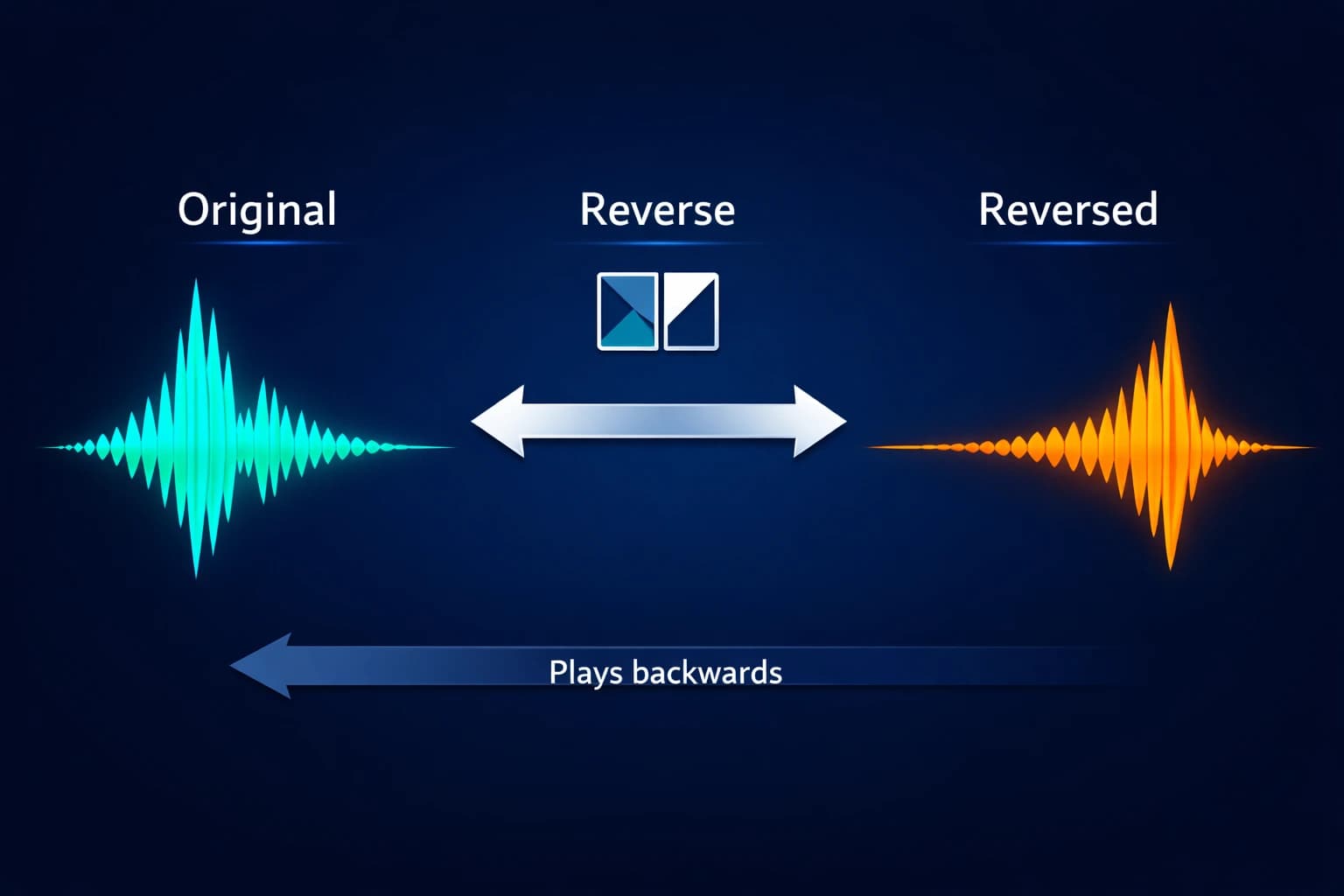
Table of Contents
- What Is Audio Reversal? How It Works Technically
- The History of Backmasking in Popular Music
- Professional Techniques with Reversed Audio
- How to Reverse Audio Online: Step-by-Step
- Real Use Cases: How Producers Use Reversed Audio
- Reversed Audio Across Musical Genres
- Common Mistakes When Using Reversed Audio
- Frequently Asked Questions (FAQ)
- Conclusion
What Is Audio Reversal? How It Works Technically
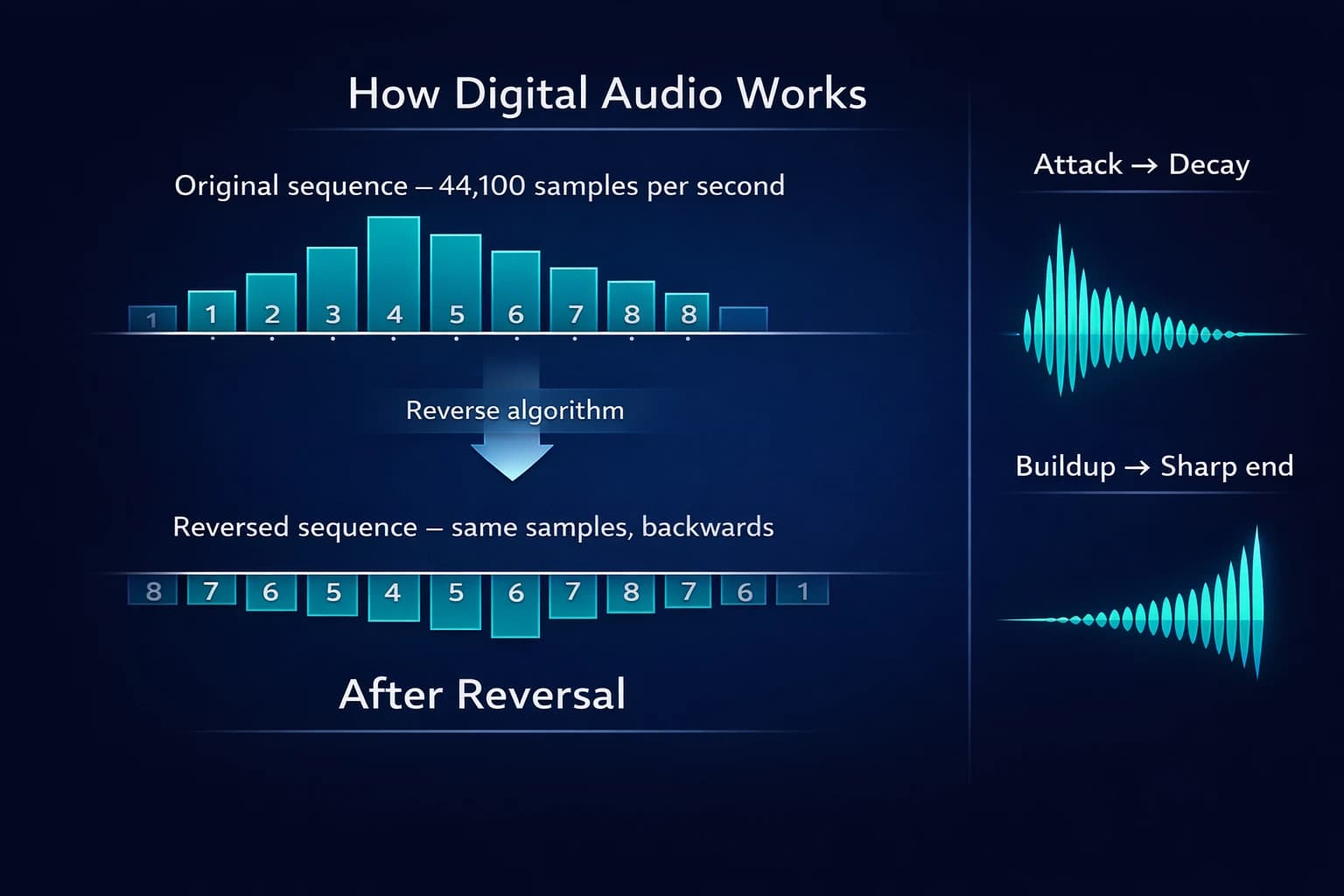
Reversing audio is the operation of inverting the order of samples in a sound file. In technical terms, a digital audio file is a sequence of numerical samples — typically 44,100 per second (44.1 kHz). Each sample represents the amplitude (intensity) of the sound at that specific moment.
When you reverse an audio file, the algorithm simply reads this sequence backwards: the last sample becomes the first, the second-to-last becomes the second, and so on until the first original sample becomes the last.
The process is mathematically simple — and therefore instantaneous in modern tools. There is no complex calculation, no synthesis algorithm, no frequency processing. It is literally an inversion of the temporal data sequence.
Why does the result sound so different?
Despite the simplicity of the process, the result sounds radically different from the original. This happens because our sound perception is deeply temporal — we expect sounds to have an attack (beginning) and a decay (end) in a specific order.
When a piano plays a note, for example, the sound starts with a strong percussive attack (the key being pressed) and decays gradually. Reversed, the note starts soft and ends with the attack — a completely unnatural volume profile that the brain does not recognize as "piano."
Similarly, spoken words have formant patterns (characteristic frequencies of each vowel and consonant) that the brain recognizes instantly in the normal direction. Reversed, these patterns produce sounds that resemble an unknown foreign language.
What changes and what stays the same
What changes after reversal:
- The temporal order of all sound events
- The attack and decay profile of each sound
- Speech intelligibility
- Rhythmic and melodic feel
What stays the same after reversal:
- The frequencies present in the audio (frequency spectrum)
- Overall volume (RMS level)
- Total file duration
- Technical quality (no quality degradation)
The History of Backmasking in Popular Music
The intentional use of reversed audio in music has a rich history that begins in the 1960s and continues to this day. Understanding this history helps contextualize the techniques and creative possibilities of reversal.
The pioneers: The Beatles and 1960s psychedelia
The Beatles were the first major artists to use reversed audio systematically and intentionally in commercial recordings. Producer George Martin and engineer Geoff Emerick developed various experimental techniques at Abbey Road Studios, and reversal was one of John Lennon and Paul McCartney's favorites.
In "Rain" (1966), Lennon's vocal at the end of the song was recorded, reversed, and added to the track — one of the first documented uses of reverse vocals in a commercially successful song. In "Tomorrow Never Knows" (1966), reversed tape loops created the characteristic psychedelic texture of the track. In "Strawberry Fields Forever" (1967), reversed phrases in the arrangement contribute to the song's dreamlike atmosphere.
The backmasking phenomenon and "hidden messages"
Backmasking is the practice of deliberately recording a message intended to be heard when the audio is played in reverse. In the 1970s and 1980s, a series of claims — many without technical or intentional basis — about hidden messages in popular songs generated significant cultural controversy.
"Stairway to Heaven" by Led Zeppelin is perhaps the most famous example: a section of the song, when reversed, appears to contain recognizable English phrases. Robert Plant and Jimmy Page always denied any intentionality — and from a technical standpoint, the perception of "messages" in reversed audio is largely a psychological phenomenon called apophenia: the human tendency to find recognizable patterns in random sequences.
Contemporary artistic use
Regardless of cultural controversy, reversed audio has established itself as a legitimate and creative tool in modern music production. Producers across all genres — from electronic music to film scores, from experimental hip-hop to ambient — use reversal regularly and intentionally to create textures, transitions, and effects that simply cannot be achieved any other way.
Professional Techniques with Reversed Audio
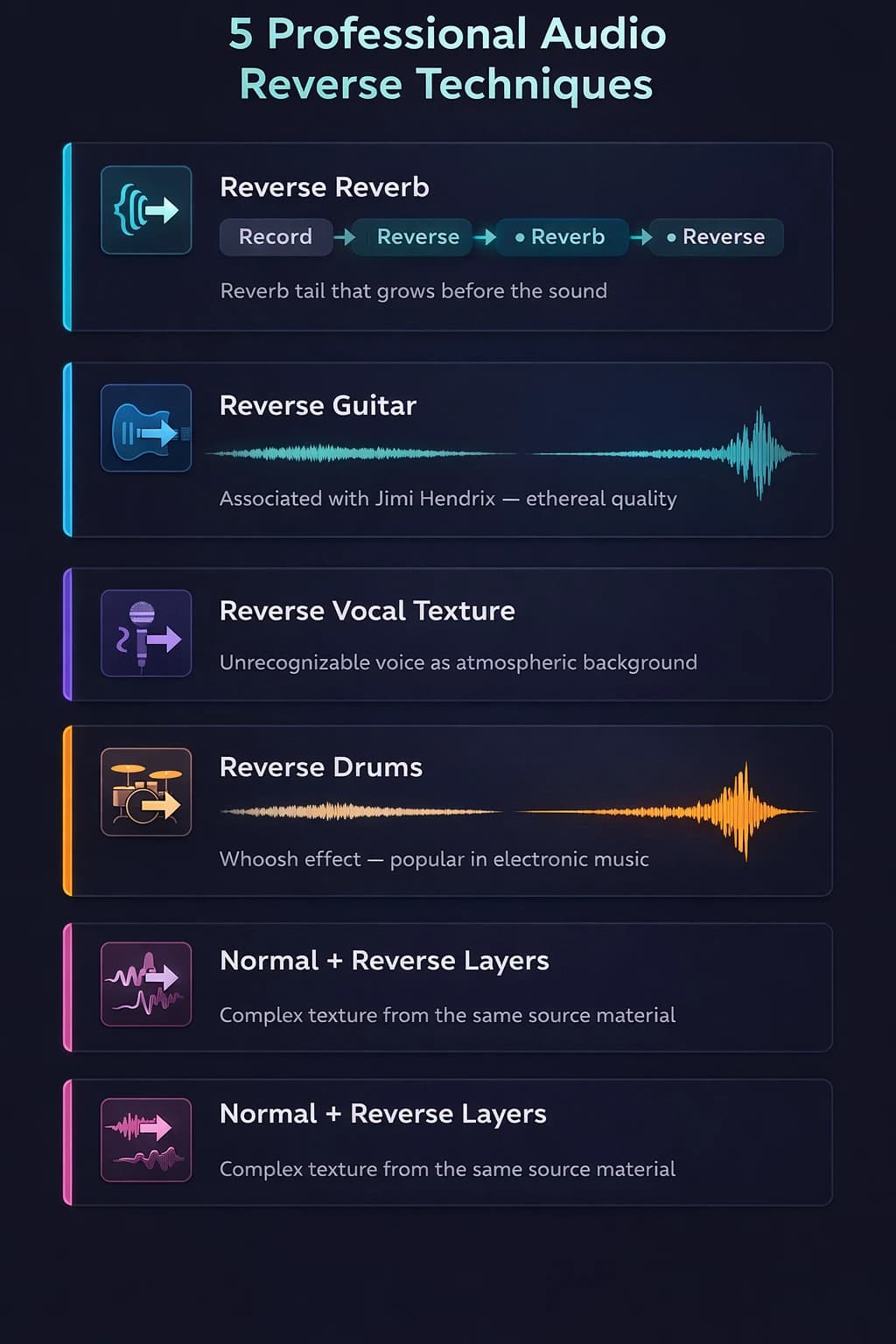
Technique 1: Reverse Reverb
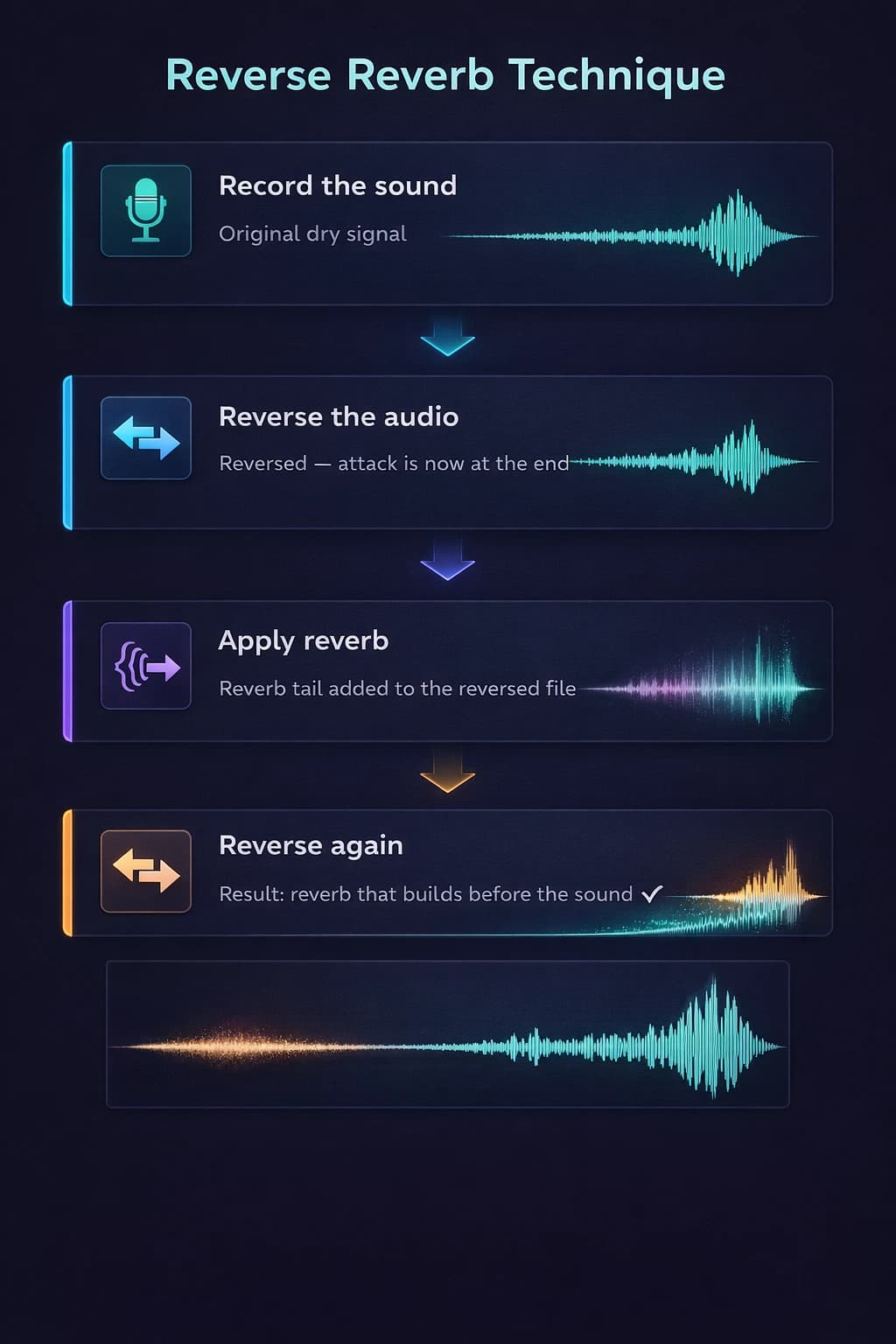
Reverse reverb is perhaps the most widely used technique with reversed audio in professional music production. The process:
- Record the original sound (voice, instrument, effect)
- Reverse the file
- Apply reverb to the reversed audio
- Reverse the file with reverb again
The result is a reverb "tail" that swells before the main sound — as if the acoustic space "anticipated" the sound to come. It is the signature effect of many pop, rock, and electronic productions from the 1980s and 1990s, and it is still widely used today.
Practical applications of reverse reverb:
- Dramatic introduction of a beat or riff
- "Swoosh" effect before a transition
- Ethereal, mysterious vocal entrance
- Background textures in film scores
Technique 2: Reverse Guitar
Reverse guitar is a technique primarily associated with Jimi Hendrix, who used it in tracks like "Are You Experienced" and "Castles Made of Sand." The process is similar to reverse reverb: the guitar part is recorded, reversed, and the reversed track is kept in the final mix.
The result is the characteristic profile of a guitar note that begins with sustained sound and ends with the attack — exactly the opposite of what happens naturally. The sound has an "ascending," ethereal quality that cannot be reproduced any other way.
Technique 3: Reverse Vocals as Texture
Recording vocals, phrases, or even conversations and reversing them creates background textures that sound vaguely human but completely unrecognizable — perfect for creating a sense of mystery, depth, or the uncanny. It is a common technique in thriller and horror film scores, as well as ambient and experimental music.
Technique 4: Reverse Percussion
Reversing percussion elements — kick, snare, hi-hat — creates sounds with an inverted attack profile. A reversed snare sounds like a growing "whoosh" that ends abruptly. A reversed kick has an almost mechanical quality. These elements are heavily used as layers in electronic productions.
Technique 5: Layering Normal + Reversed
Layering the original audio with its reversed version (at different volumes) creates complex textures where sound moves forward and backward simultaneously. It works especially well with sound effects, ambiences, and instrumental tracks.
How to Reverse Audio Online: Step-by-Step
With Audio-Editor Online, reversing an audio file takes literally seconds — processing is instantaneous and happens entirely in your browser, without sending any data to external servers.
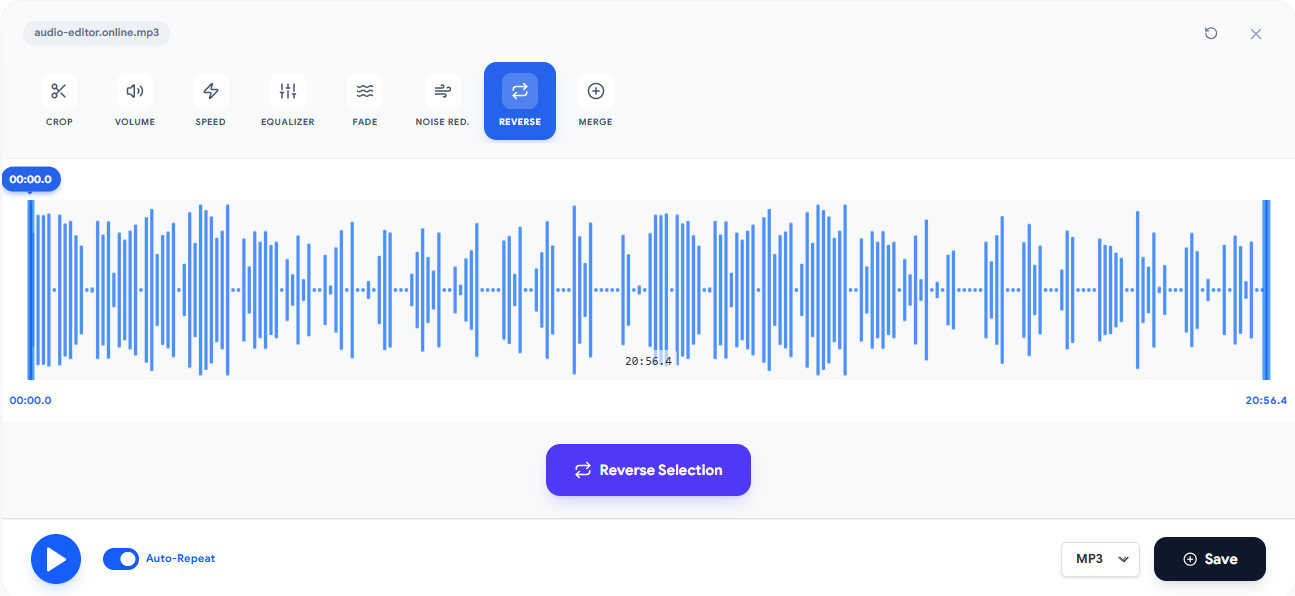
Step 1: Access the tool and upload your file
Go to the audio reversal tool and choose a compatible file. Decoding depends on the browser and device; files chosen locally are processed on the device.
Step 2: Click Reverse
A single click processes the entire file. Reversal is instantaneous for normal-sized files — a 5-minute MP3 file is reversed in less than 1 second on most devices.
Step 3: Preview the result
Use the play button to listen to the reversed file before exporting. Pay attention to the sonic character — reversed human voices sound like an unknown language, instruments have inverted attack profiles, and songs with lots of natural reverb create particularly interesting effects.
Step 4: Export in your desired format
If the result is what you expected, export as WAV for maximum quality (ideal for further editing) or as MP3 for distribution and immediate use.
Tip: work with specific segments
To reverse only a portion of a larger file — such as a guitar solo or vocal phrase — first use the cut tool to extract the segment, reverse the isolated segment, and then use the merge tool to reintegrate the reversed section at the original position in the file.
Real Use Cases: How Producers Use Reversed Audio
Music Producers: Creating Transitions and Effects
Reversed audio is one of the quickest tools for creating impactful transitions between sections of a song. A reversed guitar riff before the drop of an electronic track, a reversed vocal as a pickup before the chorus, reversed drums building tension before a fill — all of these effects are used in commercial productions across every genre.
To implement: export the segment that precedes the transition, reverse it, and reinsert it into the project before the original element.
Sound Designers: Developing Effects for Soundtracks
Film and game sound designers use reversal extensively to create sound effects that sound alien, mechanical, or supernatural. Everyday sounds reversed — water, fire, wind, voices, footsteps — gain completely new qualities that can serve as the basis for sci-fi, horror, or fantasy effects.
The reverse reverb technique is especially popular in thriller and horror soundtracks, where it creates a sense of anticipation and unease before a dramatic moment.
Content Creators: Effects for Video
For YouTube, Instagram, and TikTok creators, reversed audio is an easily accessible effect that creates immediate visual and sonic impact. Reversed vocals in transitions, reversed music as Easter eggs for attentive viewers, "alien" voice effects — all are popular effects that require nothing more than a simple reversal tool.
Researchers & Curious Minds: Analyzing Backmasking
One of the most popular reasons for using an audio reversal tool is simply satisfying curiosity about famous songs. Listening to specific sections of songs in reverse to personally verify backmasking claims is an exercise that combines entertainment with a small lesson in sound perception and psychology.
The most common result is the realization that the human brain is extraordinarily good at finding patterns — even where none were intentionally placed.
Musicians: Learning and Analyzing Techniques
Reversing a complex solo or arrangement can reveal composition and improvisation patterns that are not obvious in the normal direction. Some musicians use reversal as an analytical tool — listening to a guitar solo in reverse, for example, isolates note decays and reveals bow pressure dynamics or string sustain in ways that are not audible in the normal direction.
Reversed Audio Across Musical Genres
The use of reversed audio varies significantly across musical genres. The table below shows how each genre uses the technique in characteristic ways:
| Genre | Most Common Use | Reversed Element | Desired Effect |
|---|---|---|---|
| Psychedelic rock | Reverse guitar | Solos and riffs | Ethereal, dreamlike quality |
| Electronic music | Reverse reverb | Synths and percussion | Tension before the drop |
| Experimental hip-hop | Reversed samples | Vocals and instrumentals | Strange, unique texture |
| Film scores | Reverse reverb | Any element | Anticipation and suspense |
| Ambient music | Reversed layers | Soundscapes | Timeless depth |
| Contemporary pop | Reverse vocals | Ad-libs and effects | Impact in transitions |
| Progressive metal | Reverse percussion | Kick and snare | Rhythmic complexity |
Common Mistakes When Using Reversed Audio
Mistake 1: Overusing reversed audio
Reversed audio is impactful precisely because it is uncommon and surprising. Overusing it — on many elements of a production or repeatedly throughout a track — dilutes the impact and can make listening fatiguing. Reserve reversal for specific moments where the effect serves a clear purpose.
How to avoid: use reversed audio as seasoning, not the main ingredient. One or two reversed elements in a production have far more impact than an entire track built on reversal.
Mistake 2: Reversing without considering rhythmic context
In songs with a defined tempo (BPM), a reversed element can throw off the rhythmic grid if not positioned correctly. The attack of a reversed note happens at the opposite point from where it would be expected, which can create unintended rhythmic conflicts.
How to avoid: when inserting reversed elements into a production with a defined BPM, check alignment with the rhythmic grid. You may need to adjust the position of the reversed segment so that its attack (which is now at the end) coincides with the correct musical beat.
Mistake 3: Exporting in a compressed format for further editing
If you reverse a file and plan to continue editing — applying reverb, equalization, or volume adjustments — exporting as MP3 after reversal and before subsequent edits adds unnecessary compression. Each MP3 re-export adds artifacts.
How to avoid: always export as WAV when the reversed file will undergo further processing. Use MP3 only for the final export, when the file is completely finished.
Mistake 4: Confusing reversal with pitch shift
Reversing audio does not change the pitch — the frequencies present in the file are exactly the same, just in inverted temporal order. If you need a "deeper voice" or "higher voice" effect, use the pitch change tool, not reversal. They are completely different operations.
How to avoid: understand the difference between tools before applying them. Reversal inverts time; pitch shift alters frequencies; speed change with pitch preservation uses time-stretching. Each produces a completely different effect.
Mistake 5: Not working with a copy of the original file
Reversal is a simple operation to undo — you can reverse the reversed file to get the original back. But if you make additional edits (cuts, effects) on the reversed file before realizing you want the original, it may be difficult or impossible to recover the initial version without artifacts.
How to avoid: always keep the original file untouched. Work on copies — especially when combining reversal with other edits.
Frequently Asked Questions (FAQ)
Does reversing audio reduce the file quality?
Reversal itself reorders decoded samples, but export can change codec or bit depth. MP3 and M4A are re-encoded, and WAV output is PCM 16-bit, so the exported file is not guaranteed bit-perfect.
Can I reverse only a portion of the audio, not the entire file?
The reversal tool processes the complete file. To reverse only a specific section, use the cut tool to extract the desired segment, reverse that segment separately, and then use the merge tool to reintegrate the reversed section into the original file at the correct point.
What happens to rhythm and BPM when reversing a song?
The BPM stays the same — playback speed does not change. What changes is the relative position of rhythmic accents: a kick that fell on beat 1 now falls on the equivalent beat measured from the end. In songs with a regular time signature, the reversed rhythm may sound coherent but "shifted" from what the ear expects.
Can I hear hidden messages in songs by reversing them?
You can reverse any song and listen to the result. Many people report hearing recognizable phrases in reversed audio — especially in famous songs where hidden messages have been suggested. From a technical standpoint, this is frequently a perception phenomenon called apophenia: the brain seeks familiar patterns even in random sequences. Intentional backmasking cases exist — The Beatles documented several — but most popular "hidden messages" lack evidence of intentionality.
Does the tool work with any audio format?
Yes. Audio-Editor Online supports MP3, WAV, FLAC, OGG, and M4A for reversal. For maximum quality results, use WAV files as input when possible.
How long does it take to reverse a long file?
Processing time varies with decoding, duration, channels, sample rate, browser, device speed, and memory. Large compressed files can expand substantially after decoding.
Can I use the reversed audio commercially?
Reversing does not alter the intellectual property of the content. If you do not hold rights to the original audio, reversing the file does not create a new right of use. For commercial use, make sure you have the necessary rights to the original material.
Does reversing twice return to the original?
Two reversals of the same in-memory samples are symmetric. Exporting and reopening can add encoding or quantization changes, so keep the untouched original as the reliable undo.
Conclusion
Reversing audio is one of the simplest operations in audio editing — and one of the most surprisingly creative. The same file, read backwards, reveals textures, sonic profiles, and aesthetic possibilities that simply do not exist in the forward direction.
The essential points you learned in this guide:
- Reversal inverts the order of samples without altering frequencies or quality
- The result sounds different because attack and decay profiles are inverted
- Reverse reverb is the most widely used professional technique — it creates reverb tails that swell before the sound
- The Beatles were pioneers in the creative use of reversed audio in popular music
- Use reversed audio with restraint — the impact comes from the rarity of the effect
- Always keep the original file; exported reversal is not a bit-perfect undo workflow
For a practical test, use the audio reversal tool on Audio-Editor Online right now — using the workflow described above.
Have questions about audio reversal or want to share your experience? Reach out via our contact form.
Keep learning
Related guides that continue the same editing workflow.