( Free · in the browser · no sign-up )
Reduce rumble and hiss online Use high-pass and low-pass filters
Reduce low-frequency rumble or high-frequency hiss with simple filters and compare the filtered audio with the original.
Or drop an audio or video file anywhere on this page. Supports: MP3, WAV, M4A, AAC, FLAC, OGG, WebM, MP4, MOV, MKV, and more.
The file you choose is processed in this tab; the page still loads site resources and consented analytics. Read the Privacy Policy.
- 01No installation
- 02Audio processed locally
- 03Preview before export
- 04No account
( What it is )
A sound cleaner for rumble, hum and hiss
Record anywhere, clean it up after local processing. Our browser-based noise reduction tool handles the background sounds that ruin recordings — from air conditioner hum in a home office to electrical hiss from a budget microphone — without expensive plugins or complex software.
Podcast & Voice Recording
Remove the low-frequency hum of your air conditioner, the persistent hiss of a budget microphone, and the ambient rumble of your home recording environment — so your voice is all that listeners hear, without the distracting background that signals amateur production.
YouTube & Video Content
Poor audio quality is cited as the leading reason viewers stop watching a video mid-way — more than poor video quality, more than slow pacing. Clean the audio from your recordings before uploading to measurably improve watch time, audience retention, and subscriber growth.
Meetings, Interviews & Transcription
Clean up recorded Zoom, Teams, or Google Meet sessions before distributing, archiving, or transcribing. Clear, noise-free audio dramatically improves auto-transcription accuracy and makes recordings significantly easier to listen to for hours at a time.
( How it works )
How to clean up a recording in 3 steps
Cleaning up noisy audio recordings is simple and effective. The available controls are high-pass filtering for rumble and low-pass filtering for hiss; they do not isolate voices or learn a noise profile.
- ( 01 / 03 )
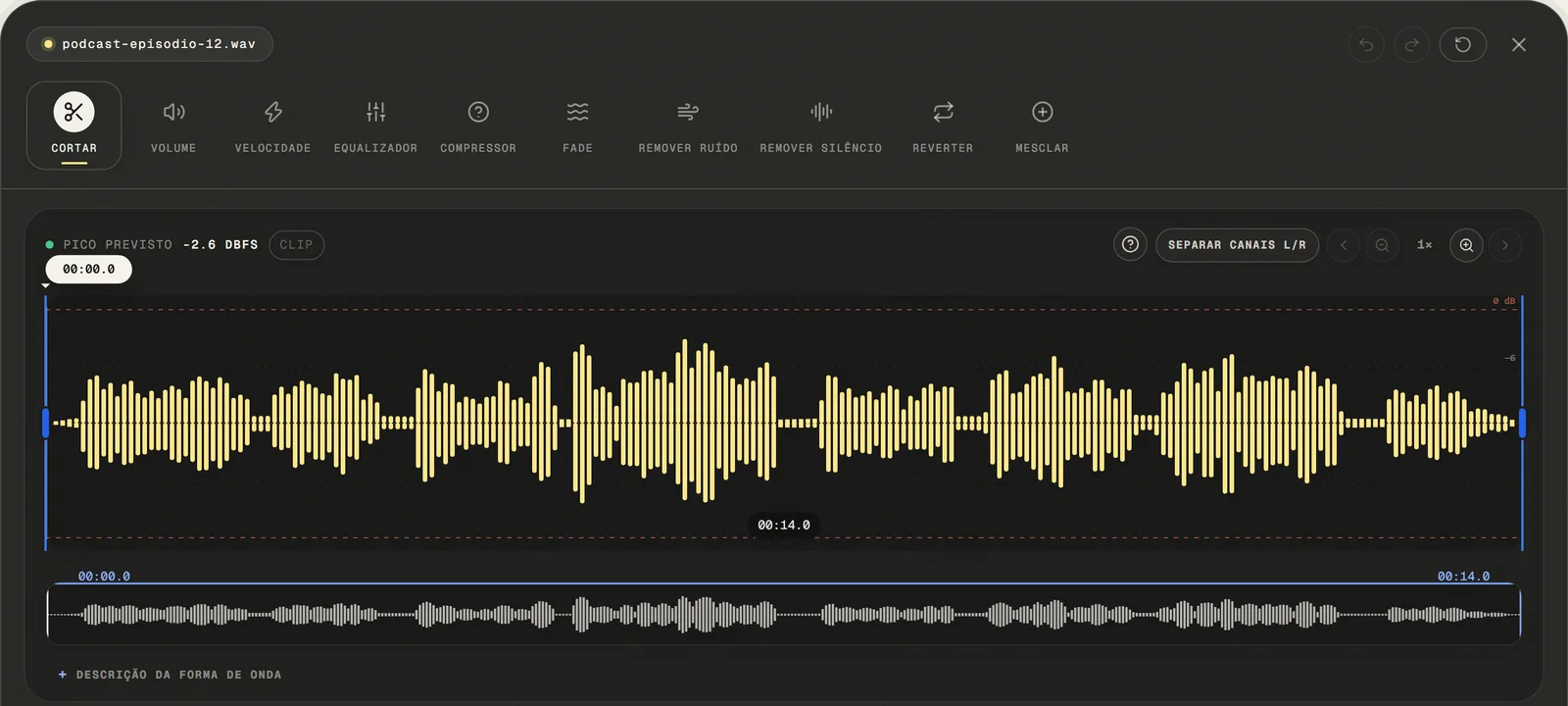
Upload Your Audio File
Choose a common audio or video file, paste a public link, or use the microphone. For video, only the first compatible audio track is opened.
local processing
- ( 02 / 03 )
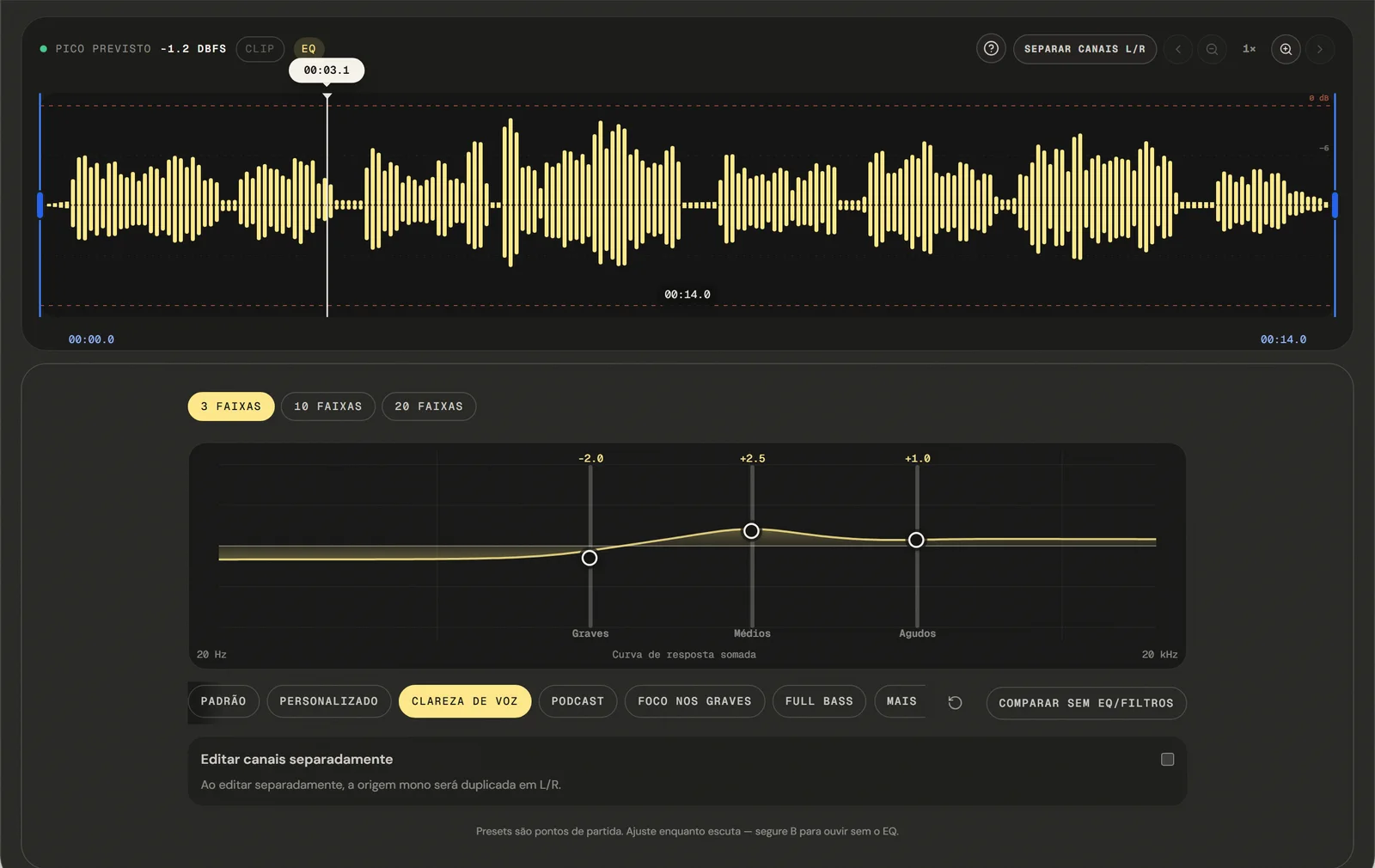
Set the reduce rumble and hiss Level
Select the noise reduction tool and use the intensity slider to dial in the right amount of cleanup. Lower settings remove subtle hiss while preserving full voice quality. Higher settings handle severe background noise — adjust until you find the sweet spot.
Adjustable Intensity
- ( 03 / 03 )
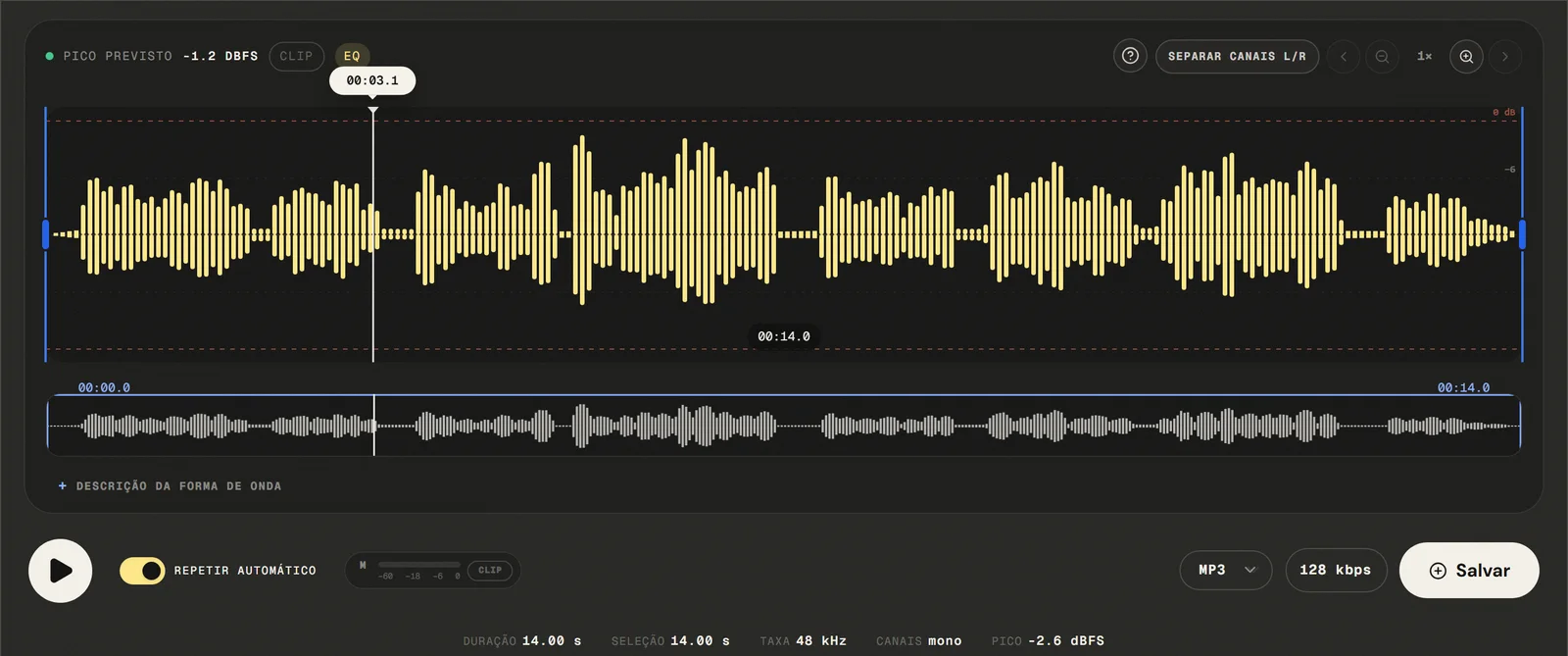
Export and Download Clean Audio
Available outputs are MP3 from 64 to 320 kbps, 16-bit PCM WAV, M4A with 192 kbps AAC, and FLAC. Your cleaned audio downloads after local processing — no watermark, no account, no re-upload required.
No Watermarks
( Precision )
High-pass up to 300 Hz, low-pass from 3 kHz
The available controls are high-pass filtering for rumble and low-pass filtering for hiss; they do not isolate voices or learn a noise profile.
- 01
Stationary reduce rumble and hiss
Eliminates consistent background sounds — the kind that stay relatively constant throughout a recording: electrical hiss, microphone self-noise, HVAC hum, fan noise, and 60Hz/50Hz electrical interference.
- 02
Adjustable Reduction Intensity
The available controls are high-pass filtering for rumble and low-pass filtering for hiss; they do not isolate voices or learn a noise profile. Subtle settings for clean recordings that just need a light touch; aggressive settings for recordings made in noisy environments.
- 03
Voice Preservation
The noise reduction algorithm is designed to distinguish between speech signal and background noise. At appropriate intensity levels, your voice emerges from the process clean and natural.
( Why in the browser )
What filtering fixes, and what it cannot reach
practical noise reduction plugins cost hundreds of dollars and require hours of learning. The available controls are high-pass filtering for rumble and low-pass filtering for hiss; they do not isolate voices or learn a noise profile.
- ( 01 )
Open It and Start, No Install
The available controls are high-pass filtering for rumble and low-pass filtering for hiss; they do not isolate voices or learn a noise profile. No plugin download, no DAW setup, no system requirements. Works on Windows, macOS, Linux, iOS, and Android.
- ( 02 )
Processed in your browser
Your audio never leaves your device. Noise reduction runs entirely in your browser using Web Audio API and browser JavaScript. The selected audio file is processed locally in this browser tab.
- ( 03 )
Adjustable Intensity Control
Fine-tune noise reduction with a precise slider. Light cleanup for subtle hiss, aggressive reduction for severe background noise — you're in full control. Hear the result in real time before committing to export.
( Other tools )
Other free audio tools
Open only the tool needed for the next step in your file.
( Where your audio goes )
( File processing )
Your audio is filtered in this tab, not uploaded
The chosen audio file is decoded and edited locally. The page may make connections for site resources and consented analytics.
Read the Privacy PolicyFile in browser memory
. The audio file is not sent to the application server to perform the edit.Device limits
. Long files require more memory; the practical limit varies by device and browser.Local export
. The result is rendered in the browser. Compressed formats are re-encoded.
( Questions? Answered )
Questions about cleaning up audio
Direct answers about how the current tool works.
Can this take out traffic, chatter or a barking dog?
No, and it is worth knowing before you start. These are two filters that cut a fixed range at each end of the spectrum. Sounds that share a frequency range with the voice, or that change from moment to moment, cannot be separated this way.
What does the high-pass filter fix?
Steady low-frequency content below the cutoff: mains hum, air handling, a desk being knocked, the low thump of wind or handling on a microphone. Speech has little useful content under about 80 Hz, so cutting there is usually free.
What does the low-pass filter fix?
Steady high-frequency content above the cutoff: tape hiss, the fine sizzle of a cheap preamp, some air-conditioning noise. Cutting too far down here also takes the clarity out of consonants, so move it in small steps.
Why does the voice sound thin or muffled now?
The filters do not know which parts are the voice. A high-pass set too high hollows out the body of the sound; a low-pass set too low makes it dull. Use the bypass to compare and pull back until only the unwanted part has gone.
Can I hear the difference before exporting?
Yes. Bypass switches between the filtered signal and the original using the same filter mapping the export uses, so the comparison is the real thing rather than an approximation.
What should I do about a recording made in a noisy room?
Filtering will help with the steady part — the hum of the room, the rumble of traffic through a wall. It will not help with voices or sudden sounds. If the recording matters, a second take in a quieter place beats any amount of processing.
Which formats can I open and export?
Common audio and video containers are accepted: the editor tries native decoding first and falls back to a local FFmpeg build to pull the first compatible audio track. Exports are MP3 from 64 to 320 kbps, 16-bit PCM WAV, M4A/AAC at 192 kbps, and FLAC.
Is my audio file uploaded to a server?
The audio is decoded and filtered locally in this browser tab and is not sent to the application server to perform the edit. The page itself still loads site resources and consented analytics.
( Product evidence )
How these filters were tested
The shared audio-graph tests verify identical filter mapping for preview and export, including attenuation of a 60 Hz rumble fixture.
Reviewed 3 September 2026
Read the methodology( 01 — Tested )
Test coverage
Environment: capability matrix v1, unit tests, and Chromium desktop and mobile profiles.
( 02 — Limits )
Device constraints
Processing time and support for additional inputs vary with device memory, browser capabilities, and the codecs contained in the file.
( Field notes )
Learn the technique behind the tool
Guides written and reviewed by the person who builds the editor, including the real limits of each feature.
- ( 01 ) · 11 min read
Audio Noise Filters: Reduce Rumble and Hiss Online
Learn how high-pass and low-pass filters can reduce low rumble and high hiss, what they cannot remove, and how to protect speech while filtering.
Read - ( 02 ) · 12 min read
How to Record Audio on Your Phone with Better Quality
Learn how to record better audio on your phone. Setup tips, app choices and how to edit the result directly in your browser — free.
Read - ( 03 ) · 9 min read
Audio Editing Glossary: 40 Terms Every Content Creator Needs to Know
Audio editing glossary with 40 essential terms. Learn what bitrate, normalization, clipping, EQ and compression mean — clear definitions for podcasters and content creators.
Read
( Ready when you are )
Reduce rumble and hiss online
Reduce background noise in speech and recordings directly in your browser without uploading the file to our servers.