( Free · in the browser · no sign-up )
Change audio speed online From 0.5× to 3×
Shorten or lengthen the audio while the editor processes the selected rate locally to preserve the original pitch.
Or drop an audio or video file anywhere on this page. Supports: MP3, WAV, M4A, AAC, FLAC, OGG, WebM, MP4, MOV, MKV, and more.
The file you choose is processed in this tab; the page still loads site resources and consented analytics. Read the Privacy Policy.
- 01No installation
- 02Audio processed locally
- 03Preview before export
- 04No account
( What it is )
Audio speed changer for music, study and podcasts
A music speed changer for practising a part slowly, a way to speed up MP3 lectures, and a time stretch for narration that has to land on a fixed length — all with the pitch left where it was.
Music Practice & Remixes
Slow down complex guitar solos, piano passages, or violin runs to 0.5x–0.7x so you can learn every note at your own pace — pitch stays perfectly intact. Or speed up a track to 1.1x to match a video's exact duration without re-recording.
Podcasts & Audiobooks
The 0.5x to 3x preview changes immediately and preserves pitch; final processing happens locally during export, and extreme values can still introduce artifacts. Listen to a 60-minute episode in 40 minutes without missing a single word.
Language Learning & Transcription
Reduce native speaker recordings to 0.65x–0.75x to study every phoneme, stress pattern, and liaison at a comfortable pace. Slow speech makes it dramatically easier to transcribe interviews, lectures, and complex dialogues accurately.
( How it works )
How to speed up or slow down audio in 3 steps
Adjusting audio tempo has never been this easy. Our intuitive interface lets you completely control playback speed after local processing, with zero technical knowledge required.
- ( 01 / 03 )
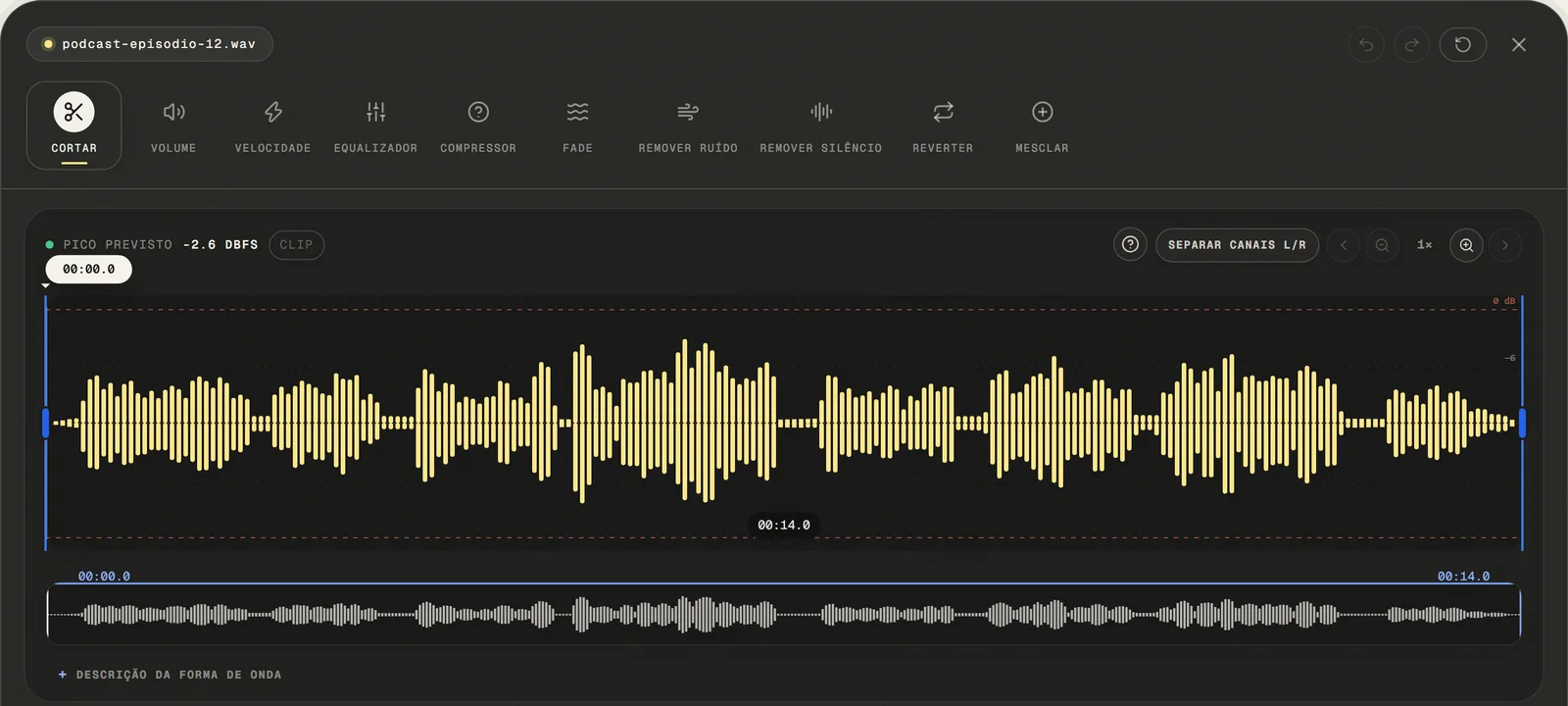
Upload Your Audio File
Choose a common audio or video file, paste a public link, or use the microphone. For video, only the first compatible audio track is opened.
local processing
- ( 02 / 03 )
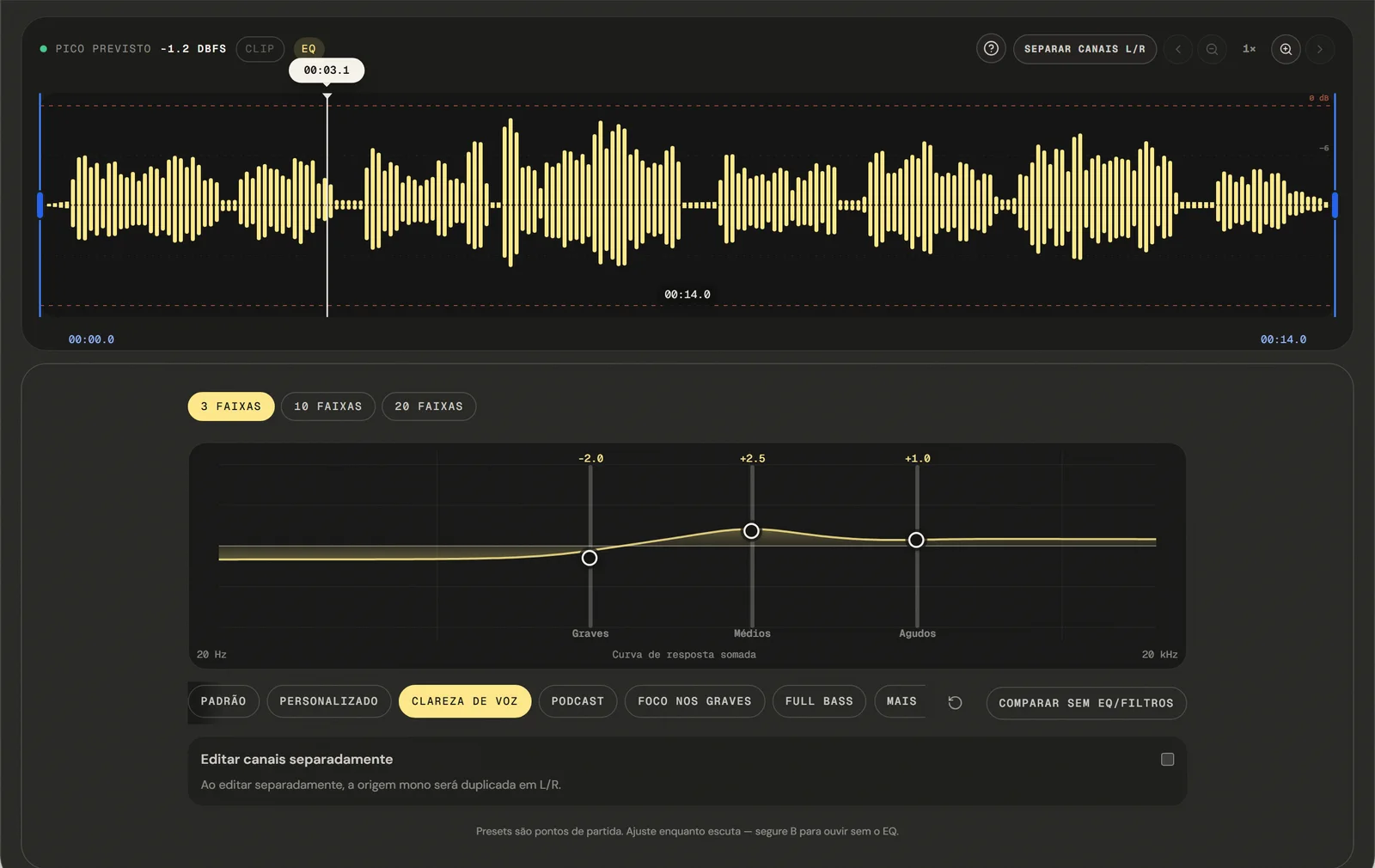
Set Your Desired Playback Speed
Drag the speed slider anywhere from 0.25x (quarter speed) to 4x (four times faster). The 0.5x to 3x preview changes immediately and preserves pitch; final processing happens locally during export, and extreme values can still introduce artifacts. Listen to the preview and fine-tune until the speed feels right.
No Pitch Shift
- ( 03 / 03 )
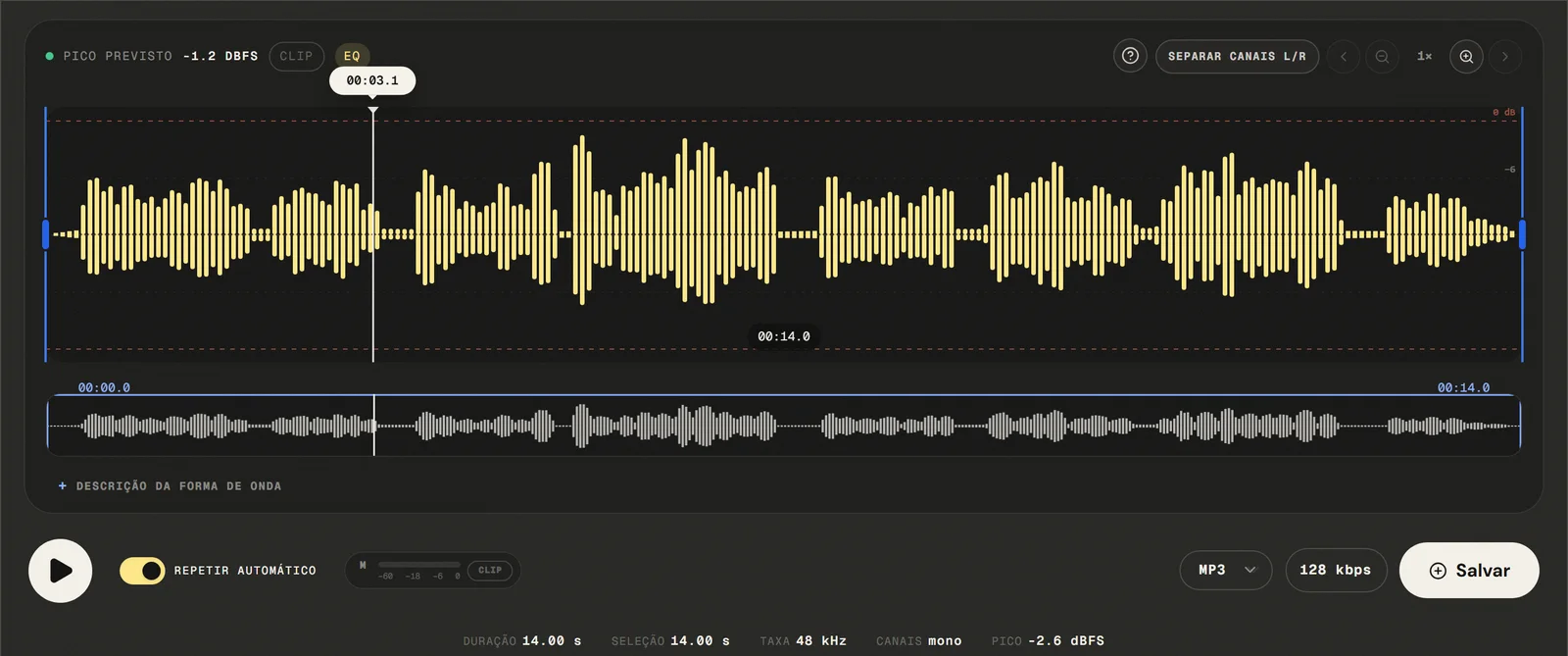
Export and Download Your Audio
Available outputs are MP3 from 64 to 320 kbps, 16-bit PCM WAV, M4A with 192 kbps AAC, and FLAC. No watermark embedded, no account required, no re-upload needed. The output file reflects the new duration corresponding to the speed multiplier you selected.
No Watermarks
( Precision )
The 0.5× to 3× range, and where stretching becomes audible
The 0.5x to 3x preview changes immediately and preserves pitch; final processing happens locally during export, and extreme values can still introduce artifacts.
- 01
Speed with pitch preservation
The 0.5x to 3x preview changes immediately and preserves pitch; final processing happens locally during export, and extreme values can still introduce artifacts. The result is a natural-sounding output at any speed in the 0.5x–2x range — no robotic artifacts, no frequency shift.
- 02
Precise Speed Multiplier
Set the exact speed multiplier you need — not just 0.5x or 2x, but 0.85x, 1.25x, 1.75x, or any value in between. This level of precision is essential for video sync use cases where the music duration must match a specific video length to the second.
- 03
Real-Time Preview
Play back the speed-adjusted audio directly in the tool before committing to export. Hear exactly how 1.3x sounds compared to 1.5x without downloading multiple versions. Adjust, preview, and confirm — then export once.
( Why in the browser )
Why a speed changer beats re-recording at a different pace
Desktop software like Audacity can change audio speed — but it requires installation, configuration, and familiarity with DSP settings. The 0.5x to 3x preview changes immediately and preserves pitch; final processing happens locally during export, and extreme values can still introduce artifacts.
- ( 01 )
Open It and Start, No Install
Open your browser and start adjusting speed in under ten seconds. No download, no configuration file, no system requirements. Works the same on Windows, macOS, Linux, iOS, and Android — in Chrome, Firefox, Safari, and Edge.
- ( 02 )
Processed in your browser
The 0.5x to 3x preview changes immediately and preserves pitch; final processing happens locally during export, and extreme values can still introduce artifacts. Your audio file never leaves your device, is never stored on any server, and is never accessible to anyone else — with local audio-file processing and global data privacy standards.
- ( 03 )
Speed with pitch preservation
The 0.5x to 3x preview changes immediately and preserves pitch; final processing happens locally during export, and extreme values can still introduce artifacts. At 1.5x, a voice sounds like the same person speaking faster — not higher. At 0.75x, music slows down without dropping to a lower key.
( Other tools )
Other free audio tools
Open only the tool needed for the next step in your file.
( Where your audio goes )
( File processing )
Time stretch online, in this tab rather than on a server
The chosen audio file is decoded and edited locally. The page may make connections for site resources and consented analytics.
Read the Privacy PolicyFile in browser memory
. The audio file is not sent to the application server to perform the edit.Device limits
. Long files require more memory; the practical limit varies by device and browser.Local export
. The result is rendered in the browser. Compressed formats are re-encoded.
( Questions? Answered )
Questions about changing audio speed online
Direct answers about how the current tool works.
Can I speed up audio without the voice sounding higher?
Yes — that is the default. The 0.5x to 3x preview changes immediately and preserves pitch; final processing happens locally during export, and extreme values can still introduce artifacts.
What is the difference between changing speed and changing pitch?
Speed changes how long the audio lasts; pitch changes how high or low it sounds. Playing a record faster changes both at once. This tool separates them and changes only the first.
How do I listen to a one-hour podcast in forty minutes?
Set the rate to 1.5× and export. The interface estimates the resulting duration as you move the control, so you can aim for a target length before processing.
How fast can I go before it starts sounding strange?
The range is 0.5× to 3×. Speech usually holds up well to about 2×; past that, and at the slow end, time stretching starts to add audible artifacts on music and on sharp transients.
Why does nothing happen until I let go of the control?
Processing starts when the control is released rather than on every small movement, so the file is stretched once instead of continuously. Longer files take a moment to finish.
Does changing the speed change the file size?
Usually yes, because the duration changed: a shorter file at the same bitrate holds fewer bytes. The bitrate you pick at export decides the rest.
Which formats can I open and export?
Common audio and video containers are accepted: the editor tries native decoding first and falls back to a local FFmpeg build to pull the first compatible audio track. Exports are MP3 from 64 to 320 kbps, 16-bit PCM WAV, M4A/AAC at 192 kbps, and FLAC.
Is my audio file uploaded to a server?
The audio is decoded and stretched locally in this browser tab and is not sent to the application server to perform the edit. The page itself still loads site resources and consented analytics.
( Product evidence )
How this speed changer was tested
Browser tests measure exported duration and frequency at 2×; unit tests cover the FFmpeg atempo chain and the local fallback.
Reviewed 3 September 2026
Read the methodology( 01 — Tested )
Test coverage
Environment: capability matrix v1, unit tests, and Chromium desktop and mobile profiles.
( 02 — Limits )
Device constraints
Processing time and support for additional inputs vary with device memory, browser capabilities, and the codecs contained in the file.
( Field notes )
Learn the technique behind the tool
Guides written and reviewed by the person who builds the editor, including the real limits of each feature.
- ( 01 ) · 13 min read
How to Change Audio Speed Online without Changing Pitch
Learn to change speed from 0.5x to 3x with pitch preservation, preview the result, and recognize time-stretching and export artifacts.
Read - ( 02 ) · 15 min read
Online Audio Editor: Tools, Workflow and Real Limits
Guide to online audio editing with cutting, gain, a 3- to 20-band EQ, noise filters, speed, channels and export, including the tool's real limits.
Read - ( 03 ) · 9 min read
Audio Editing Glossary: 40 Terms Every Content Creator Needs to Know
Audio editing glossary with 40 essential terms. Learn what bitrate, normalization, clipping, EQ and compression mean — clear definitions for podcasters and content creators.
Read
( Ready when you are )
Change audio speed online
Speed up or slow down lessons, music, podcasts, and recordings directly in your browser without uploading the file to our servers.