( Free · in the browser · no sign-up )
Cut audio online Keep or remove an exact selection
Set the start and end on the waveform, preview the boundary, then keep the selection or remove it from the file.
Or drop an audio or video file anywhere on this page. Supports: MP3, WAV, M4A, AAC, FLAC, OGG, WebM, MP4, MOV, MKV, and more.
The file you choose is processed in this tab; the page still loads site resources and consented analytics. Read the Privacy Policy.
- 01No installation
- 02Audio processed locally
- 03Preview before export
- 04No account
( What it is )
Online audio cutter for music, podcasts and recordings
Cut music online for a video, trim audio online for a podcast, or pull a single quote out of a long interview. The waveform shows exactly where each boundary lands, and the file is edited in this tab instead of being uploaded.
Music & Ringtones
Trim MP3 tracks to isolate the chorus, hook, or intro of any song. Extract the exact 30-second segment you need for a ringtone, a social media post, or a sample — with waveform accuracy down to the millisecond.
Podcasts & Voice Recordings
Remove filler words, awkward pauses, coughing, and recording mistakes from podcast episodes or voice memos. Precise waveform cutting lets you clean up speech without leaving audible gaps or clicks.
Soundtracks & Video Sync
Cut background music to the exact duration of your video — 15, 30, or 60 seconds — so it ends naturally without an abrupt fade. Essential for YouTube Shorts, Instagram Reels, and TikTok content.
( How it works )
How to cut audio online in 3 steps
Cutting audio has never been this easy. Our intuitive interface lets anyone make practical-quality cuts after local processing, with zero technical knowledge required.
- ( 01 / 03 )
Upload Your Audio File
Choose a common audio or video file, paste a public link, or use the microphone. For video, only the first compatible audio track is opened.
local processing
- ( 02 / 03 )
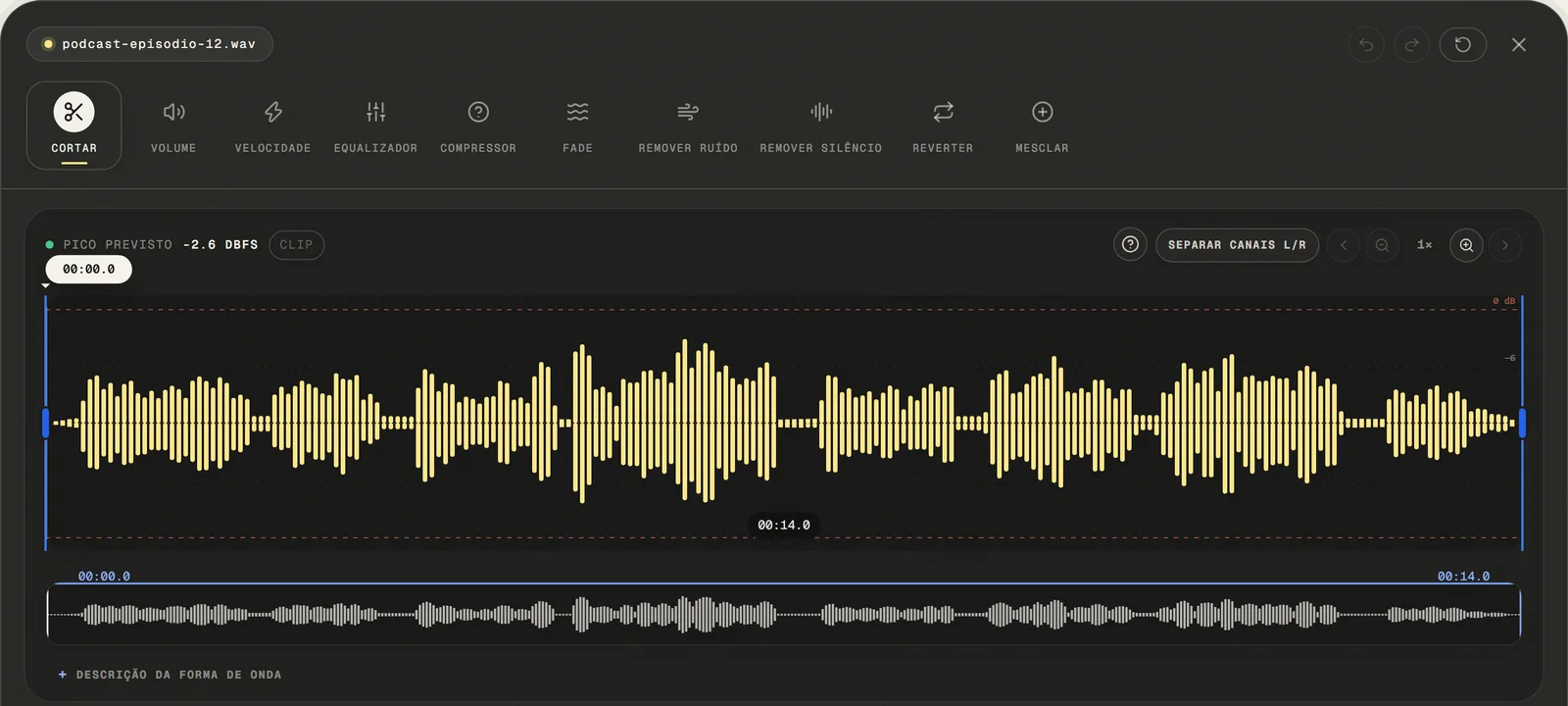
Mark the Section You Want to Keep
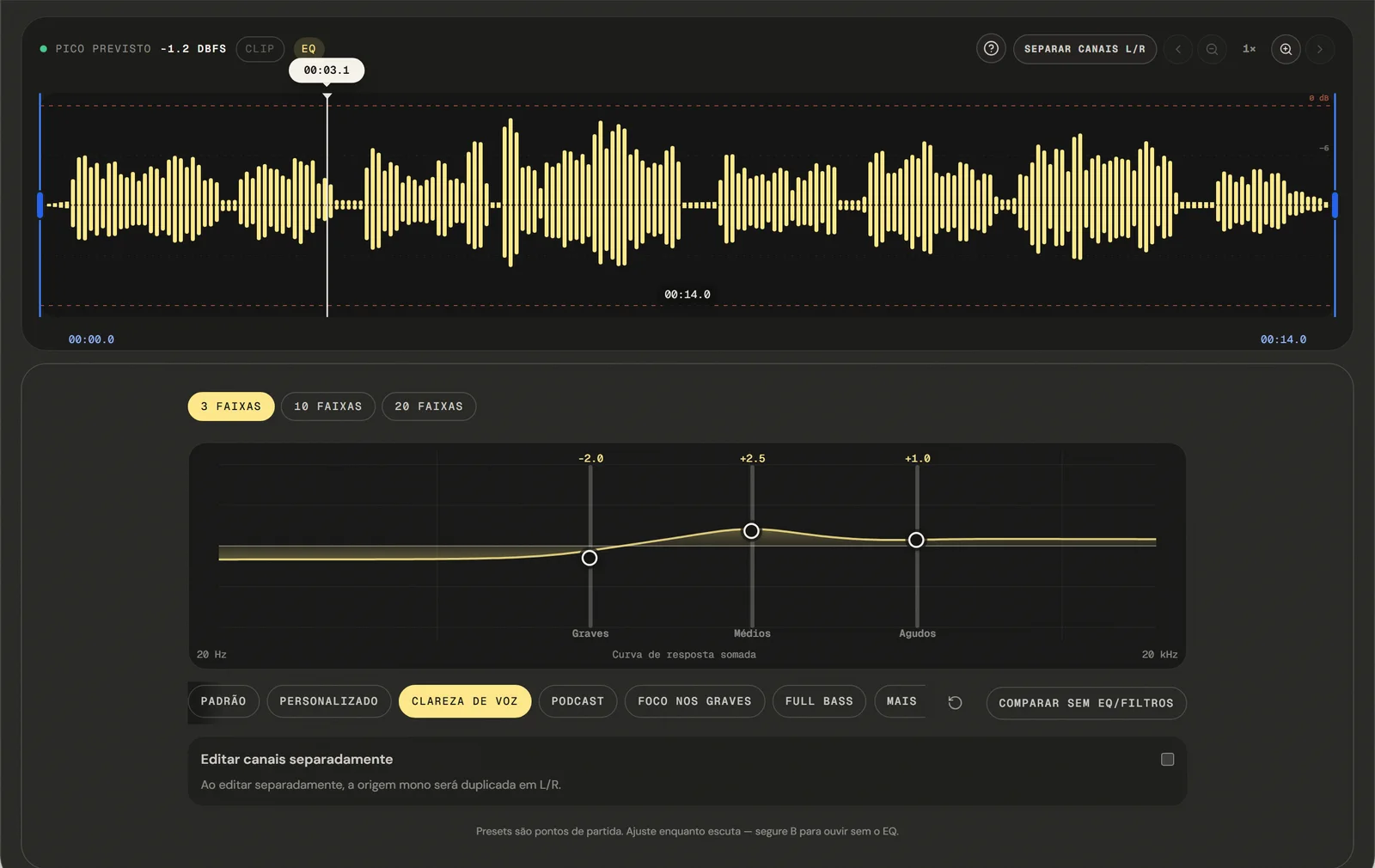
Drag the start and end markers on the interactive waveform to define your cut region. Use the zoom controls to reach millisecond-level accuracy — essential when cutting between words, syllables, or musical beats. The waveform updates in real time as you adjust.
ms Precision
- ( 03 / 03 )
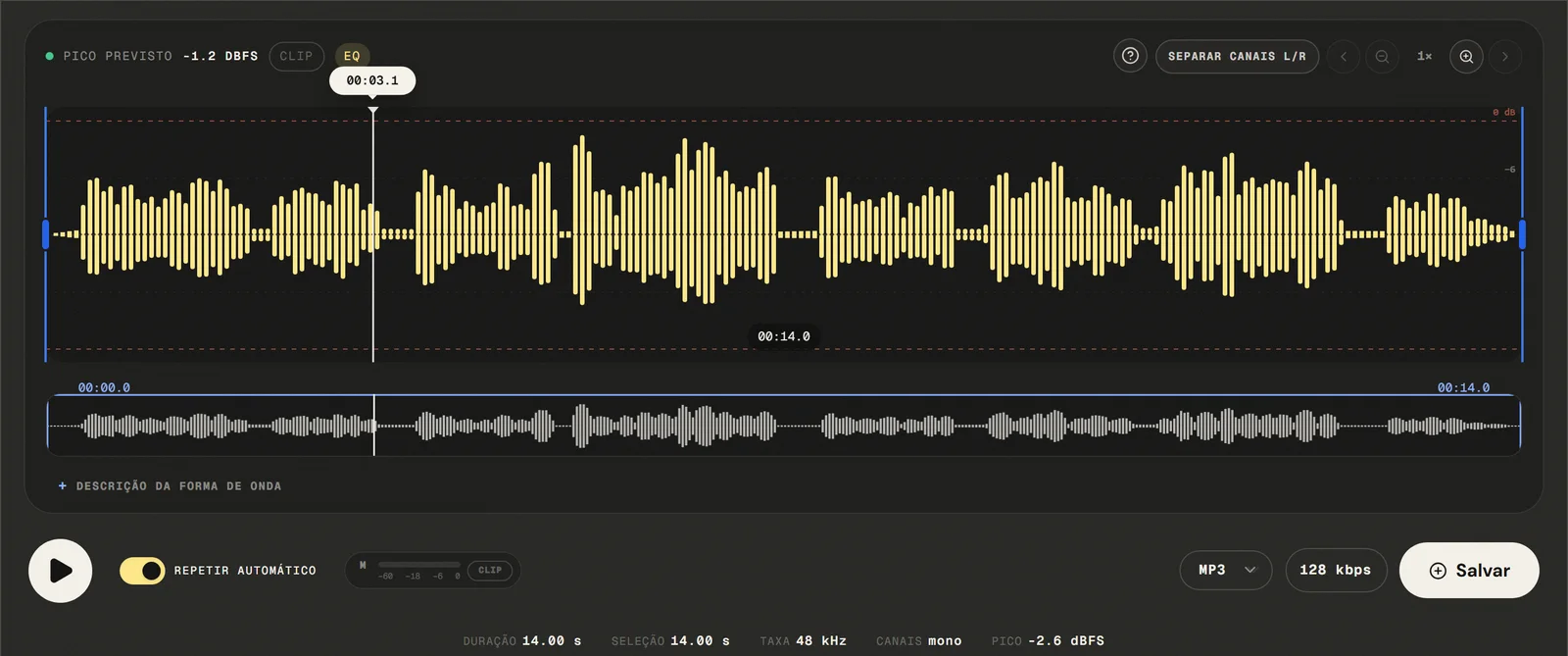
Export and Download Your Trimmed File
Available outputs are MP3 from 64 to 320 kbps, 16-bit PCM WAV, M4A with 192 kbps AAC, and FLAC. The trimmed file downloads after local processing to your device — no watermark embedded, no re-upload required, no account needed.
No Watermarks
( Precision )
Cutting controls, and where the cut is not frame-exact
Our audio cutting tool provides specific capabilities for practical audio trimming — all in your browser.
- 01
Trim to Any Length
Select the exact start and end points of the segment you want to keep. There is no minimum or maximum duration — cut a 2-second sound effect or a 2-hour lecture, with the same precision throughout.
- 02
Remove a Middle Section
Delete a specific segment from the middle of a recording — remove a cough, an interruption, or an off-topic section — and the remaining parts are automatically joined without a gap.
- 03
Silence Is Visible on the Waveform
The waveform display makes silence visually obvious — flat lines with no amplitude. That is how you spot where to cut to remove dead air at the beginning, end, or middle of a recording. Automatic detection lives on the remove-silence page.
( Why in the browser )
Why trim in the browser instead of installing an editor
Traditional desktop editors like Audacity or Adobe Audition require installation, configuration, and a powerful machine. Our online cutter removes every barrier between you and a clean, precise cut.
- ( 01 )
Open It and Start, No Install
Open your browser and start cutting in under ten seconds. No download, no setup wizard, no system requirements. depends on the browser's audio capabilities Windows, macOS, Linux, iOS, and Android.
- ( 02 )
Processed in your browser
Your audio file never leaves your device. Cutting is performed entirely in your browser using Web Audio API and browser JavaScript. The selected audio file is processed locally in this browser tab.
- ( 03 )
Waveform Precision Editing
High-resolution waveform display with zoom and scroll. Markers do not snap automatically to zero crossings; preview the edit and use a short fade when needed.
( Other tools )
Other free audio tools
Open only the tool needed for the next step in your file.
( Where your audio goes )
( File processing )
Your audio is cut in this tab, not uploaded
The chosen audio file is decoded and edited locally. The page may make connections for site resources and consented analytics.
Read the Privacy PolicyFile in browser memory
. The audio file is not sent to the application server to perform the edit.Device limits
. Long files require more memory; the practical limit varies by device and browser.Local export
. The result is rendered in the browser. Compressed formats are re-encoded.
( Questions? Answered )
Questions about cutting and trimming audio online
Direct answers about how the current tool works.
How do I cut the beginning or end of an MP3?
Drag the left marker to where the audio should start and the right marker to where it should end, then keep the selection and export. Using an audio cutter online this way never changes the file you opened — the edit is applied to a copy held in this tab.
Does cutting an MP3 change its quality?
Export recreates the audio rather than copying the original frames, so an MP3 that is cut and saved as MP3 goes through one more encoding pass. Export to 16-bit PCM WAV or FLAC when you want to avoid that extra pass.
How do I remove a section from the middle of a song?
Put the two markers around the part you want gone and choose the remove action. The audio before and after the markers is joined at that point, and the preview lets you hear the join before exporting.
Can I get several clips out of one file at once?
Not in a single pass — the editor does not split one source into several files. Select the first range and export it, then reload the same file, select the next range, and export again for each clip you need.
Which formats can I open and export?
Common audio and video containers are accepted: the editor tries native decoding first and falls back to a local FFmpeg build to pull the first compatible audio track. Exports are MP3 from 64 to 320 kbps, 16-bit PCM WAV, M4A/AAC at 192 kbps, and FLAC.
Why do I hear a click at the cut point?
A click appears when the samples on each side of the join change abruptly. Markers do not snap automatically to zero crossings; preview the edit and use a short fade when needed. Zoom in and audition both boundaries, then place the cut where the waveform sits closest to the centre line, or at a quiet moment between words.
Is my audio file uploaded to a server?
The audio is decoded and cut locally in this browser tab and is not sent to the application server to perform the edit. The page itself still loads site resources and consented analytics.
Can I cut audio on a phone or tablet?
Yes, on iOS and Android browsers, with the waveform markers draggable by touch. Long recordings need more memory, so the practical file length depends on the device.
( Product evidence )
How this audio cutter was tested
Tests verify exact start and end values, both destructive actions, boundary preview, the optional 5 ms microfade, and undo/redo.
Reviewed 3 September 2026
Read the methodology( 01 — Tested )
Test coverage
Environment: capability matrix v1, unit tests, and Chromium desktop and mobile profiles.
( 02 — Limits )
Device constraints
Processing time and support for additional inputs vary with device memory, browser capabilities, and the codecs contained in the file.
( Field notes )
Learn the technique behind the tool
Guides written and reviewed by the person who builds the editor, including the real limits of each feature.
- ( 01 ) · 13 min read
How to Cut Audio Online with Precise Edits
Learn to select, keep or remove audio with zoom, boundary preview and optional microfade, including the real limits of precision and export.
Read - ( 02 ) · 15 min read
Online Audio Editor: Tools, Workflow and Real Limits
Guide to online audio editing with cutting, gain, a 3- to 20-band EQ, noise filters, speed, channels and export, including the tool's real limits.
Read - ( 03 ) · 9 min read
Audio Editing Glossary: 40 Terms Every Content Creator Needs to Know
Audio editing glossary with 40 essential terms. Learn what bitrate, normalization, clipping, EQ and compression mean — clear definitions for podcasters and content creators.
Read
( Ready when you are )
Cut audio online
Trim music, podcasts, and recordings precisely in your browser without uploading the file to our servers.