MP3 · WAV · M4A · FLAC
Audio converter online
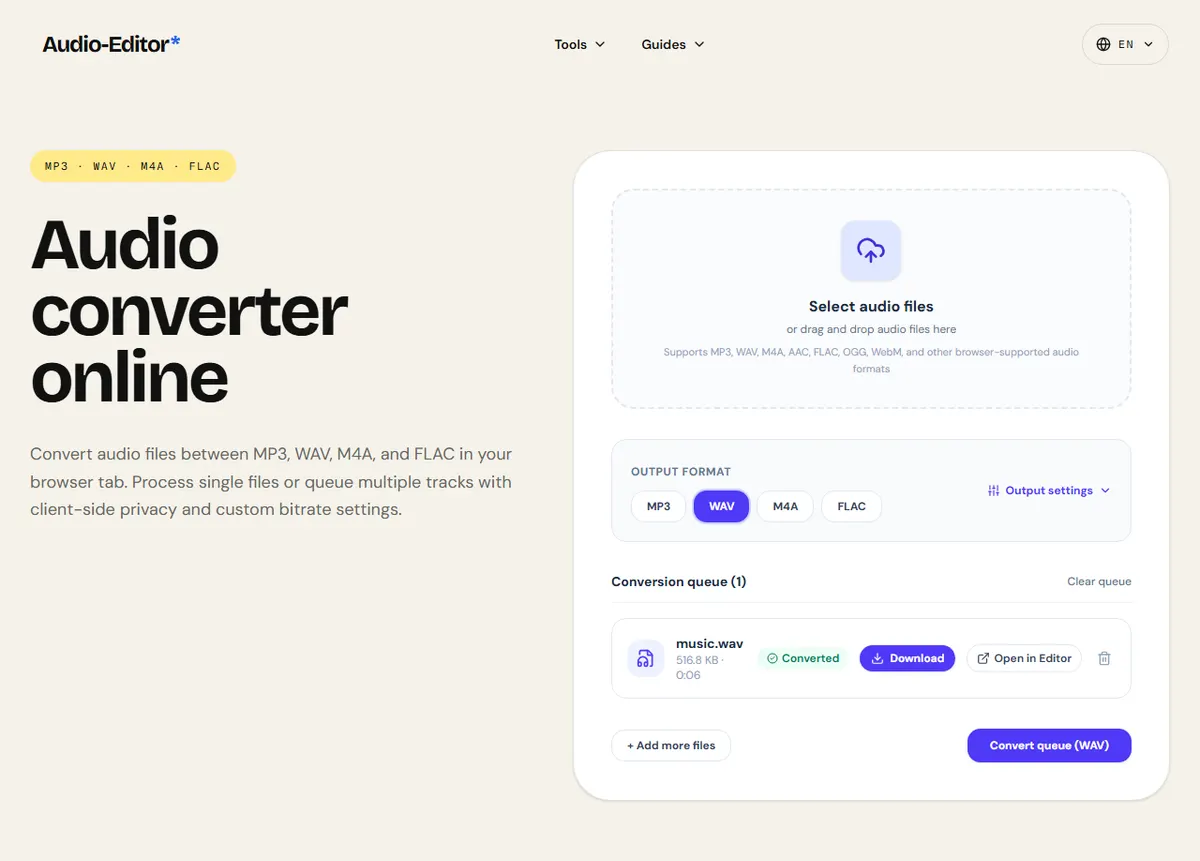
Convert audio files between MP3, WAV, M4A, and FLAC in your browser tab. Process single files or queue multiple tracks with client-side privacy and custom bitrate settings.
Select audio files
or drag and drop audio files here
Supports MP3, WAV, M4A, AAC, FLAC, OGG, WebM, and other browser-supported audio formats
( How it works )
How to convert audio online
- 1
1. Select or drop your audio files
Select one or multiple audio tracks from your computer or phone. Your files are decoded directly in browser memory without server uploads.
- 2
2. Choose your target format & settings
Pick MP3, WAV, M4A, or FLAC. If selecting MP3, customize the bitrate (from 64 up to 320 kbps). Optionally choose sample rate or stereo/mono mixdown.
- 3
3. Convert and download
Click convert to process the queue. Download your converted audio files immediately, or open any track in our audio editor to trim, adjust volume, or equalize.
( The facts )
Technical facts & limitations
- All decoding and encoding happens locally in your browser memory — audio is never uploaded to any remote server.
- Converting a compressed format (such as MP3 or AAC) to a lossless format (such as WAV or FLAC) creates an uncompressed file, but cannot restore audio data or high frequencies discarded during earlier lossy encoding.
- MP3 encoding uses lamejs with constant bitrate options from 64 to 320 kbps (192 kbps default).
- WAV encoding outputs pristine uncompressed 16-bit linear PCM audio.
- M4A (AAC) and FLAC outputs are encoded directly in-browser using WebAssembly.
( Format Guide )
Which format should you choose?
Compare the strengths and tradeoffs of popular audio formats before converting.
MP3
.mp3Everyday listening, sharing via email or messaging, podcast uploads, and compatibility with every device.
Lossy compression discards subtle inaudible high frequencies to achieve smaller file size (64–320 kbps).
WAV
.wavAudio editing, video post-production, mixing, mastering, and professional distribution.
Uncompressed PCM produces large files (approx. 10 MB per minute in 44.1 kHz 16-bit stereo).
M4A (AAC)
.m4aApple ecosystem, YouTube, modern streaming platforms, mobile recording.
More efficient compression than MP3 at similar bitrates, but legacy car stereos or older MP3 players might not support it.
FLAC
.flacArchiving CD collections, audiophile listening, and lossless master backups.
Compressed lossless audio is 40–60% smaller than WAV, but unsupported on certain legacy Apple devices without third-party apps.
( Questions )
Frequently Asked Questions
Does converting MP3 to WAV improve the sound quality?+
No. Converting a lossy MP3 to an uncompressed WAV creates a larger file, but cannot reconstruct acoustic data that was discarded when the MP3 was originally created. However, converting to WAV is very useful if your video editor or audio software requires standard uncompressed PCM.
Are my audio files uploaded to your server?+
No. The entire conversion process runs 100% client-side in your web browser using the Web Audio API and WebAssembly. Your audio files never leave your device.
What is the best format for sharing music or speech?+
MP3 at 192 kbps or 256 kbps is the universal standard for sharing music and podcasts because it plays on virtually every device and platform. For archival purposes where zero quality loss is essential, choose WAV or FLAC.
Can I convert multiple files at the same time?+
Yes. You can select multiple files at once. They are queued and converted sequentially in your browser tab, ensuring smooth performance without overloading device memory.
( Practical guide )
Choosing the format before you convert
Converting decodes the file to raw samples and encodes them again in the new format. Going from a lossless format (WAV, FLAC) to a lossy one (MP3, M4A) throws information away; going the other way only makes the file bigger. The quality you can get out is never better than what went in.
Common conversions and what they cost
| WAV recording → MP3 to share | Fine. 192 kbps is transparent for most speech and music |
|---|---|
| WAV → FLAC for an archive | Lossless and smaller. If the browser resampled the file while decoding, the samples are not identical to the original WAV |
| MP3 → WAV to edit | Useful: avoids a new lossy encode at every save. The file grows about 7× at 192 kbps |
| MP3 128 kbps → MP3 320 kbps | Pointless: bigger file, same or slightly worse sound |
Worked example: a 5-minute WAV sent by e-mail
- A 5-minute stereo WAV at 44.1 kHz and 16 bits is about 53 MB, above the 20–25 MB attachment limit of most e-mail services.
- Convert it to MP3 at 192 kbps: about 7.2 MB.
- Keep the WAV. If the recipient needs to edit it, send it later through a file-sharing link instead.
The MP3 is about 14% of the WAV and fits in an e-mail; the original stays available for editing.
Limits
- Output formats are MP3 (64 to 320 kbps), WAV (16-bit), M4A (AAC at 192 kbps) and FLAC. OGG and AIFF are not written.
- The browser may resample the file to its own rate (often 48 kHz) while decoding.
- Metadata such as cover art and tags is not carried over.
What changes in a conversion, and what does not
Every conversion here has two steps: the browser decodes the source to uncompressed samples, then the chosen encoder writes the new format. Decoding a lossy file never brings back what its encoder discarded, so converting a 128 kbps MP3 to WAV or FLAC gives a larger file with exactly the same sound. Converting MP3 to M4A, or the reverse, adds a second round of loss.
The sample rate can change too. The browser decodes at the rate of its audio system, often 48 kHz, so a 44.1 kHz file may come out resampled. In our test the 6-second WAV came back at 48 kHz and 9% larger. Resampling at these rates is inaudible, but it explains why a WAV-to-WAV conversion is not byte-identical.
For MP3 the bitrate goes from 64 to 320 kbps. 128 kbps is fine for speech, 192 kbps is a safe default for music, and above 256 kbps few people can hear a difference in a blind test. If the file is going to be edited again, convert to WAV or FLAC instead and choose the lossy format only at the end.
( Measured on a reference file )
The same 6 seconds of music in four formats
We converted our 6-second mono music reference (a 44.1 kHz, 16-bit WAV of 529.2 KB) to each output format with the default settings and compared the file sizes.
MP3 at 192 kbps came out at 144.6 KB (25% of the WAV), M4A at 129.0 KB (22%) and lossless FLAC at 171.9 KB (30%).
The WAV output is 576.0 KB, larger than the source, because the browser decoded the file at 48.0 kHz: conversion can change the sample rate. FLAC compresses this simple synthetic music unusually well; real recordings usually land nearer half the WAV.
| Measured | Format | Size |
|---|---|---|
| WAV 16-bit | PCM | 576.0 KB |
| FLAC | lossless | 171.9 KB |
| MP3 | 192 kbps | 144.6 KB |
| M4A (AAC) | 192 kbps | 129.0 KB |
Download the reference file (WAV)The reference files are synthesized by this site (speech-like and music-like signals), so anyone can repeat the test. Measured on on this page. How we measure
( Field notes )
Formats, containers and codecs
Choose the right format for your project before converting.
- ( 01 ) · 11 min read
MP3, WAV, FLAC, AAC: Which Audio Format Should You Use?
Read - ( 02 ) · 9 min read
Audio Editing Glossary: 40 Terms Every Content Creator Needs to Know
Read - ( 03 ) · 8 min read
How to Split Audio Files: Silence Detection, Equal Chunks & Lossless Export
Read