Find out which audio format to use for each situation — with a comparison table, detailed explanation of each format, and a practical decision guide.
Contents
- Why does the audio format matter?
- Audio Formats Comparison Table
- MP3: the world's most popular format
- WAV: maximum quality without compromise
- FLAC: lossless compressed for audiophiles
- AAC: the modern successor to MP3
- OGG: open source and efficient for the web
- M4A: the default Apple format
- Decision Guide: which format to use for each situation
- Frequently Asked Questions (FAQ)
Why does the audio format matter?
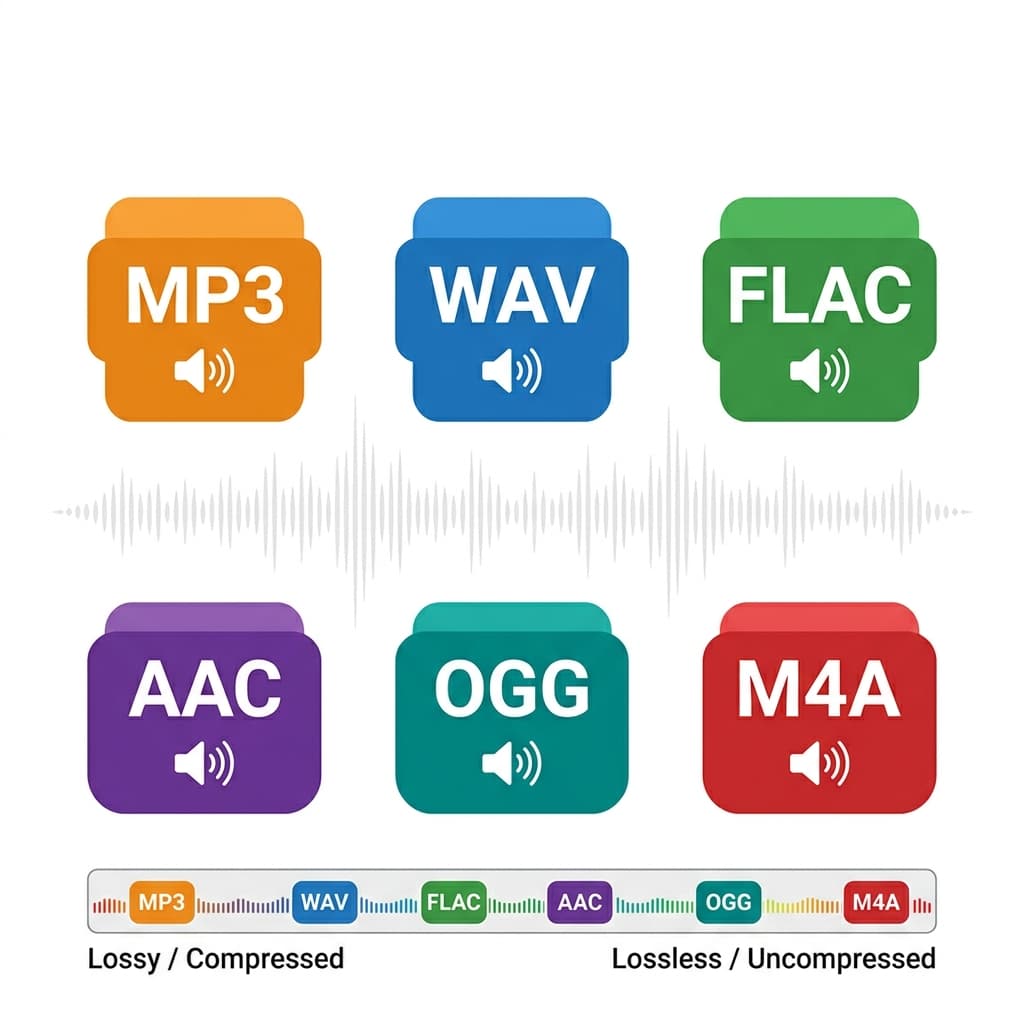
Choosing the wrong audio format can cost you quality that can never be recovered, waste unnecessary disk space, or produce files that are incompatible with your target platform. It's a technical decision with real practical consequences — and most people simply use whatever format their software defaults to, without understanding the impact.
The central question for any audio format is straightforward: how does it handle data compression? There are two fundamental types:
Lossy formats: compress the file by permanently discarding some audio data. MP3, AAC, OGG, and M4A are lossy. The discarded data is removed intelligently — the algorithm eliminates frequencies the human ear theoretically won't notice — but the loss is permanent. Once converted to MP3, the original audio data cannot be recovered.
Lossless formats: can preserve decoded PCM data without discarding samples. PCM WAV is normally uncompressed; FLAC compresses losslessly. Converting an already lossy source to either format does not restore discarded information.
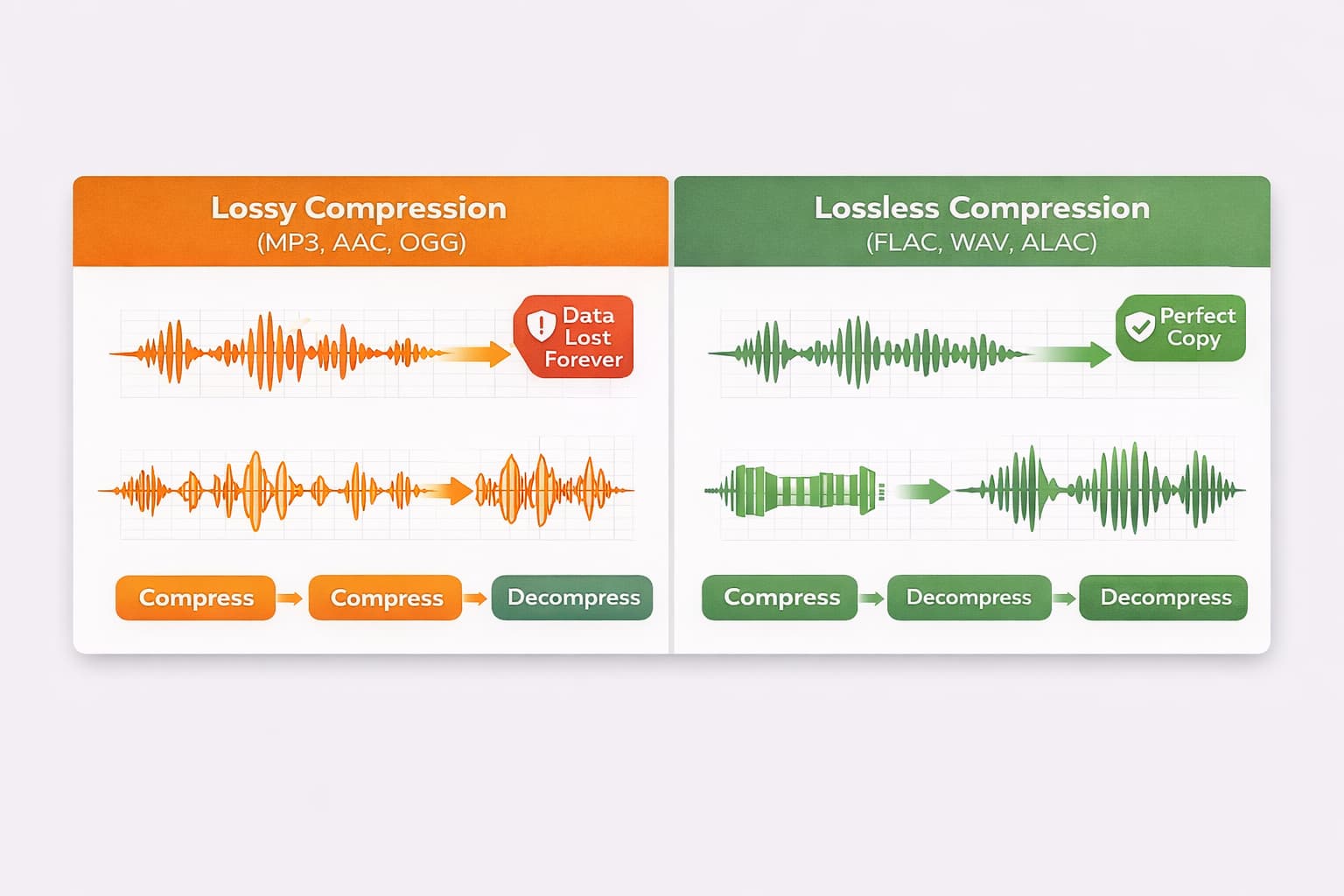
Understanding this distinction is the first step toward making conscious decisions about which format to use at each stage of your work.
Audio Formats Comparison Table
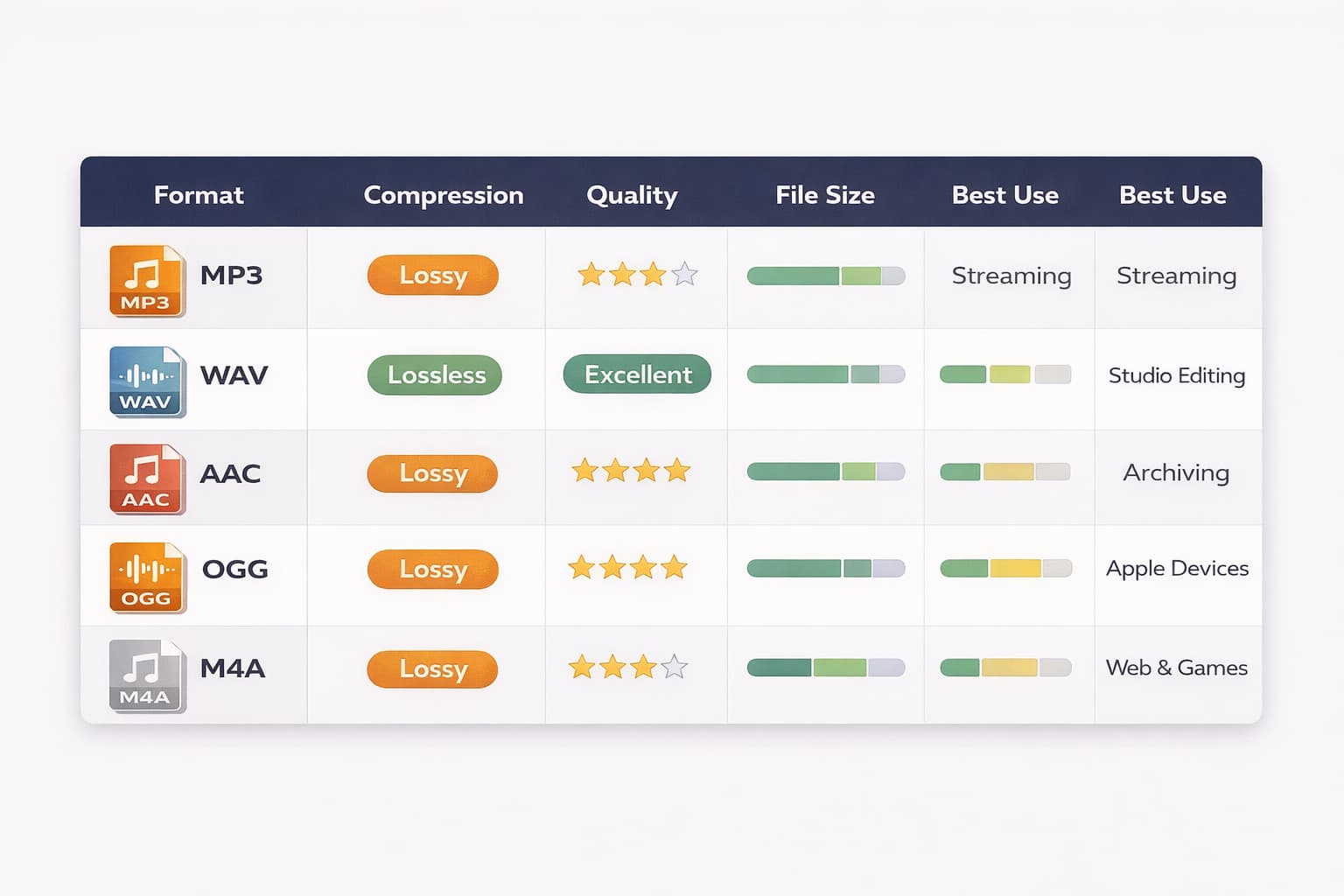
| Format | Compression | Quality | File Size | Best Use |
|---|---|---|---|---|
| MP3 | Lossy | Good | Small | Streaming, general sharing |
| WAV | Lossless | Maximum | Large | Studio, professional editing |
| FLAC | Lossless | Maximum | Medium | Archiving, audiophiles |
| AAC | Lossy | Excellent | Small | Apple, modern streaming |
| OGG | Lossy | Good | Small | Web, games, open source |
| M4A | Lossy | Excellent | Small | Apple, podcasts on iPhone |
MP3: the world's most popular format
MP3 (MPEG-1 Audio Layer III) is the most recognized audio format on the planet. Launched in the 1990s, it revolutionized music distribution by making it possible to compress a CD track — which takes around 40 MB as WAV — into a 3 to 5 MB file with quality acceptable to most listeners.
How it works: MP3 uses a psychoacoustic model to identify and remove frequencies that the human ear struggles to perceive — sounds that are very high, very low, or masked by louder sounds nearby. The result is a much smaller file, but with data permanently discarded.
Advantages:
- Very broad compatibility across current devices and platforms
- Very small file size (from 128 kbps to 320 kbps)
- Ideal for distribution, streaming, and sharing
- Widely accepted on podcast platforms, social media, and media players
Disadvantages:
- Permanent quality loss — every time you re-export an MP3, the quality degrades further
- Not ideal for editing — always work in WAV and export to MP3 only at the very end
- Loss is more noticeable at lower bitrates (below 128 kbps)
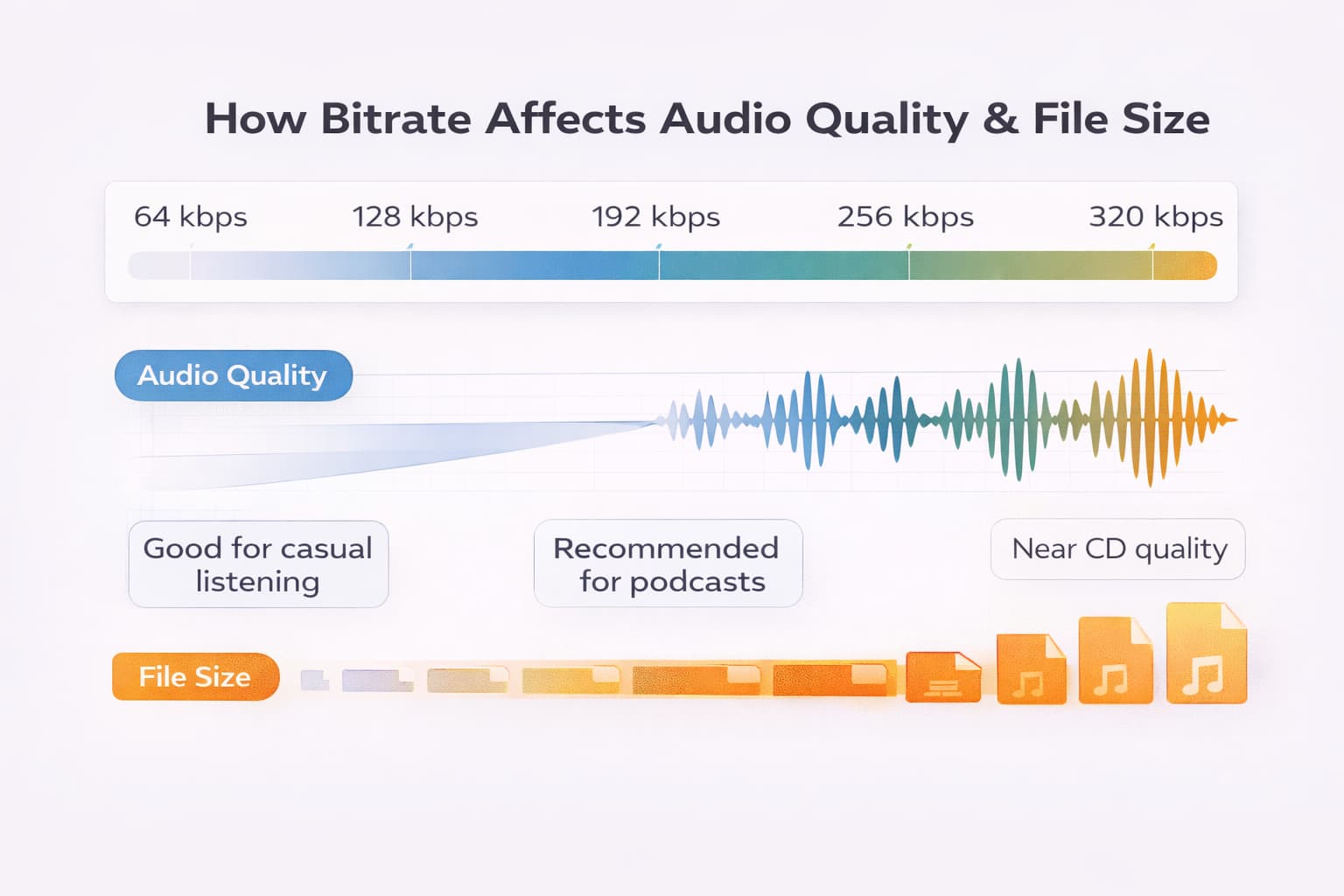
Bitrate trade-off: a higher MP3 bitrate usually reduces coding artifacts but creates a larger file. The best delivery setting depends on the destination's current specification; this editor's available encoder settings are shown at export.
When to use MP3: podcast distribution, music sharing, uploading to streaming platforms, sending via email or messaging apps — any situation where file size matters more than absolute fidelity.
WAV: maximum quality without compromise
WAV (Waveform Audio File Format) is the uncompressed audio format developed by Microsoft and IBM. It stores audio exactly as it was captured, without removing or compressing any data. It's the digital equivalent of a perfect carbon copy of the original recording.
How it works: WAV applies no compression algorithm. Every audio sample is stored in full — which is why files are large. A 3-minute audio track in WAV 44.1kHz/16-bit takes around 30 MB, compared to 5 MB for the same track as MP3 320kbps.
Advantages:
- PCM can store decoded samples without perceptual compression
- Universal standard for studios, DAWs, and professional editing software
- Useful as an intermediate format before creating a lossy delivery copy
- Supports multiple channels (stereo, surround, multitrack)
Disadvantages:
- Very large files — impractical for streaming or sharing
- Not suitable for final distribution to audiences
- Takes up significant disk space for large collections
When to use WAV: initial recording, professional editing, mixing, mastering — any stage of the production process where you want to preserve maximum quality. The WAV file is your starting point; other formats are the final destination.
Important for this editor: WAV export is PCM 16-bit. Other production tools may support different sample rates and bit depths; choose them according to the recording and delivery workflow.
FLAC: lossless compressed for audiophiles
FLAC (Free Lossless Audio Codec) losslessly compresses PCM audio. Decoding a FLAC restores the PCM encoded in that FLAC, bit for bit; it cannot recover information previously lost in an MP3 or AAC source.
How it works: FLAC represents PCM data more efficiently without discarding samples. The size reduction varies substantially with the audio and encoding settings.
Advantages:
- Lossless reconstruction of the PCM encoded in the FLAC
- Often smaller than equivalent uncompressed PCM, with content-dependent savings
- Open source and free — no licenses or royalties
- Growing support in hi-fi streaming services (Tidal, Amazon Music HD, Deezer HiFi)
- Ideal for long-term archiving of music collections
Disadvantages:
- Still larger than lossy formats like MP3 and AAC
- Not natively supported by all players (especially older ones)
- Not accepted by most podcast platforms and social media sites
When to use FLAC: archiving original recordings, personal hi-fi music collections, distributing to HiFi platforms, preserving masters — any situation where you want WAV quality but with smaller files.
AAC: the modern successor to MP3
AAC (Advanced Audio Coding) was specifically developed to overcome the limitations of MP3. Using more modern and efficient algorithms, AAC delivers superior sound quality to MP3 at the same file size — or equivalent quality with a smaller file.
How it works: AAC uses more sophisticated psychoacoustic techniques than MP3, making better use of the limitations of human hearing to discard data more intelligently. The result is more efficient compression with fewer audible artifacts, especially at lower bitrates.
Advantages:
- Better quality than MP3 at the same bitrate — especially noticeable below 256 kbps
- Broad support in modern software, browsers, and device ecosystems
- Excellent balance between quality and file size
- Supported on most modern devices
Disadvantages:
- Less universally compatible than MP3 — may not work on very old devices
- Also lossy — the quality loss is permanent
- Different implementations (HE-AAC, LC-AAC) can create compatibility issues
When to use AAC: podcasts for Apple Podcasts and Spotify, YouTube content, distribution to any modern streaming platform, audio files within the Apple ecosystem.
Recommended bitrate: 128 kbps for voice (podcasting), 192 kbps for casual music listening, 256 kbps for high quality.
OGG: open source and efficient for the web
OGG (Ogg Vorbis) is a completely open source lossy audio format — no patents, no royalties, no usage restrictions. Developed by the Xiph.Org Foundation as a free and open alternative to MP3, it is widely adopted in games, web applications, and platforms that prioritize open source technology.
How it works: OGG uses the Vorbis codec for compression, which provides audio quality comparable to MP3 and AAC, especially at medium bitrates. Technically it is more efficient than MP3 in compression — an OGG file at 160 kbps generally sounds better than an MP3 at 160 kbps.
Advantages:
- Completely free and unrestricted by licensing
- Audio quality comparable or superior to MP3 at the same bitrate
- Widely used in games (Minecraft, among others) and web applications
- Excellent for browser-based streaming (native support in HTML5
<audio>)
Disadvantages:
- Not natively supported by Apple devices (iPhone, iPad, Mac)
- Not accepted by the major podcast and music streaming platforms
- Less familiar to end users
When to use OGG: web applications, games, Linux systems, any context where open source is a priority or where you control the playback environment. For general public distribution, prefer MP3 or AAC.
M4A: the default Apple format
M4A is an MPEG-4 file container that typically stores AAC-encoded audio. It is the format the iPhone uses by default to record voice memos, and what iTunes historically used for purchased music files.
How it works: technically, M4A is an MP4 file containing only audio (no video). The internal codec is usually AAC, meaning the sound quality is equivalent to an AAC file — the difference is in the container (the wrapper), not the content.
Advantages:
- Common in the Apple ecosystem and supported by many current players
- Same quality as AAC in a widely recognized container
- Supported natively in Windows 10/11 and most modern players
- Efficient file size
Disadvantages:
- Historically problematic compatibility on Linux systems and older players
- Less universal than MP3
- Not supported in some live streaming and broadcasting contexts
When to use M4A: when producing for the Apple ecosystem, when the file was recorded on an iPhone and you want to keep it in the original format, or when distributing to platforms that support it (Apple Podcasts, iTunes).
Decision Guide: which format to use for each situation
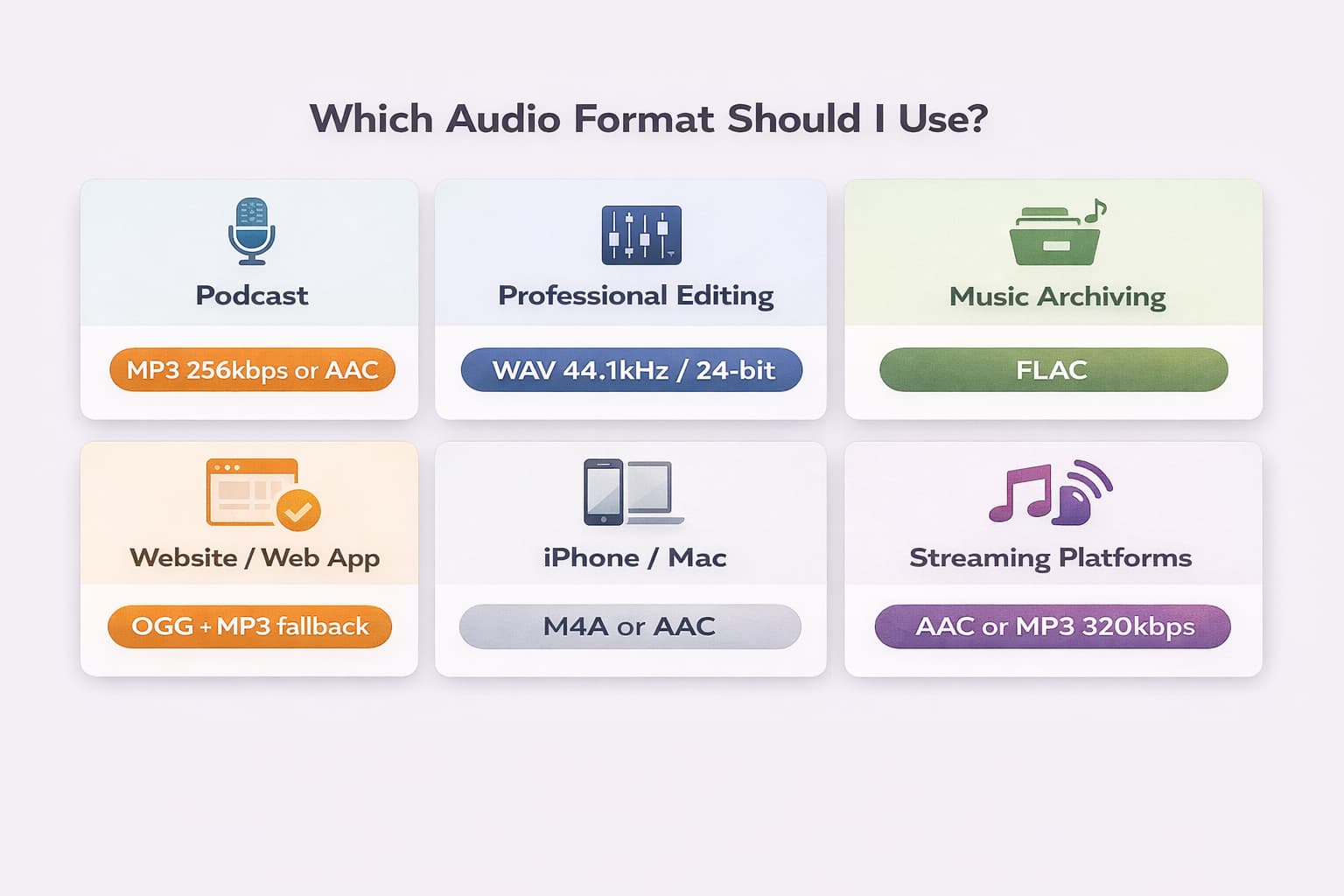
Once you understand how each format works, the choice becomes straightforward. Use this quick guide as a reference:
Podcast for Spotify, Apple Podcasts, or any platform:
Check the publisher or distributor's current accepted formats, codec, bitrate, channel, and loudness requirements. MP3 and AAC are common delivery formats, but there is no single setting for every platform.
Professional editing in a studio or home setup:
Keep a lossless production source and avoid repeated lossy encodes. Audio-Editor Online exports WAV as PCM 16-bit; use a DAW with the required bit depth and sample-rate controls when a professional specification calls for more.
Archiving recordings or a music collection:
FLAC is a useful option when you want lossless compression of PCM. Keep metadata, checksums, backups, and the true source file as part of any archival workflow.
Audio for a website or web application:
Choose formats after checking the browsers you support. Supplying more than one source can improve coverage, but no format choice guarantees every browser, device, or embedded webview.
Audio recorded or played on an iPhone or Mac:
Use M4A or AAC. These are the native formats of the Apple ecosystem and work perfectly on those devices without conversion.
Hi-fi streaming (Tidal, Amazon Music HD):
Use FLAC. Hi-fi platforms accept FLAC and deliver the audio without additional compression to subscribers on high-fidelity plans.
You can export compatible inputs with our online audio editor. Input decoding depends on browser and device support; device files are processed locally, while some public cloud links can use a temporary server fallback.
Frequently Asked Questions (FAQ)
MP3 vs WAV: which has better quality?
An uncompressed PCM WAV made from a lossless source avoids MP3's perceptual compression. But converting an MP3 to WAV does not improve it, and a WAV can still have low bit depth, clipping, or a poor recording. Compare the actual source and encoding settings.
Does converting WAV to MP3 permanently lose quality?
Yes. When you convert a WAV to MP3, the data discarded by the compression algorithm is gone forever — there is no way to recover it. That's why the golden rule is: always keep the original WAV file and export to MP3 only once the file is finished. If you convert back from MP3 to WAV, you'll have a large WAV file with MP3 quality, not the original's quality.
Is FLAC better than MP3 for streaming?
FLAC preserves its encoded PCM; MP3 uses lossy compression. Delivery services change accepted masters and playback codecs, so verify the current official requirements rather than assuming FLAC or MP3 is universally preferred.
What is bitrate and how does it affect quality?
Bitrate is the amount of data processed per second in an audio file, measured in kbps (quilobits per second). The higher the bitrate, the more data is used to represent the audio — and therefore the higher the sound quality, at the cost of a larger file. For MP3: 128 kbps is adequate for casual listening; 256 kbps is recommended for podcasts; 320 kbps is the maximum quality for the format. Bitrate only applies to lossy formats — WAV and FLAC don't use variable bitrate in the same way.
What format do YouTube and Spotify accept?
Accepted files, delivery routes, playback codecs, and loudness behavior can change. Check YouTube's current upload guidance and your Spotify distributor's current specification immediately before delivery.
Conclusion
Choosing the right format for each situation isn't technical pedantry — it's a practical decision with a direct impact on output quality, disk space usage, and compatibility with platforms and devices. The simple rule: WAV or FLAC to preserve, MP3 or AAC to distribute.
If you need to convert between any of these formats, Audio-Editor Online lets you do it for free, directly in the browser, without uploading to external servers — your files stay on your device.
Still have questions about which format to use for your specific project? Get in touch via our contact form.
Keep learning
Related guides that continue the same editing workflow.