Transient De-Clicker · Mouth Pop, Saliva & Vinyl Scratch Removal
Remove Clicks from Audio Online — De-Clicker for Podcasts & Vinyl
Eliminate annoying mouth clicks, saliva lip smacks, vinyl record scratches, and digital glitches directly in your browser. Uses discrete second-difference curvature analysis to identify impulsive anomalies and reconstructs clean audio with cubic Hermite splines without dulling vocal brilliance.
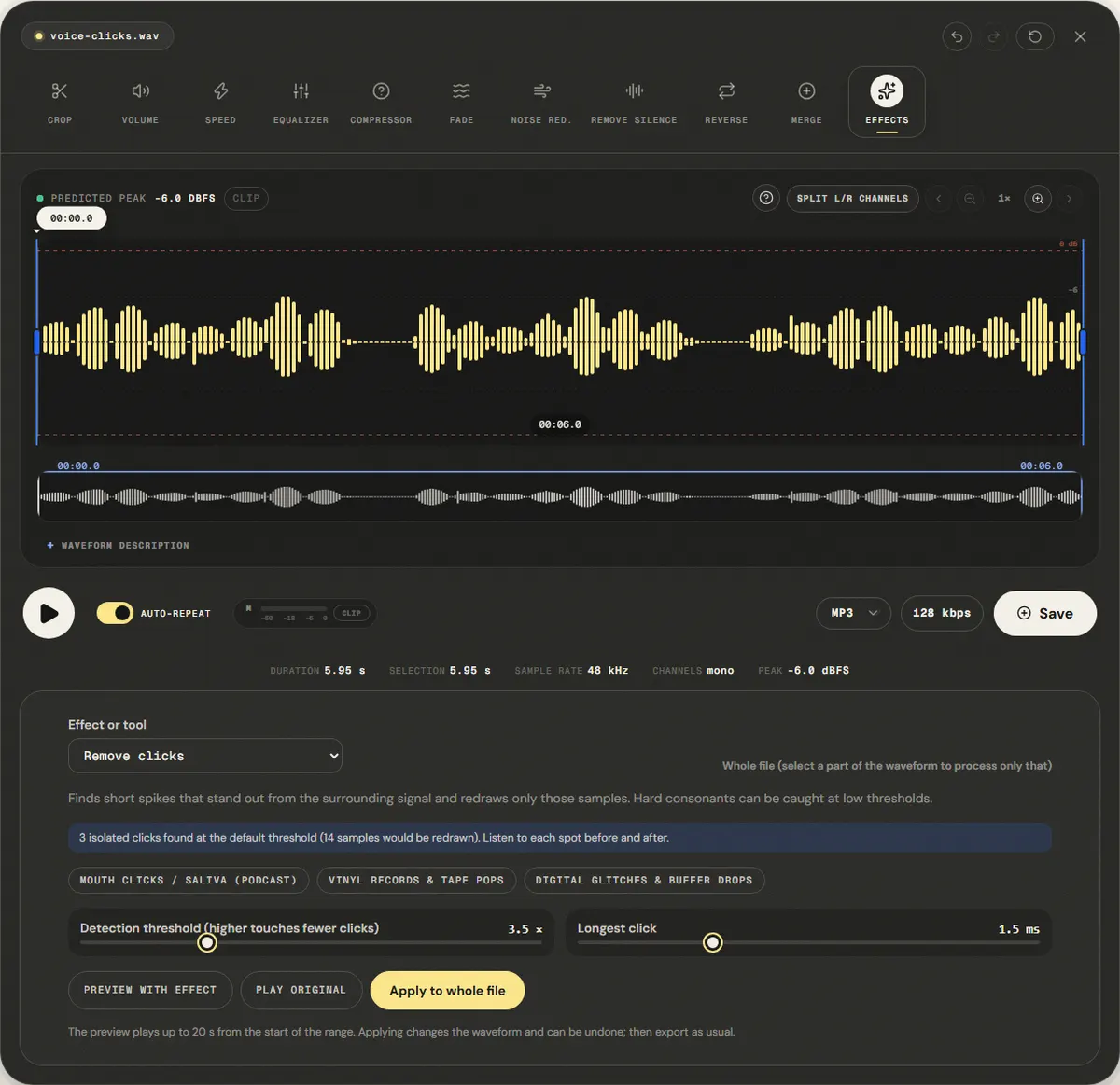
The file opens in the full editor, on this tool: waveform, selection, before/after preview, undo and export.
( How it works )
How impulsive click detection and removal works
Discrete curvature differentiation
Computes the second difference d[n] = x[n] − 2x[n−1] + x[n−2] to expose instantaneous high-frequency velocity jumps hidden within smooth acoustic waves.
Adaptive moving noise floor
Measures local mean absolute deviation across a sliding window, dynamically adjusting detection sensitivity to speech volume fluctuations.
Anomaly clustering & duration gating
Groups adjacent spike indices into candidate clicks, ensuring events longer than 2–3 ms (legitimate consonants or drum attacks) are preserved untouched.
Cubic Hermite spline reconstruction
Excises the impulsive spike and bridges the gap with continuous Hermite spline curves derived from boundary samples and slope derivatives.
( Transient Acoustics )
The acoustics of impulsive noise: mouth clicks, vinyl, and glitches
The Physics of Mouth & Saliva Clicks
Surface Tension & Lip Detachment
Mouth clicks in vocal recordings are caused by saliva bubbles bursting between the tongue, teeth, and hard palate during phoneme articulation. These produce microscopic air velocity bursts lasting 0.2 to 1.5 ms. Because they happen so fast, they register as harsh, metallic tick sounds that fatigue headphone listeners.
Vinyl Groove Scratches & Static Discharge
Mechanical and Electrostatic Pops
Turntable needle pops originate from microscopic dust particles lodged in the vinyl microgrooves or electrostatic charges discharging into the phono cartridge. These spikes exhibit near-infinite initial rise times followed by rapid stylus damping, creating distinct impulsive signatures.
Digital Glitches & Missing Microfades
Sample Dropouts & Buffer Underruns
When an audio interface loses synchronization or an editor slices audio without zero-crossing microfades, a vertical step discontinuity occurs between adjacent samples. The resulting square edge produces a full-bandwidth click that sounds like an electric spark.
Why Equalizers and Spectral De-Noisers Fail on Clicks
Time-Domain Isolation vs Frequency Smearing
Cutting treble with an equalizer muffles the entire recording permanently. Spectral subtraction tools (FFT) operate on long 2048-sample windows (~46 ms), smearing a 1 ms click across time and creating watery phase chirps. Our de-clicker works in the time domain and rewrites only the flagged samples (clicks up to 0.5 to 4 ms long, set in the advanced options); everything between clicks is left as it was.
( Knowledge Base )
Frequently Asked Questions About De-Clicking Audio
Can this remove mouth saliva clicks without making the voice sound muffled?↓
Yes. Unlike equalizers or low-pass filters that cut high frequencies across the entire file, our de-clicker operates surgical time-domain excision. It flags the few milliseconds where a burst stands out from the surrounding signal, redraws only those samples with a cubic Hermite spline, and leaves the rest of the speech untouched. Hard consonants can be flagged too at low thresholds, so compare before and after.
Will this tool remove continuous background hiss or fan noise?↓
No. A de-clicker is designed exclusively for short, impulsive transient noises (mouth clicks, vinyl scratches, electrical glitches). Continuous stationary noise like fans, air conditioning, or preamp hiss requires our dedicated Noise Reduction tool (/remove-background-noise).
How do I prevent mouth clicks during recording in the future?↓
Stay hydrated by drinking room-temperature water 30 minutes before recording, avoid sugary drinks or dairy before speaking, angle the microphone slightly off-axis (around 30 degrees towards your cheek rather than directly in front of your mouth), and use a pop filter spaced 5 to 10 cm from the capsule.
Which preset should I use for podcast voiceovers?↓
Select the 'Mouth Clicks / Saliva (Podcast)' preset. It utilizes a tighter duration window (up to 1.5 ms) and an adaptive threshold optimized for vocal phonemes, successfully eliminating lip smacks without cutting short consonant attacks like 't', 'k', or 'p'.
Can it clean up digitized vinyl LP recordings?↓
Yes. Choose the 'Vinyl Records & Tape Pops' preset. It accommodates slightly broader impulse durations (up to 3.0 ms) typically produced by dust particles and physical vinyl scratches.
Is my audio uploaded or stored on any server?↓
No. All DSP analysis, second-difference filtering, spline interpolation, and file encoding execute locally in your browser memory via Web Audio and Web Workers. Your audio files remain 100% private on your machine.
( Practical guide )
Clicks, pops and crackle: what this tool can find
A click is a sound that starts and ends within a few milliseconds and is much louder than what surrounds it: a lip smack, a dust particle on vinyl, a sample error at a bad edit. The detector compares each short stretch with its surroundings; when one stands out by more than the threshold and lasts less than the maximum click length, it is cut out and the gap is filled by interpolation. Anything longer than 4 ms is not a click to this tool.
Which preset for which noise
| Mouth clicks and saliva in a podcast or voice-over | Mouth Clicks: threshold 3.5×, clicks up to 1.5 ms |
|---|---|
| Dust and static pops on a vinyl or tape transfer | Vinyl & Tape: threshold 5×, clicks up to 3 ms |
| A tick at an edit point or a buffer dropout | Digital Glitches: threshold 3×, clicks up to 1 ms |
| Continuous crackle, hiss or a hum | Noise reduction or hum removal, not this tool |
Worked example: a voice-over with lip smacks
- Open the file. The panel counts the clicks it finds with the Mouth Clicks preset before you apply anything.
- Apply to the whole file and listen to the start of words with P, T and K: these consonants are short and loud, and the ones most at risk.
- If a consonant lost its edge, undo and raise the threshold by 0.5 to 1. If clicks remain, lower it the same amount.
In our reference voice with 9 synthetic clicks, the default preset removed all 9 and left the speech level unchanged.
Limits
- Drums, claps and hard consonants are also short and loud. Low thresholds can soften them; check them after applying.
- The longest click setting goes up to 4 ms. Thumps, bumps on the microphone stand and plosives are longer; use the de-plosive tool for P and B pops.
- A click counts only when it stands alone: two clicks of similar size less than about 10 ms apart hide each other. Heavy vinyl crackle is hundreds of such ticks per second, and most of it stays.
( Measured on a reference file )
Nine 1 ms clicks in a voice track
We dropped nine 1-millisecond spikes into the reference voice, in phrases and in pauses, like mouth clicks or vinyl ticks, and applied the default Mouth Clicks / Saliva (Podcast) preset to the whole file.
Our spike detector counts 9 clicks before and 0 after. The clicks were the loudest moments of the file, so the peak fell from -4.0 dBFS to -6.0 dBFS while the average level stayed at -20.4 dBFS.
Synthetic clicks are sharper than real ones. Real mouth clicks blend with consonants, so listen after applying and raise the threshold if hard consonants lose their edge.
| Measured | Before | After |
|---|---|---|
| Clicks detected | 9 | 0 |
| Sample peak | -4.0 dBFS | -6.0 dBFS |
| Average level (RMS) | -20.4 dBFS | -20.4 dBFS |
Download the reference file (WAV)The reference files are synthesized by this site (speech-like and music-like signals), so anyone can repeat the test. Measured on in this editor, exporting WAV. How we measure
( Field notes )
Impulsive noise and transient repair
How saliva clicks and vinyl scratches happen and how to remove them.
- ( 01 ) · 9 min read
How to Remove Mouth Clicks and Pops from Audio: Causes, De-Clicking & Vocal Hydration
Read - ( 02 ) · 8 min read
How to Remove Plosives and Mic Pops from Audio: Physics, Pop Filters & Dynamic De-Plosive
Read - ( 03 ) · 11 min read
Audio Noise Filters: Reduce Rumble and Hiss Online
Read