Dynamic De-Plosive · Microphone Pop & Breath Blast Filter
Remove Plosives from Audio Online — Digital Pop Filter & Puff Remover
Eliminate heavy microphone thumps and breath puffs from 'p', 'b', and 't' sounds directly in your browser. Uses dual-band ratio detection and dynamic high-pass attenuation to suppress explosive low-frequency wind bursts without stripping natural vocal warmth or low-end resonance.
The file opens in the full editor, on this tool: waveform, selection, before/after preview, undo and export.
( How it works )
How dynamic vocal de-plosive processing works
Split-band acoustic energy analysis
Continuously computes the energy ratio between the sub-bass blast zone (20 Hz to 160 Hz) and the vocal mid-frequency formant band (300 Hz to 3 kHz).
Wind puff burst discrimination
Distinguishes legitimate chest resonance from mechanical wind turbulence by identifying steep low-frequency rises lacking harmonic overtone alignment.
Dynamic Butterworth high-pass engaging
Smoothly activates a 2nd-order high-pass curve exclusively during the 30–80 ms impact of the consonant, attenuating low-end overload by up to -24 dB.
Instant transparent recovery
As the air blast dissipates, the filter transitions back to full-spectrum audio within milliseconds, leaving 100% of vocal fundamentals and warmth untouched.
( Pop Filter Physics )
The acoustics of vocal plosives and pop filter physics
Aerodynamics of Bilabial Plosives
Mechanical Air Column Velocity
During the articulation of plosive phonemes ('p', 'b', 't'), acoustic pressure builds behind closed lips before being released in a concentrated conical air jet. When this turbulent column strikes a condenser capsule directly, it displaces the microscopic gold-sputtered diaphragm far beyond its linear excursion range.
Sub-Bass Spectral Overload
The 20 Hz to 160 Hz Energy Spike
Microphone pop bursts register as massive low-frequency energy spikes between 20 Hz and 160 Hz. Because the burst lacks musical harmonic structure, it overpowers consumer headphone drivers and triggers unwanted compressor pumping down the mastering chain.
Why Static High-Pass Filters Ruin Speech
The Thin 'AM Radio' Vocal Trap
Applying a static 150 Hz high-pass filter cuts the fundamental frequencies of male voices (85–180 Hz) and female chest registers, leaving the voice sounding thin, hollow, and unnatural. Our dynamic processor engages attenuation only during the 50 ms window where the burst occurs.
Analog Saturation vs Digital De-Plosive
Hardware Preamp Limits
If a severe puff overloads the audio interface's analog preamp or analog-to-digital converter (ADC) into 0 dBFS clipping, the waveform becomes square. In such cases, combine our De-Plosive tool with our De-Clipper (/fix-clipped-audio) for complete harmonic restoration.
( Knowledge Base )
Frequently asked questions about removing plosives
What causes microphone pops and plosive sounds?↓
Pops are caused by fast-moving bursts of air expelled from the mouth during bilabial consonants like 'p' and 'b'. When this air jet hits the sensitive microphone diaphragm without a physical pop filter, it produces a sudden mechanical displacement that sounds like a dull, booming thud in the sub-bass frequencies.
How does this tool remove plosives without making the voice sound thin?↓
Unlike a traditional equalizer or high-pass filter that permanently removes bass throughout the entire recording, our dynamic de-plosive constantly monitors the ratio of sub-bass to vocal mid frequencies. It engages low-frequency suppression exclusively during the 30 to 80 milliseconds where the plosive blast happens, leaving full vocal warmth intact during all vowels.
Can this tool fix clipped or distorted plosives?↓
This tool attenuates the booming low-frequency energy of the puff. However, if the air blast pushed your microphone preamp into harsh digital clipping (flat-topped waveform), you should first pass the audio through our De-Clipper tool (/fix-clipped-audio) to reconstruct the saturated peaks, then apply the De-Plosive filter.
Which preset should I use for podcast voiceovers?↓
Start with the 'Balanced (60%)' preset. It lowers the band below 130 Hz by 60% (about 8 dB) while a pop crosses the threshold, and leaves the voice alone between pops. Move to Heavy (90%, about 20 dB) only if pops remain.
How can I prevent plosives in future recordings?↓
Position a dual-mesh physical pop filter 5 to 8 cm in front of your microphone, keep your mouth 10 to 15 cm back from the filter, and speak slightly off-axis (around 30 degrees) so the direct air column shoots past the capsule rather than straight into the diaphragm.
Are my audio files uploaded or stored on any server?↓
No. All DSP filtering, split-band detection, and audio encoding run locally in your web browser using Web Audio and Web Workers. Your audio never leaves your personal device.
( Practical guide )
Fixing P and B pops after the recording
A plosive is the burst of air from P and B (and to a lesser degree T, D, K and G) hitting the microphone diaphragm. It shows on the waveform as a tall, slow bump at the start of the word, and most of its energy is below 150 Hz, well under the voice's own pitch. The de-plosive watches that low band and applies a high-pass filter only while a burst crosses the threshold, so the voice keeps its body between pops.
Which preset for which pop
| Soft thumps you only hear on headphones | Light: 30%, filter at 100 Hz, threshold −20 dBFS |
|---|---|
| Pops audible on laptop speakers | Balanced: 60%, filter at 130 Hz, threshold −24 dBFS |
| Speaker very close to the mic with no pop filter | Heavy: 90%, filter at 160 Hz, threshold −28 dBFS |
| Constant low rumble (traffic, air conditioning) | A fixed low cut in the equalizer, not the de-plosive |
Worked example: "perfect plan, big budget"
- Find the tall bumps at the start of each P and B on the waveform; they are often taller than the vowels around them.
- Apply Balanced to the whole file. Plosives are reduced; the rest of the voice is filtered only during the bursts.
- If a deep voice now sounds thin on those words, undo and use Light, or apply Heavy only to the selection with the worst pop.
On our reference voice with synthetic P pops, Balanced lowered the low-frequency thumps by 8 dB.
Limits
- A pop that also overloaded the microphone or preamp leaves clipping. Run the clipping repair on that word too.
- High filter settings thin out deep voices on the words where they act.
- Prevention is cheaper: a pop filter, or speaking slightly past the side of the microphone, removes most plosives before they are recorded.
( Measured on a reference file )
Six P pops under a voice, at the default setting
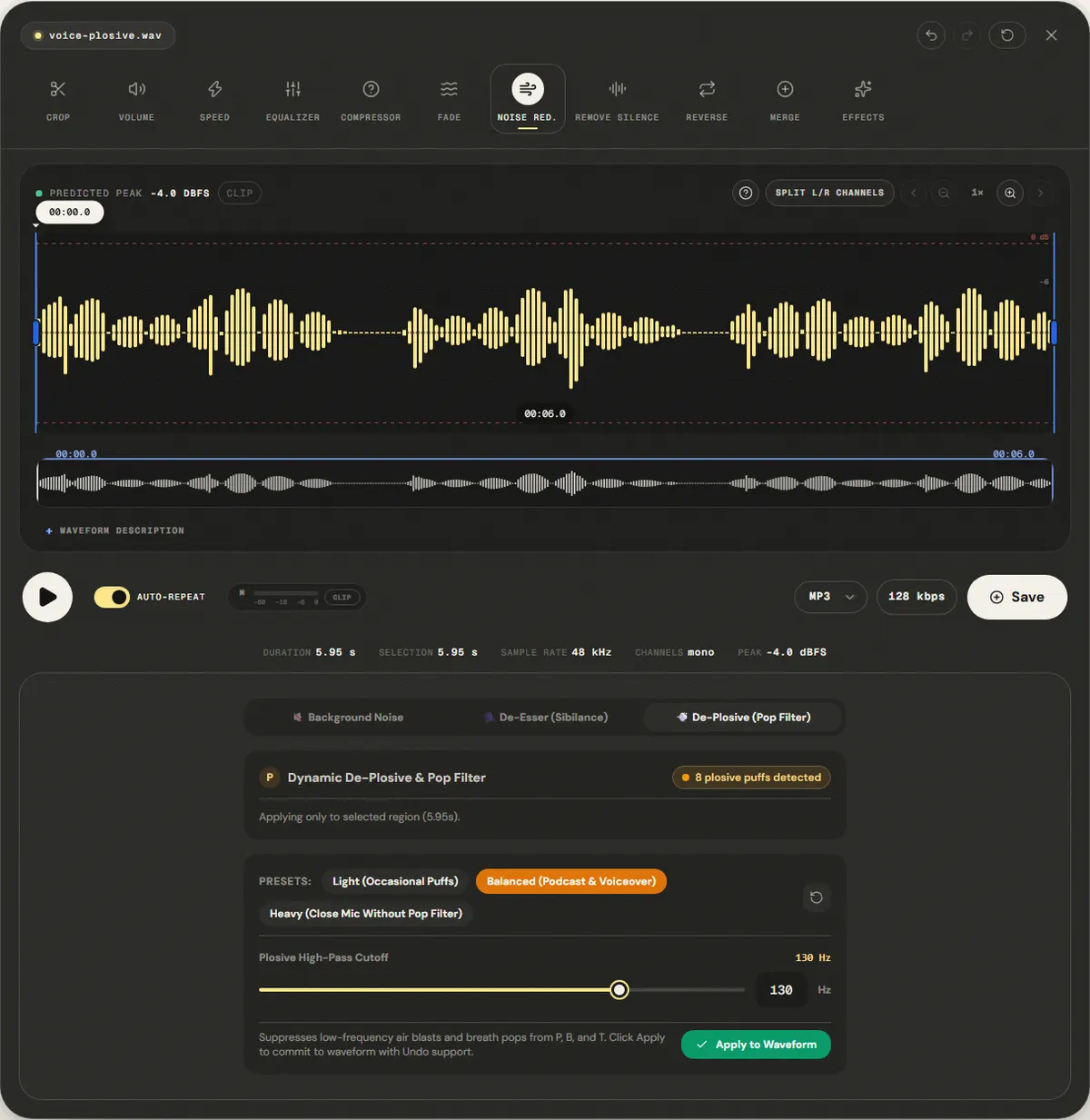
We added six 70 ms low thumps at 55 Hz to the reference voice, the shape of a P hitting the capsule. The page opened the editor on the De-Plosive tab; we clicked Apply to Waveform with the default Balanced preset (60%, 130 Hz).
Energy in the 30–120 Hz thump band fell 8.0 dB, close to the 8 dB a 60% reduction implies.
The speech band also changed −1.1 dB: the filter only acts while a burst is detected, but the voice under that burst is lowered too. Use Light on clean recordings.
| Measured | Before | After |
|---|---|---|
| Thump band 30–120 Hz | 41.0 dB | 33.0 dB |
| Speech band 300 Hz–3.4 kHz | 36.1 dB | 35.0 dB |
Download the reference file (WAV)The reference files are synthesized by this site (speech-like and music-like signals), so anyone can repeat the test. Measured on in this editor, exporting WAV. How we measure
( Field notes )
Microphone technique and plosive control
Understanding mechanical air blasts on microphone diaphragms and how dynamic filters tame them.
- ( 01 ) · 8 min read
How to Remove Plosives and Mic Pops from Audio: Physics, Pop Filters & Dynamic De-Plosive
Read - ( 02 ) · 8 min read
How to Reduce Sibilance in Audio: Taming Harsh S Sounds with a De-Esser
Read - ( 03 ) · 12 min read
How to Record Audio on Your Phone with Better Quality
Read