Sidechain Dynamic Ducking · Automatic Music Attenuation & Seamless Looping
Add Background Music with Auto-Ducking — Voiceover & Podcast Mixer
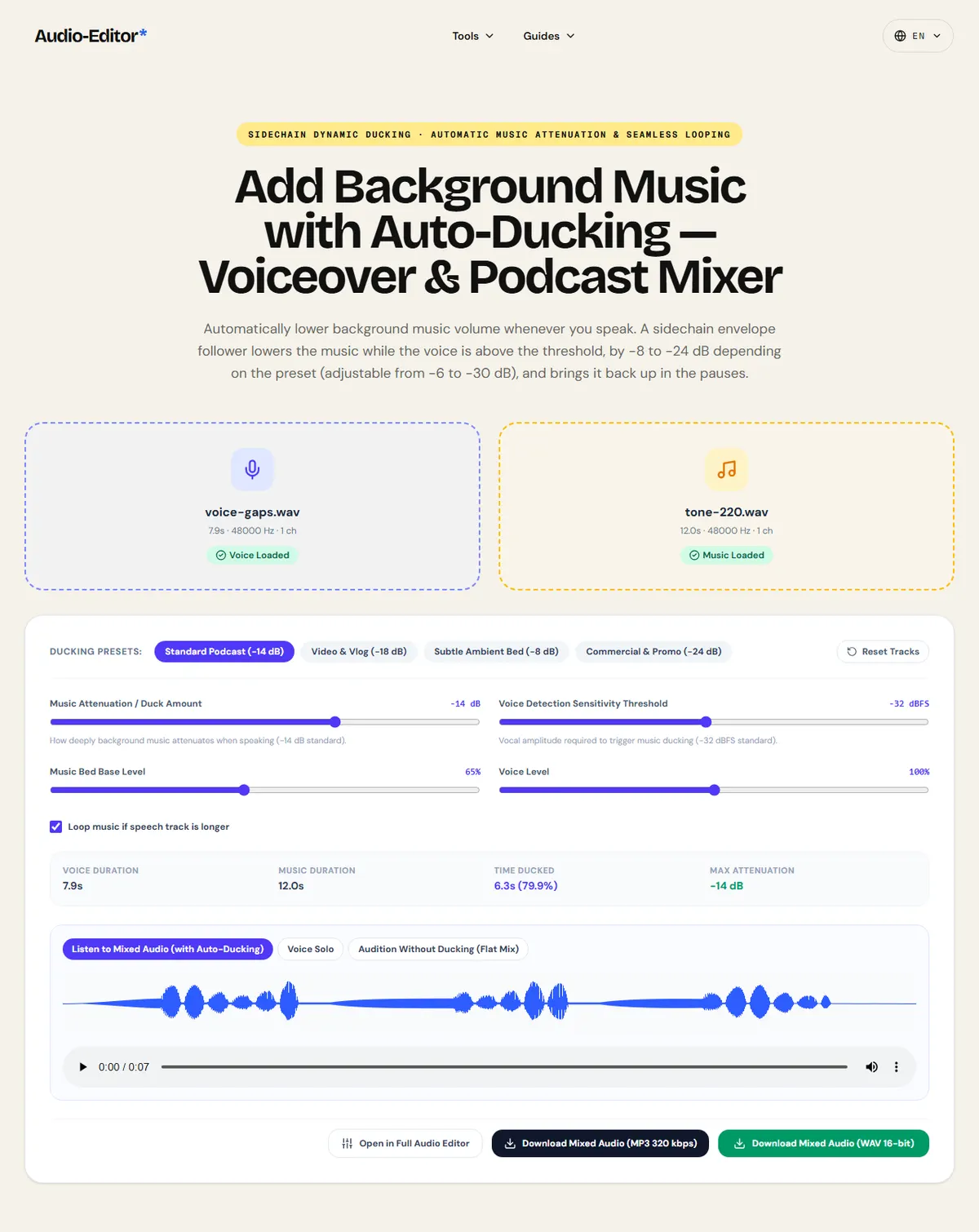
Automatically lower background music volume whenever you speak. A sidechain envelope follower lowers the music while the voice is above the threshold, by −8 to −24 dB depending on the preset (adjustable from −6 to −30 dB), and brings it back up in the pauses.
Upload Voice / Speech Track (Lead Audio)
Select your podcast vocal, voiceover, tutorial, or speech recording (MP3, WAV, M4A, FLAC, OGG).
Upload Background Music Track (Bed Audio)
Select instrumental soundtrack, ambient bed, or theme music to play underneath the voice.
Sidechain Envelope Tracking
Monitors vocal energy across sliding RMS windows and ducks music within 40 ms whenever speech begins.
Zero Pumping Flutter
Calibrated 300 ms hold time and smooth exponential release curves keep music steady between spoken syllables.
Smart Soundtrack Looping
Automatically loops shorter background tracks over long speech recordings with raised-cosine anti-click joins.
Why Speech Intelligibility Demands Dynamic Ducking
The Acoustic Masking Dilemma in Voice and Music Mixing
When voice and instrumental music play concurrently, sound energy from musical instruments (especially guitars, synthesizers, piano, and snare drums) directly competes with the fundamental human vocal formant frequencies between 1 kHz and 4 kHz. Due to the psychoacoustic masking effect, when broadband music levels approach vocal levels, the brain struggles to isolate speech phonemes, rendering dialogue muddy and unintelligible.
A static volume reduction—lowering the entire music track by -18 dB permanently—solves speech clarity while speaking, but creates dead, empty acoustic voids during natural pauses, sentence transitions, and breath stops. Listeners perceive this static imbalance as amateurish and detached.
How Sidechain Envelope Auto-Ducking Operates Without Pumping
Auto-ducking solves this acoustic problem dynamically. The voice track acts as a sidechain control key: an RMS envelope follower continuously monitors vocal energy across 15 ms analysis windows. When vocal energy crosses the threshold (e.g. -32 dBFS), a logarithmic attack curve reduces music gain within 40 ms.
Crucially, to prevent acoustic 'pumping' or 'flutter' (where music erratically jumps up and down between brief syllables or consonant stops), a calibrated Hold time (250 ms to 350 ms) keeps music ducked throughout continuous phrases. Only when a genuine pause occurs does the smooth Release ramp (500 ms to 800 ms) gently bring the soundtrack back to nominal volume.
Seamless Music Looping and Equal-Power Boundary Crossfades
In podcasts and voiceovers, speech recordings frequently span several minutes while instrumental production loops may only last 30 to 90 seconds. This engine automatically loops the background music track across the entire speech timeline with raised-cosine anti-click microfades at wrap boundaries.
At the beginning and conclusion of the mix, raised-cosine S-curve fades introduce the soundtrack smoothly and fade it out over 2.5 seconds after speech concludes, eliminating abrupt cutoffs.
How to Add Background Music with Auto-Ducking in 3 Steps
Step 1: Upload Voiceover and Background Music
Upload your voice recording in the primary slot and your instrumental music file in the secondary bed slot. Formats include MP3, WAV, M4A, AAC, and FLAC.
Step 2: Choose a Calibrated Mix Preset
Select 'Standard Podcast' (-14 dB cut) for clean interviews, 'Video & Vlog' (-18 dB cut) for high-energy music, or 'Subtle Bed' (-8 dB cut) for chill acoustic ambiance.
Step 3: Audition with Live A/B Comparison and Download
Audition the mixed audio with auto-ducking vs without ducking. Export directly as a broadcast-ready 16-bit WAV or high-bitrate MP3.
Frequently Asked Questions About Auto-Ducking
What is auto-ducking in audio production?
Auto-ducking is an automated sidechain mixing process where the volume of a background audio track (such as music or ambient sound) automatically drops whenever a primary audio track (such as a voiceover or podcast host) is speaking, and returns to normal volume during pauses.
What ducking depth (dB) is recommended for podcasts?
For standard podcasting, a music attenuation of -12 dB to -15 dB is ideal. This creates enough spectral clearance for speech phonemes without making the music disappear. For loud pop or electronic music beds, deeper ducking of -18 dB to -22 dB ensures speech intelligibility.
What happens if my music is shorter than my speech recording?
By default, the engine loops the music track seamlessly across the entire length of your voice recording, applying anti-click microfades at loop wrap boundaries, and finishing with a 2.5-second musical fade-out at the very end.
Does auto-ducking upload my voice or music to a remote server?
No. The entire RMS analysis, envelope tracking, looping, and multi-channel audio mixing are executed client-side inside your browser via the Web Audio API. Your audio never leaves your device.
( Practical guide )
Setting music under a voice
Ducking lowers the music automatically while someone is speaking and brings it back in the pauses. The tool follows the level of the voice track: when it rises above the threshold, the music fades down by the duck amount over the attack time, holds while the voice continues, and recovers over the release time.
Which preset for which content
| Interview or talk podcast | Standard Podcast: −14 dB, threshold −32 dBFS |
|---|---|
| Vlog or video with a busy soundtrack | Video & Vlog: −18 dB, faster attack (35 ms) |
| Meditation or lo-fi, music should stay present | Subtle Ambient Bed: −8 dB |
| Radio-style promo with a loud backing track | Commercial & Promo: −24 dB |
Worked example: a 3-minute tutorial with a 1-minute music loop
- Load the narration as the voice track and the loop as the music; with loop on, the music repeats to cover the 3 minutes.
- Start with Standard Podcast. If breaths or room noise keep the music down in pauses, raise the threshold toward −28 dBFS.
- Compare the ducked mix with the version without ducking, then export.
The music sits about 14 dB under the narration while it plays and returns within about 0.6 s of each pause.
Limits
- Ducking follows level, not words: loud noise on the voice track also pushes the music down.
- Only one voice track and one music track are mixed; there is no timeline to place several clips.
- Use music you have the rights to. Ducking does not change licensing or Content ID matches.
( Measured on a reference file )
How far the music drops while someone speaks
To read the music level inside the mix, we used a steady 220 Hz tone as the "music" and our reference voice with long pauses as the voice track, mixed with the default Standard Podcast preset (−14 dB).
In the pauses the music sat at about -16.4 dBFS; while the voice spoke it dropped to about -34.2 dBFS, 17.9 dB lower on average.
The drop measured is more than the preset's 14 dB in some phrases, because the reading includes how long the music takes to come back. Pauses shorter than about a second do not let it recover fully.
| Measured | In pauses | While speaking |
|---|---|---|
| Music level (220 Hz tone) | -16.4 dBFS | -34.2 dBFS |
Download the reference file (WAV)The reference files are synthesized by this site (speech-like and music-like signals), so anyone can repeat the test. Measured on on this page, downloading the mixed WAV. How we measure
( Field notes )
Sidechain ducking and music bed mixing
How automated sidechain ducking keeps voice clear over background soundtrack beds.
- ( 01 ) · 13 min read
How to Join Audio Clips Without Volume Jumps, Gaps or Clicks
Read - ( 02 ) · 14 min read
LUFS Audio Volume Guide for Podcasts, Videos, Lessons and Music
Read - ( 03 ) · 15 min read
How to EQ Voice, Music and Podcasts Online
Read