Cubic Spline De-Clipper · Peak Reconstruction & Anti-Aliasing
Fix Clipped Audio Online — De-Clip Distorted Recordings
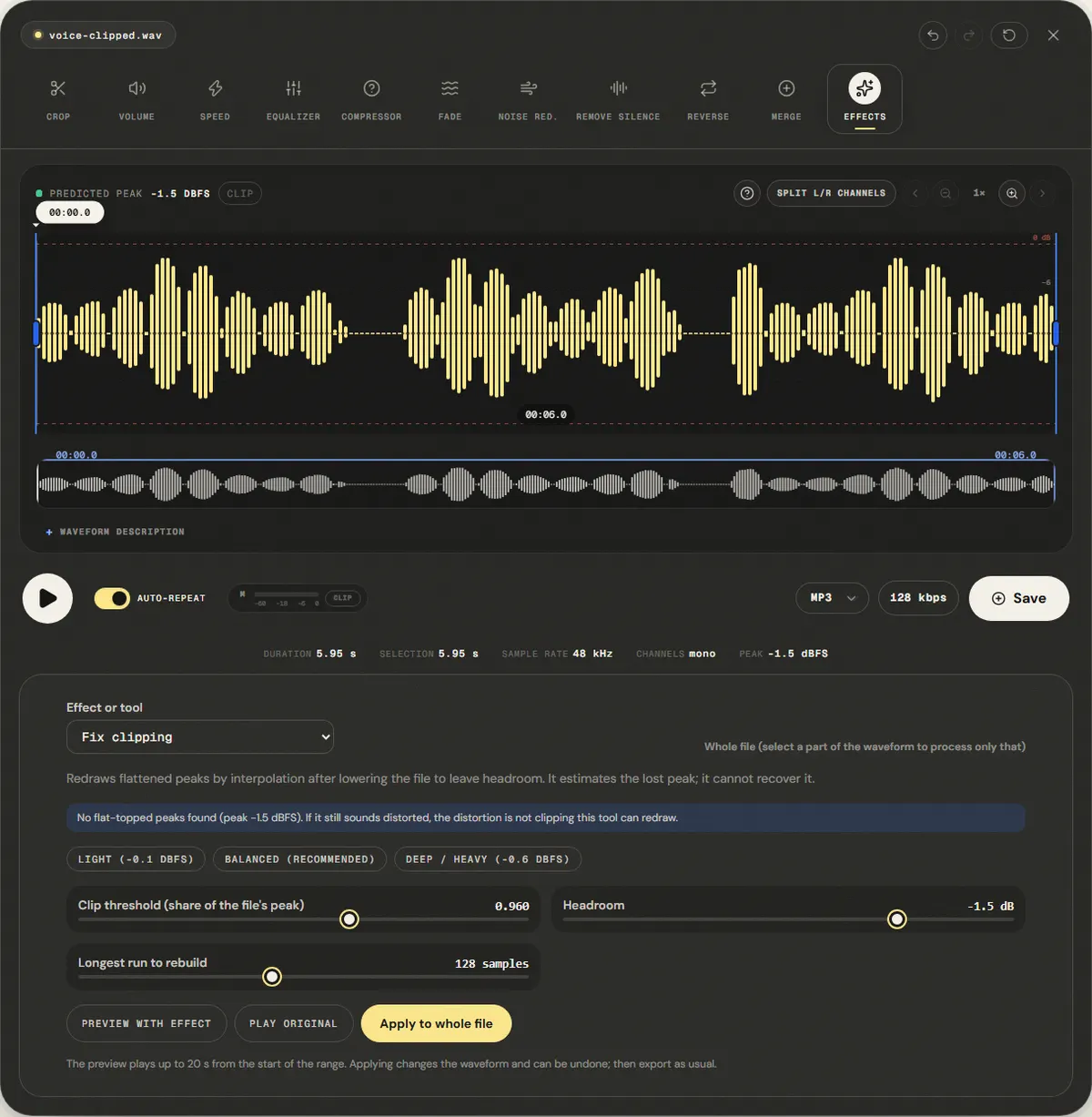
Repair digital clipping and harsh audio distortion directly in your browser. Automatically identifies flattened wave plateaus, reconstructs missing acoustic peaks with cubic Hermite spline interpolation, and scales headroom to prevent DAC inter-sample overs.
The file opens in the full editor, on this tool: waveform, selection, before/after preview, undo and export.
( How it works )
How digital audio de-clipping works
Plateau boundary detection
Scans sample amplitudes to find contiguous runs where the signal slammed into the 0 dBFS digital ceiling (|x[n]| ≥ threshold).
Cubic Hermite spline interpolation
Calculates incoming and outgoing derivative slopes from adjacent unclipped samples, fitting a continuous cubic curve over each flat gap.
Acoustic curvature restoration
Replaces flat square-like plateaus with natural parabolic arches, eliminating high-frequency odd harmonic distortion (3f, 5f, 7f).
Automatic headroom scaling
Because reconstructed peaks expand past 0 dBFS, the whole signal is lowered first by the preset's headroom (−1, −1.5 or −2.5 dB, adjustable to −6 dB) so the rebuilt peaks stay below full scale.
( Audio Physics )
The physics of clipping distortion and reconstruction
Digital Hard Clipping vs Analog Saturation
0 dBFS Boundary Discontinuity
Analog tape and tube preamps compress signal peaks smoothly as saturation sets in. In fixed-point digital audio (16-bit or 24-bit PCM), values exceeding maximum integer capacity are abruptly truncated. This hard discontinuity produces immediate, unpleasant harmonic distortion.
Fourier Odd-Harmonic Generation
Why Clipped Audio Sounds Metallic
Truncating a sinusoidal wave introduces abrupt 90-degree corners into the waveform. In Fourier analysis, a square-topped wave generates an infinite series of odd harmonic overtones decaying slowly at 1/k. This spectral smear clashes with vocal formants, causing severe listening fatigue.
Hermite Spline Peak Fitting
First & Second Derivative Continuity
Rather than linear guesswork, cubic Hermite interpolation uses both position and slope derivatives at boundary samples. The resulting spline maintains C1 continuity, naturally recreating the outward-bowing dome of the original acoustic wave before it hit the ADC converter ceiling.
Inter-Sample Peaks & DAC Headroom
Preventing Secondary Overs
Rebuilding truncated peaks naturally makes them taller than 1.0. If saved without attenuation, consumer DAC reconstruction filters and lossy MP3 encoders will clip again upon playback. Lowering the file by 1 to 2.5 dB first leaves room for the rebuilt peaks; very tall reconstructions can still need more, which you can set down to −6 dB.
( Knowledge Base )
Frequently Asked Questions About De-Clipping
Can clipped audio really be repaired without losing quality?↓
For mild to moderate digital clipping (short plateaus of 1 to 40 samples), cubic spline interpolation accurately estimates the missing acoustic arc by analyzing the angle and speed of the wave before and after the cut. This eliminates the harsh abrasive buzzing. However, heavily brickwalled audio where tens of milliseconds are continuously clipped loses fundamental acoustic data that cannot be guessed with 100% perfection.
Why does the repaired audio sound slightly quieter at first?↓
When missing peaks are restored, they naturally extend higher than the flat 0 dBFS ceiling. To avoid re-clipping when exporting or playing through your headphones, the algorithm scales the entire audio down by a safety headroom (typically 1 to 3 dB). The repaired audio has greater dynamic punch and clean transients, even though its overall peak volume has been lowered to make room for the peaks.
What is the difference between this tool and a low-pass filter or EQ?↓
An equalizer cuts frequencies across the entire recording continuously, which makes voices muffled, dark, and lifeless. Our de-clipper acts only on the exact samples where the wave clipped, preserving all original high frequencies, sibilants, and ambient room brilliance during unclipped passages.
What threshold setting should I choose?↓
Use 0.985 (−0.1 dBFS) for audio recorded near maximum level with occasional overs. Use 0.96 (−0.35 dBFS) for general podcast or voice recordings with noticeable crunch. If your microphone preamp was overloaded and peaks were clamped below full scale, lower the threshold to 0.92 (−0.7 dBFS).
Does this repair work on both voice and musical instruments?↓
Yes. Because cubic spline interpolation is a fundamental mathematical property of smooth continuous waves, it repairs vocal shouts, snare drum rimshots, acoustic guitar strums, and brass instrument peaks equally well.
Is my audio uploaded to any external server?↓
No. All DSP analysis, Hermite curve fitting, and audio encoding run locally inside your web browser using Web Audio and Web Workers. Your private recordings never leave your machine.
( Practical guide )
When clipping can be repaired, and when it cannot
Clipping happens when a signal is louder than the recorder can store: every sample above the ceiling is written at the ceiling, and the top of the wave becomes a flat line. The repair looks for those flat runs and redraws a curved peak through them, using the samples on each side. It works when the flat parts are short, because a short gap can be guessed from its neighbours. It fails when the recording was overdriven for long stretches.
Which preset for which recording
| Only a few peaks touched 0 dBFS (a laugh, a loud word) | Light: threshold at 98.5% of the file's peak, peaks capped at −1 dBFS |
|---|---|
| Speech or music with audible crackle on loud parts | Balanced (default): threshold at 96% of the peak, peaks capped at −1.5 dBFS |
| Recording that sounds fuzzy all the way through | Try Deep / Heavy, but expect improvement, not a clean result |
| Distortion from an analogue preamp or a guitar pedal | Not a clipping repair job: the wave is rounded, not flat, so there is nothing to detect |
Worked example: an interview where the guest laughed into the mic
- Open the file. The panel reads it and reports how many clipped runs it found at the default threshold.
- Select only the laugh on the waveform, so the rest of the interview is untouched, and keep Balanced.
- Apply and compare with undo. The flat tops become rounded. The rebuilt peaks rise above the old ceiling, so the selection is turned down until the highest one sits at −1.5 dBFS and the export does not clip again.
In our reference test, samples piled up at the peak went from 11.6% to 0.05%. Because the redrawn peaks are taller, the file came out 5.4 dB quieter on average; normalize it afterwards.
Limits
- The redrawn peak is an estimate. It removes the crackle, but it is not the waveform the microphone heard.
- Runs longer than the "longest run to rebuild" setting (32 to 256 samples, about 0.7 to 5.8 ms at 44.1 kHz) get a simple arch instead of the cubic curve: a rougher guess, for the longest flat stretches.
- Clipping that was turned down afterwards still counts: the threshold is a share of the file's own peak, so flat tops at −3 dBFS are found like flat tops at 0 dBFS.
- The next recording is the real fix: leave 6 to 12 dB between your loudest peak and 0 dBFS.
( Measured on a reference file )
A voice clipped flat at −3 dBFS, peaks redrawn
We drove the reference voice 11 dB too hot and cut every peak flat at -3.1 dBFS, the shape an overloaded recorder leaves. We applied the Balanced (Recommended) preset to the whole file.
Samples piled up at the peak went from 11.6% to 0.05%: the flat tops are curves again. The redrawn peaks rose above full scale, so the tool turned the whole file down until the highest one sat at -1.5 dBFS. That is why the average level fell from -9.6 dBFS to -15.0 dBFS.
The redrawn curve is an estimate, not the original waveform, and on heavily distorted recordings the harshness drops but does not disappear. Expect the file to come out quieter; normalize it afterwards.
| Measured | Before | After |
|---|---|---|
| Samples piled up at the peak (within 3%) | 11.6% | 0.05% |
| Sample peak | -3.1 dBFS | -1.5 dBFS |
| Average level (RMS) | -9.6 dBFS | -15.0 dBFS |
Download the reference file (WAV)The reference files are synthesized by this site (speech-like and music-like signals), so anyone can repeat the test. Measured on in this editor, exporting WAV. How we measure
( Field notes )
Clipping, dynamics and saturation
Understand what causes flat-topped waveforms and how reconstruction works.
- ( 01 ) · 10 min read
How to Fix Clipped Audio: Repairing Digital Saturation and Distorted Peaks
Read - ( 02 ) · 13 min read
How to Adjust Audio Volume Online without Distortion
Read - ( 03 ) · 14 min read
LUFS Audio Volume Guide for Podcasts, Videos, Lessons and Music
Read