Quick answer
Tones are the oldest tool in audio engineering because they remove every variable but one. This guide covers what each waveform contains, which frequency to use for which test, how to generate and download tones in the browser, what our measurement showed, and how to use tones safely.
Which frequency for which job
| Frequency | Use |
|---|---|
| 1,000 Hz | Level reference: lining up recorders, interfaces and meters. Most meters are calibrated here. |
| 440 Hz | Concert pitch A4, for tuning instruments. |
| 432 Hz | An alternative tuning reference some musicians prefer. |
| 80 Hz | A common subwoofer crossover point; checks how sub and speakers blend. |
| 60 Hz and 50 Hz | Mains frequencies; play one next to a recording to recognise hum. |
| 8,000 Hz | Tweeter check and the region where sibilance lives. |
| 20 – 100 Hz, stepping | Finding the lowest note a speaker or headphone can play. |
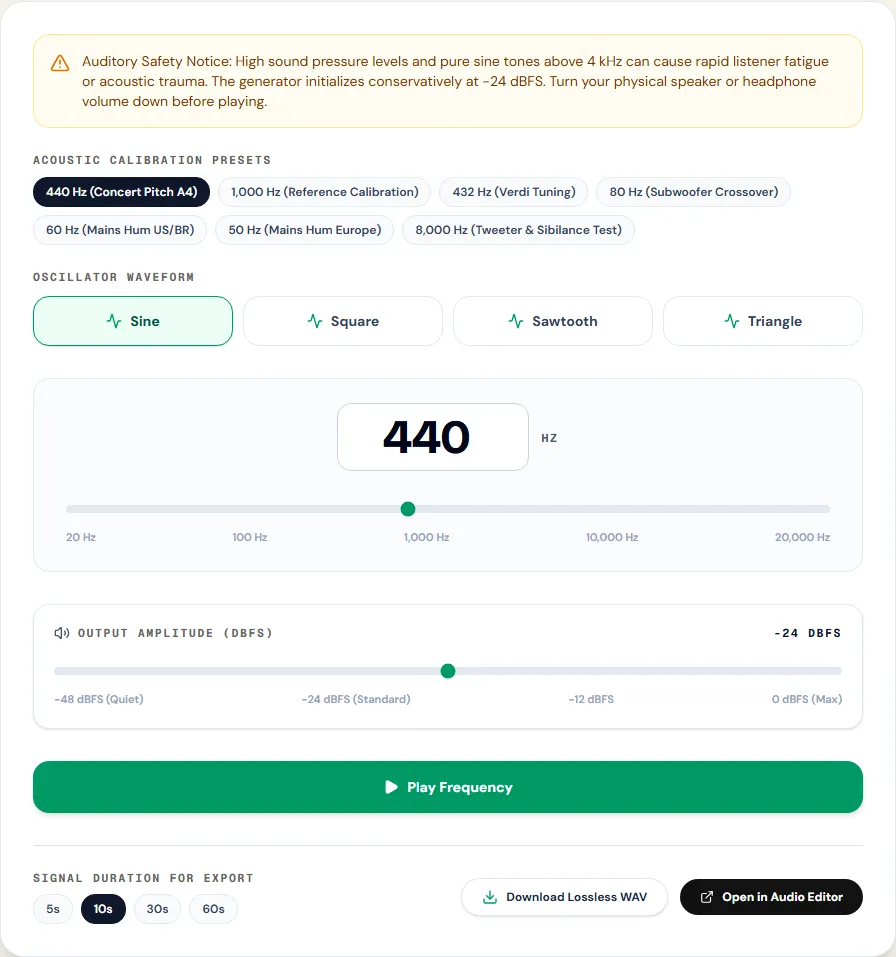
All seven are presets in the generator, so you do not have to type them.
What each waveform contains
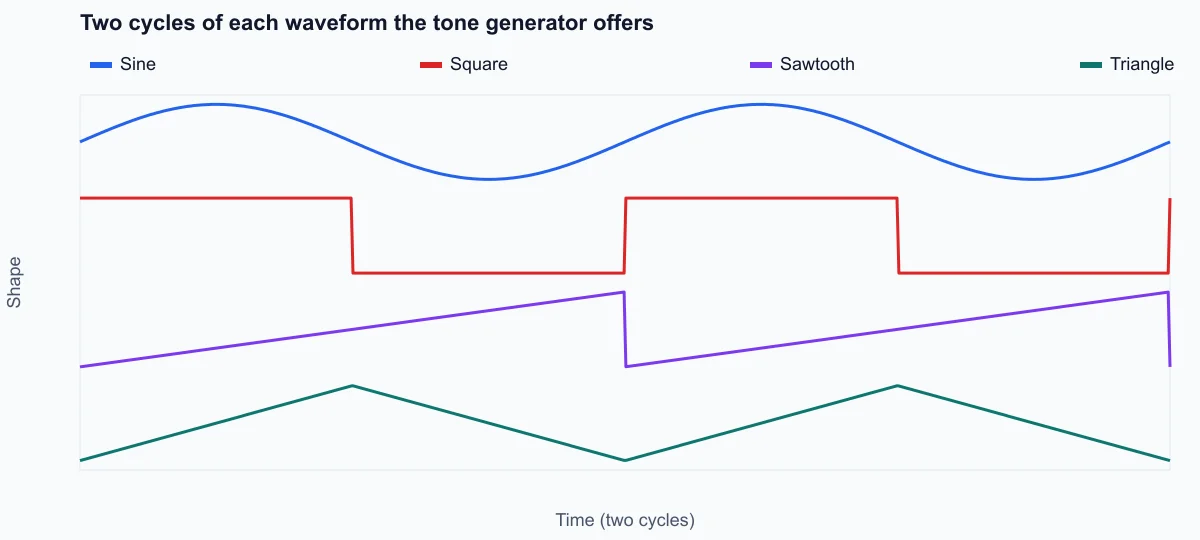
A sine wave is a single frequency and nothing else. The other three shapes add harmonics, whole multiples of the frequency you set, and that changes the sound and what the tone is good for:
- Sine: only the fundamental. The reference for measurements and the cleanest test of a speaker at one frequency.
- Square: odd harmonics (3×, 5×, 7×…) at 1/n of the fundamental. Hollow, reedy and loud: at the same peak level it carries 3 dB more energy than a sine.
- Sawtooth: all harmonics at 1/n. Bright and buzzy, the classic raw synthesizer sound.
- Triangle: odd harmonics falling at 1/n², so they fade fast. Soft, close to a sine with a little edge.
The harmonics matter when testing bass: a 50 Hz square wave on a small speaker can sound like a 150 Hz tone, because the speaker plays the third harmonic it can reproduce and drops the fundamental it cannot. Use a sine when you want to know whether a speaker really reaches a frequency.
How to generate a tone, step by step
The Tone Generator plays tones live in your browser with an oscillator and writes the WAV download locally.
Step 1: Turn your volume down
Before pressing play, lower the speaker or headphone volume. The generator starts at −24 dBFS, which is moderate, but the loudness you hear depends on your device. Raise the volume slowly while the tone plays.
Step 2: Choose a preset or a frequency
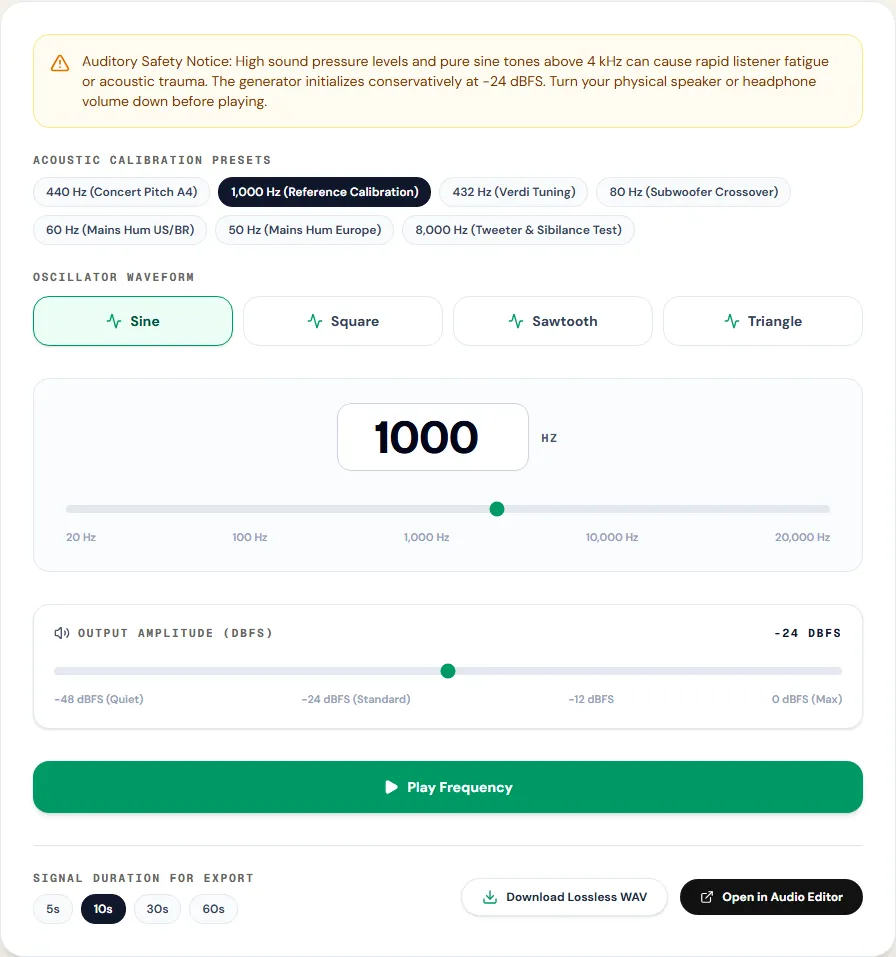
The Frequency (Hz) slider runs from 20 to 20,000 Hz on a logarithmic scale, the way pitch is heard. Acoustic Calibration Presets set the common frequencies in one click. Output Amplitude (dBFS) goes from −48 to 0 dBFS.
Step 3: Pick the waveform and play
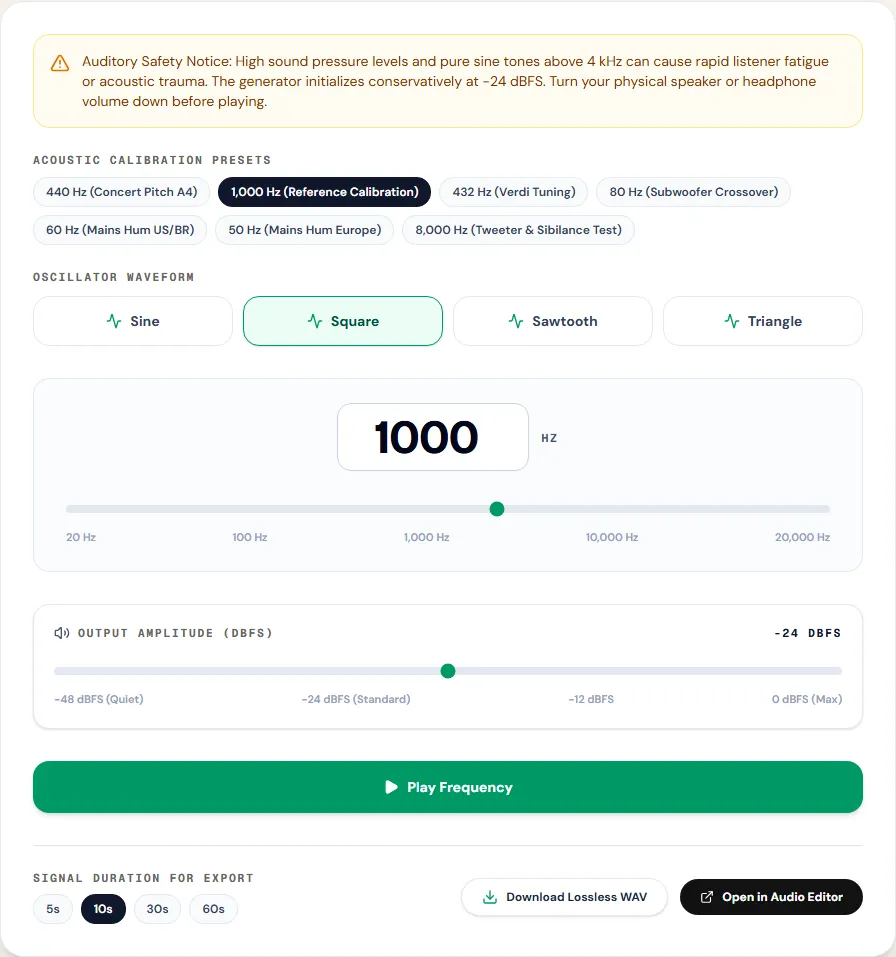
Choose the waveform under Oscillator Waveform and press Play Frequency. Changes to frequency, level and waveform are heard immediately.
Step 4: Download or edit
Under Signal Duration for Export pick 5, 10, 30 or 60 seconds and click Download Lossless WAV. The file is a 16-bit, 44.1 kHz stereo WAV with the same tone on both channels; a minute is about 10.6 MB. Open in Audio Editor sends the tone to the editor, for example to add fades or combine it with other audio.
Aligning levels with a 1 kHz tone
The most professional use of a test tone is level alignment: making sure that a given digital level means the same thing on every device in a chain. Broadcasters define a reference: the EBU's R 68 puts the alignment tone at −18 dBFS, and SMPTE's RP 155 at −20 dBFS. A home setup can borrow the idea:
- Set the generator to the 1,000 Hz (Reference Calibration) preset and Output Amplitude (dBFS) to −18 or −20.
- Download 30 seconds of the tone and play it through the chain you want to check: an interface output into a mixer, a recorder input, a streaming setup.
- Adjust each device until its meter shows the same value, or until the recorder shows the level you expect for that reference.
- Measure the downloaded file with the LUFS meter if you want a second reading. EBU Tech 3341 gives the expected value: a 1 kHz sine at −20 dBFS on one channel reads −23 LUFS, and our meter reads exactly that. With the same tone on both channels, as this generator writes it, expect about −20 LUFS.
Aligned levels mean the same voice lands at the same level whether it comes from the microphone, a laptop or a phone, which saves a lot of adjusting later.
Measured example
We clicked the 1,000 Hz preset, left the level at its default of −24 dBFS, chose 5 s and downloaded the WAV.
The file is 5.00 s long, peaks at -24.0 dBFS and its strongest frequency measures 1,000.0 Hz: what the controls said.
| Measured | Set | Measured |
|---|---|---|
| Frequency | 1,000.0 Hz | 1,000.0 Hz |
| Peak level | -24.0 dBFS | -24.0 dBFS |
| Duration | 5.00 s | 5.00 s |
1 kHz tone at −24 dBFS
It is a 44.1 kHz, 16-bit stereo file with the same tone on both channels. What reaches your ears also depends on your speakers, which are far from flat at the extremes of the 20 Hz–20 kHz range.
Same test on the tool page · Measured on November 11, 2026
Three practical tests
Left and right check
Download a 10-second 1 kHz tone, open it in the editor, and use Stereo to mono & channels with Left channel only: the tone should come only from the left speaker. Undo and try the right.
Where does the bass stop?
At a low volume, play a sine at 200 Hz and step down: 150, 120, 100, 80, 60, 40 Hz. Note where the tone turns into a faint buzz or disappears. Laptop speakers usually stop somewhere between 100 and 200 Hz; good headphones go much lower.
Is that noise hum?
Play the 60 Hz preset (or 50 Hz outside the Americas) next to the recording. If the drone in the recording has the same pitch, it is mains hum and the hum remover will take it out.
Troubleshooting
| What you hear or see | Likely cause | What to change |
|---|---|---|
| Low tones are silent | The speaker cannot reproduce them | Try headphones; a sine below the speaker's limit makes almost no sound |
| A low square wave sounds higher than its frequency | You hear its harmonics, not the fundamental | Use a sine to test bass |
| High tones are inaudible | Normal: many adults hear little above 15 kHz | Do not raise the volume to compensate |
| The tone sounds rough or crackly | Device volume so high the speaker distorts | Lower the device volume, keep the generator at −24 dBFS |
| The download is larger than expected | Stereo 16-bit WAV, about 10.6 MB per minute | Choose a shorter duration, or convert to MP3 in the editor |
Safety and limits
Pure tones are more tiring than music at the same level, and high frequencies above a few kilohertz especially so. Keep the device volume low, take breaks, and never use tones near your ears at high volume. Not hearing a very high tone does not mean it is silent: it may still be loud enough to cause fatigue.
The generator produces one fixed tone per file: there is no frequency sweep, no tone burst sequence and no noise in this tool (use the noise generator for that). The tone is accurate in the file; what you hear also depends on your speaker, which is rarely flat near 20 Hz or 20 kHz. This is not a hearing test; for that, see an audiologist.
Frequently asked questions
How accurate are the tones?
What frequency range can it generate?
Which waveform should I use for testing speakers?
Why is 1 kHz used as a reference?
Can I download a tone longer than a minute?
Sources and how this was tested
- MDN: OscillatorNode (sine, square, sawtooth, triangle)
- Wikipedia: Square wave (odd harmonics at 1/n)
- WHO: Make Listening Safe
Tested on November 12, 2026 in Chromium 153 on Windows 11, with a production build of this site. Screenshots and measurements were made by the scripts in scripts/tool-evidence, from synthetic reference files anyone can download and repeat.