Quick answer
Noise is useful in more places than people expect: masking conversations in an office, helping some people fall asleep, testing a speaker or a room, and as raw material for sound design. This guide explains what the colours mean in numbers, which one suits which job, how to generate and download noise in the browser, what we measured, and how to use it without tiring your ears.
What the colours mean
The names come from an analogy with light. White light has all colours in equal amounts; white noise has all frequencies at equal power per hertz. Because each octave up contains twice as many hertz as the one below, white noise puts twice the energy in every higher octave, and our ears hear it as bright hiss.
- White: flat per hertz, 0 dB per octave on a per-hertz scale. Bright, like radio static.
- Pink: falls 3 dB per octave, which gives every octave the same total energy. It sounds balanced, closer to how we hear, and is the standard test signal for speakers and rooms.
- Brown (also called red, after Brownian motion, not the colour): falls 6 dB per octave. Most of its energy is in the low end; it sounds like distant thunder or a waterfall.
Which noise for which job
| Job | Noise | Why |
|---|---|---|
| Masking speech in an open office | Pink | Covers the speech range without the sharp top of white |
| Sleep, covering traffic or a fan | Brown | Low and soft; most people find it least tiring |
| Speaker or room check by ear | Pink | Equal energy per octave, so a dip or a peak stands out |
| Tweeter or high-frequency path check | White | Strongest in the highs |
| Sound design (wind, surf, risers) | Any, then filtered | A starting texture to shape with the equalizer |
Studies on noise and sleep or concentration are mixed and depend a lot on the person. Treat noise as a tool to try, not a treatment: if it helps you, use the quietest level that works.
How the generator makes each colour
White noise is a stream of random samples. Pink noise is white noise passed through a set of filters tuned to fall 3 dB per octave (the "refined" filter published by Paul Kellet). Brown noise is white noise added up over time, a random walk, with a small leak that pulls it back toward zero so it cannot drift off the scale. That leak is what flattens the lowest octaves in our measurement: brown follows −6 dB per octave above about 500 Hz, and is a few decibels short of it below 250 Hz.
The left and right channels are generated independently (decorrelated). With identical channels, the noise would sit in the middle of your head; with independent ones it spreads across the stereo field, which most people find more natural and less fatiguing on headphones.
How to generate noise, step by step
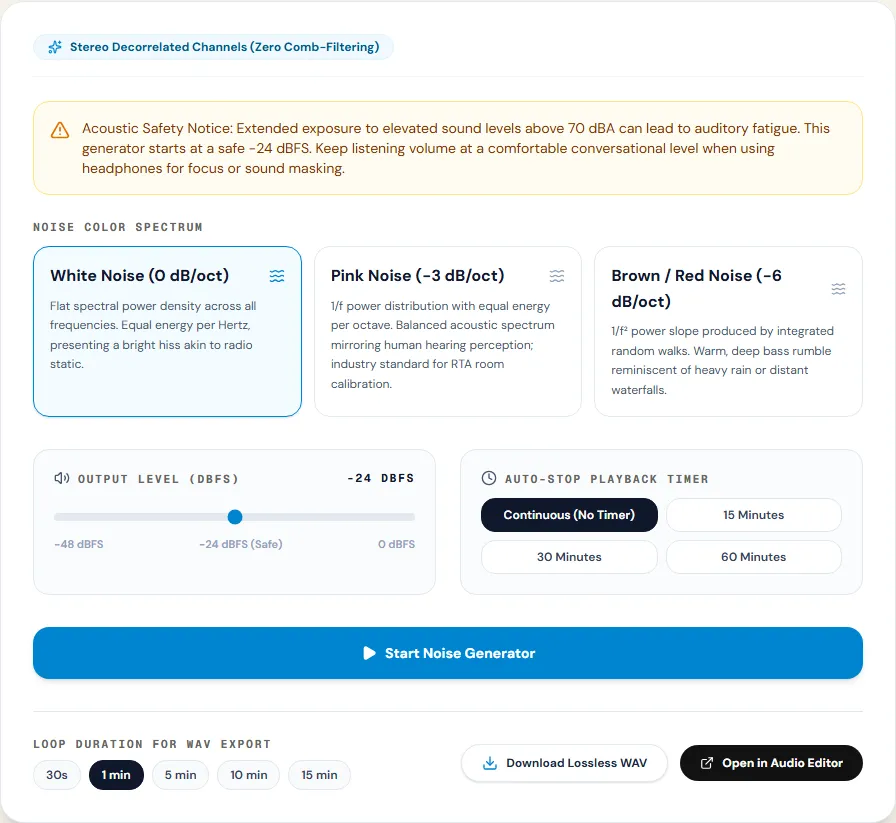
The White Noise Generator plays live in your browser and writes downloads locally.
Step 1: Choose the colour and level
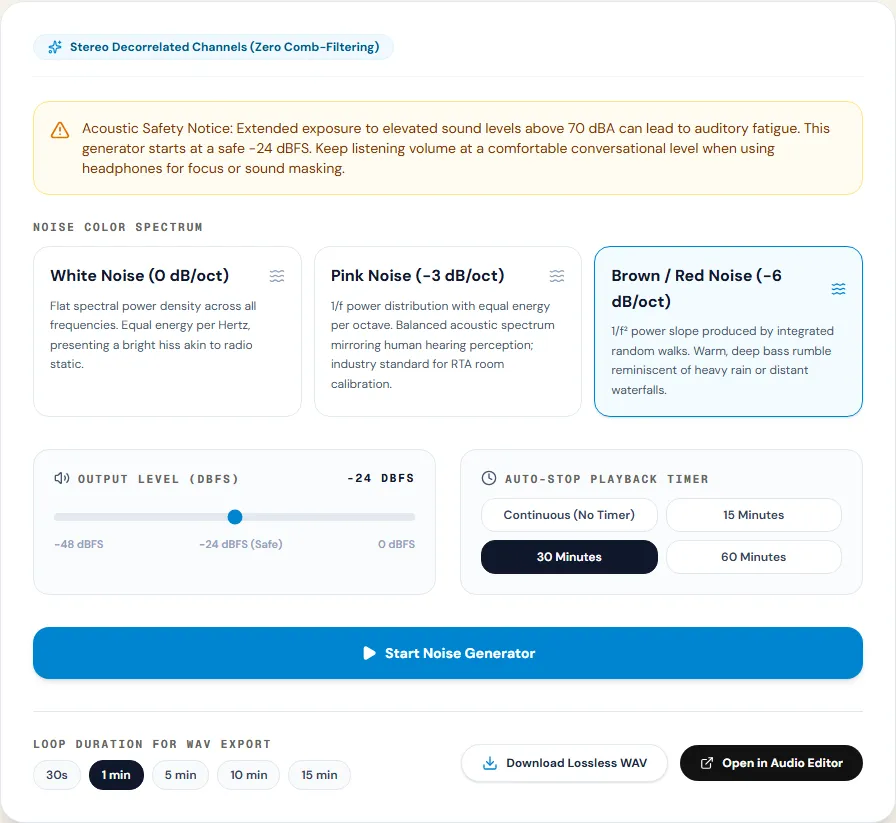
Pick White Noise (0 dB/oct), Pink Noise (-3 dB/oct) or Brown / Red Noise (-6 dB/oct). Output Level (dBFS) runs from −48 to 0 dBFS and starts at −24. Lower your device volume before pressing Start Noise Generator.
Step 2: Set a timer for listening
The Auto-Stop Playback Timer stops playback after 15, 30 or 60 minutes, or keeps going with Continuous (No Timer). The timer only works while the page is open in this tab.
Step 3: Download a loop
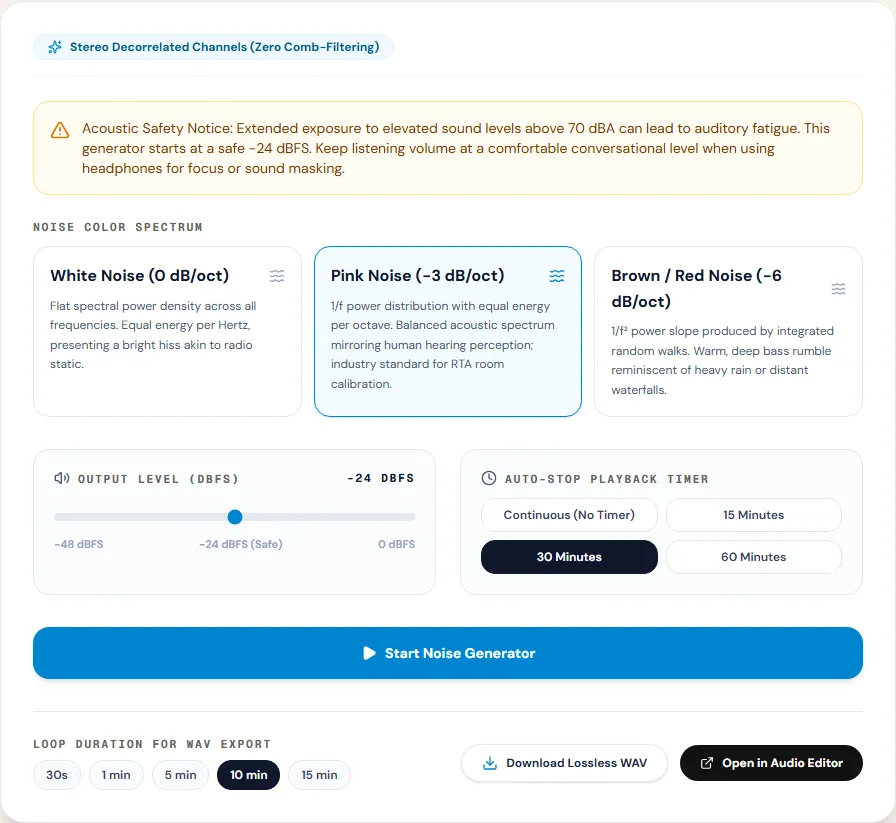
Under Loop Duration for WAV Export choose 30 seconds, 1, 5, 10 or 15 minutes and click Download Lossless WAV. Files are 16-bit, 44.1 kHz stereo: about 10.6 MB per minute, so a 15-minute loop is about 159 MB. For a phone, open it with Open in Audio Editor and export as MP3; at 128 kbps, 15 minutes is about 14 MB.
Using pink noise to check speakers and a room
Pink noise is the classic test signal because, with equal energy per octave, an even speaker in a good room makes it sound smooth from bass to treble. Anything that stands out is a problem worth knowing about:
- Play pink noise at a moderate level from one speaker at a time.
- Sit where you usually listen and close your eyes. The noise should sound like a single, even hiss. A boomy, "roomy" low end usually means a bass build-up from the room or a speaker too close to a wall.
- Move your head 30 cm left and right. Big changes in the low end mean room modes, standing waves that peak in some spots and cancel in others.
- Play both speakers together. A stable, centred image means they match; if it pulls to one side, check levels and positions.
A phone app with a real-time analyser (RTA) turns the same test into numbers: with pink noise, an even system shows a roughly flat line across the octaves. Moving a speaker 20 to 30 cm away from the wall or the corner often changes the bass more than any equalizer setting.
Measured example
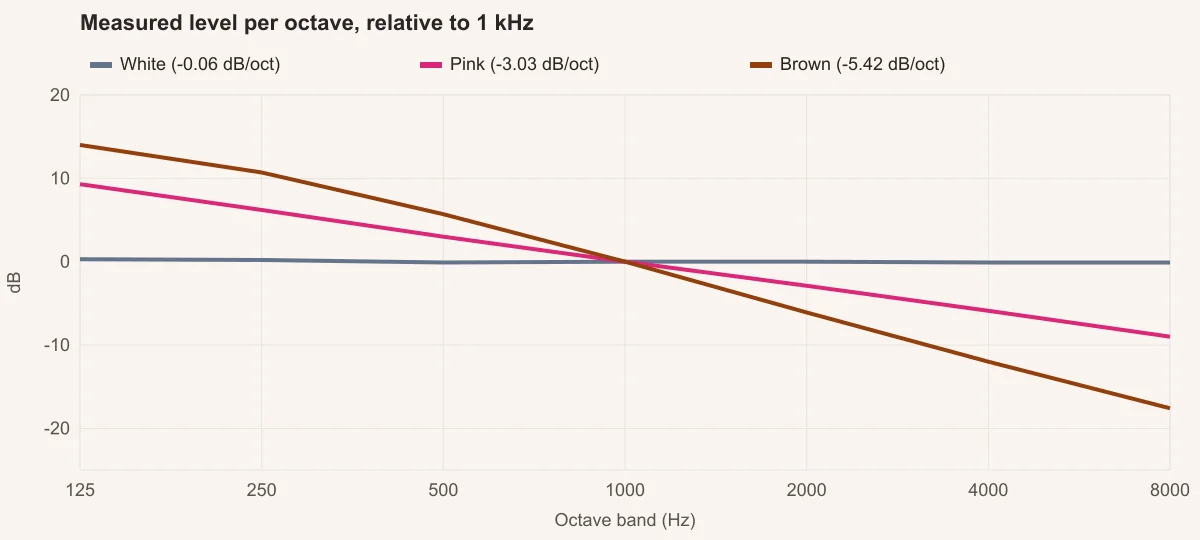
We downloaded 30 seconds of white, pink and brown noise and measured the average power density in octave bands from 125 Hz to 8 kHz, then fitted a straight line: its slope is the noise's dB per octave.
White noise measured −0.06 dB/oct (target 0) and pink −3.03 dB/oct (target −3). Brown measured −5.42 dB/oct over the whole range.
| Measured | Target | Measured |
|---|---|---|
| White noise | 0 dB/oct | −0.06 dB/oct |
| Pink noise | −3 dB/oct | −3.03 dB/oct |
| Brown noise | −6 dB/oct | −5.42 dB/oct |
White noise
Pink noise
Brown noise
Brown noise follows −6 dB/oct above about 500 Hz (1 to 2 kHz: -6.1 dB) but flattens in the lowest octaves, because the generator uses a slightly leaky integrator to keep the signal from drifting off center. It still sounds deep, just less extreme below 250 Hz than a textbook 1/f² spectrum.
Same test on the tool page · Measured on November 11, 2026
Troubleshooting
| What you hear or see | Likely cause | What to change |
|---|---|---|
| White noise sounds harsh | Normal: it has the most high-frequency energy | Try pink, or lower the level |
| Brown noise sounds weak on a phone | Small speakers cannot play its low end | Use headphones or a larger speaker |
| You hear the loop repeat | A short loop played over and over | Download 10 or 15 minutes; with 30 s some people notice the repeat |
| Playback stops after a while | The timer is set, or the browser paused the tab | Choose Continuous and keep the tab open, or play the downloaded file |
| The download is very large | Stereo WAV, about 10.6 MB per minute | Export as MP3 from the editor |
Safety and limits
Noise for sleep or focus should stay quiet: well below the level of a normal conversation, and not all night through earbuds at high volume. Continuous noise at high levels is tiring and, over long periods, can harm hearing; the WHO recommends limiting both level and time of exposure. If you use noise to mask tinnitus, talk to a hearing professional about levels.
The generator offers three colours at a fixed slope; there is no blue or violet noise, no adjustable slope and no built-in filter. For other textures, download pink or white and shape it with the equalizer.
Frequently asked questions
What is the difference between white, pink and brown noise?
Which noise is best for sleep?
Why is brown noise also called red noise?
How long can the downloaded loop be?
Why are the left and right channels different?
Sources and how this was tested
Tested on November 12, 2026 in Chromium 153 on Windows 11, with a production build of this site. Screenshots and measurements were made by the scripts in scripts/tool-evidence, from synthetic reference files anyone can download and repeat.