Quick answer
Singers transpose songs to fit their range, musicians retune backing tracks to match an instrument, and video editors nudge music by a semitone to fit a scene. This guide covers how to work out how many semitones you need, what happens to the sound when you shift it, how to do it in the browser step by step, and what the result measured.
How to tell you need a different key
A song is in the wrong key for you when its highest or lowest notes are uncomfortable to sing, or when a recording does not match the instrument you are playing along with. Three common cases:
- The chorus is too high. Count how many notes above your comfortable top the highest note is; that is the number of semitones to go down. Most people need 1 to 3.
- A backing track is out of tune with your instrument. If it is less than a semitone off (old recordings and tape transfers often are), use cents, not semitones.
- Two clips must play in the same key, for example in a mash-up or a video edit. Find each key, then shift one by the difference.
What a semitone is, in numbers
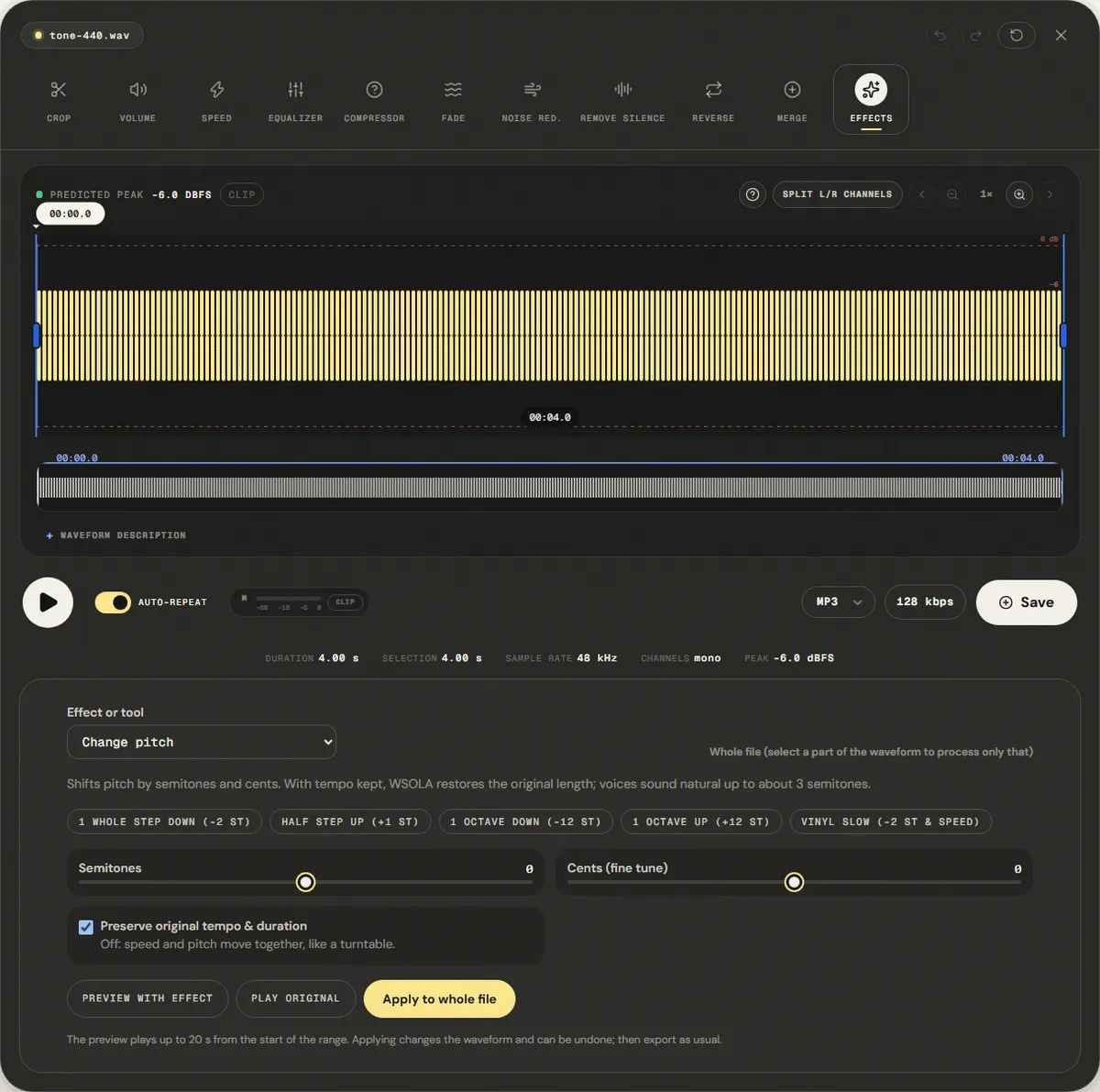
Western music divides the octave, a doubling of frequency, into 12 equal steps called semitones. Each step multiplies the frequency by the twelfth root of 2, about 1.0595. Two semitones (a whole tone) multiply it by 1.1225; twelve semitones double it. Cents split each semitone into 100 smaller steps, which is how tuners show small errors.
| Shift | Frequency factor | A 440 Hz becomes |
|---|---|---|
| −12 semitones (octave down) | 0.5 | 220.0 Hz |
| −2 semitones | 0.8909 | 392.0 Hz (G) |
| −1 semitone | 0.9439 | 415.3 Hz (G♯/A♭) |
| +1 semitone | 1.0595 | 466.2 Hz (A♯/B♭) |
| +2 semitones | 1.1225 | 493.9 Hz (B) |
| +12 semitones (octave up) | 2.0 | 880.0 Hz |
Why changing pitch also changes speed, and how that is undone
The simplest way to raise pitch is to play the audio faster, like a turntable at the wrong speed: everything goes up, and the song gets shorter. To change only the pitch, the editor does it in two steps. It first resamples the audio by the frequency factor, which shifts the pitch and changes the length. It then stretches the result back to its original length with WSOLA (waveform similarity overlap-add): it cuts the audio into short overlapping grains and finds, for each one, the position within ±20 ms where it lines up best with the previous grain, so the joins do not click.
That second step is where artifacts come from. A steady tone repeats itself and stretches cleanly. A voice changes shape every few milliseconds, and drums have sharp attacks that can be doubled or smeared when grains overlap. That is why small shifts sound natural and large ones sound phased or robotic. Formants, the resonances that give a voice its character, also move with the pitch, which is why a voice raised by an octave sounds like a cartoon rather than a higher singer.
How to change the key, step by step
The Change Pitch page opens the file in the editor with Change pitch selected in the Effect or tool menu. Processing runs in your browser.
Step 1: Open the song
Drop the file on the page. With nothing selected, the whole song is processed; drag across the waveform to shift only a part, such as a final chorus raised a semitone.
Step 2: Set semitones and cents
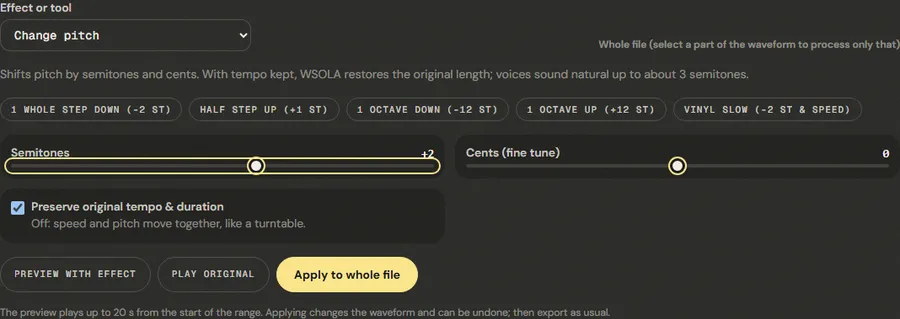
- Semitones: −12 to +12. Negative lowers the key.
- Cents (fine tune): −100 to +100, for recordings that are slightly off.
- Preserve original tempo & duration: on by default. Turn it off for a turntable effect, where speed and pitch move together.
The presets cover the usual cases: 1 Whole Step Down (-2 st), Half Step Up (+1 st), 1 Octave Down (-12 st), 1 Octave Up (+12 st) and Vinyl Slow (-2 st & Speed), which turns tempo preservation off.
Step 3: Preview, apply and export
Preview with effect plays up to 20 seconds with the shift; Play original plays the same stretch untouched. Sing or play along with the preview before committing. Then click Apply to whole file, and export from the editor.
Finding the right key for your voice
Before shifting anything, find the lowest and highest notes of the melody and compare them with your own range. Sing along with the original and note where you strain at the top or lose volume at the bottom. Then use the typical ranges below as a rough guide; trained and untrained voices vary a lot, so trust your ear over the table.
| Voice type | Approximate comfortable range |
|---|---|
| Bass | E2 – E4 |
| Baritone | A2 – A4 |
| Tenor | C3 – C5 |
| Alto | F3 – F5 |
| Mezzo-soprano | A3 – A5 |
| Soprano | C4 – C6 |
A practical rule: if the highest note of the song is two notes above where you sing comfortably, shift down two semitones and try again. If the song is in a key written for the opposite voice type, an octave apart, try ±5 to 7 semitones rather than a full octave: the full shift sounds unnatural, and a fourth or fifth often lands in a comfortable range while keeping the song recognisable.
Measured example
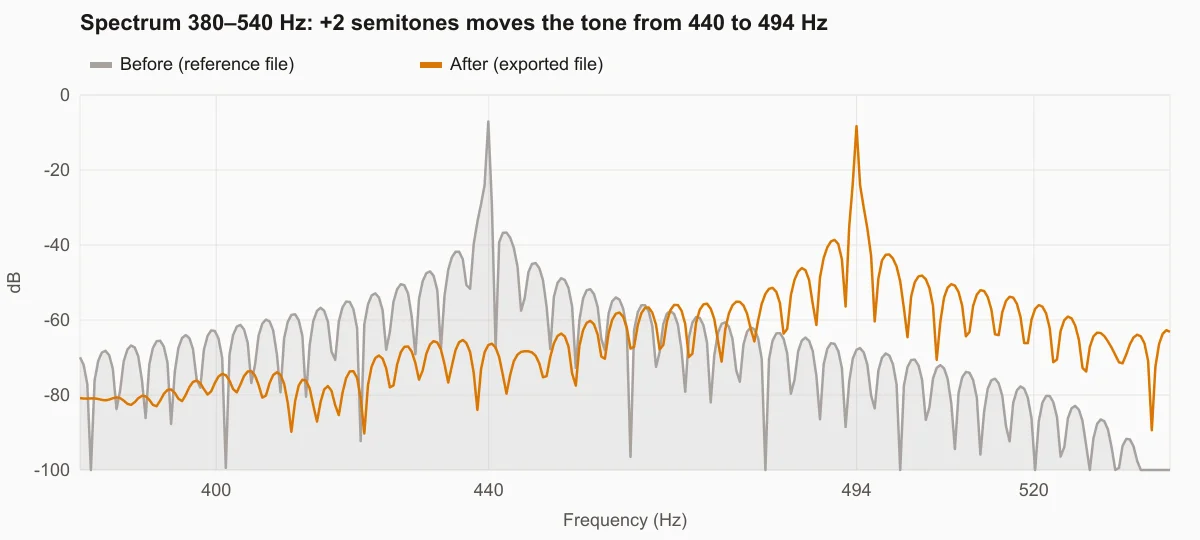
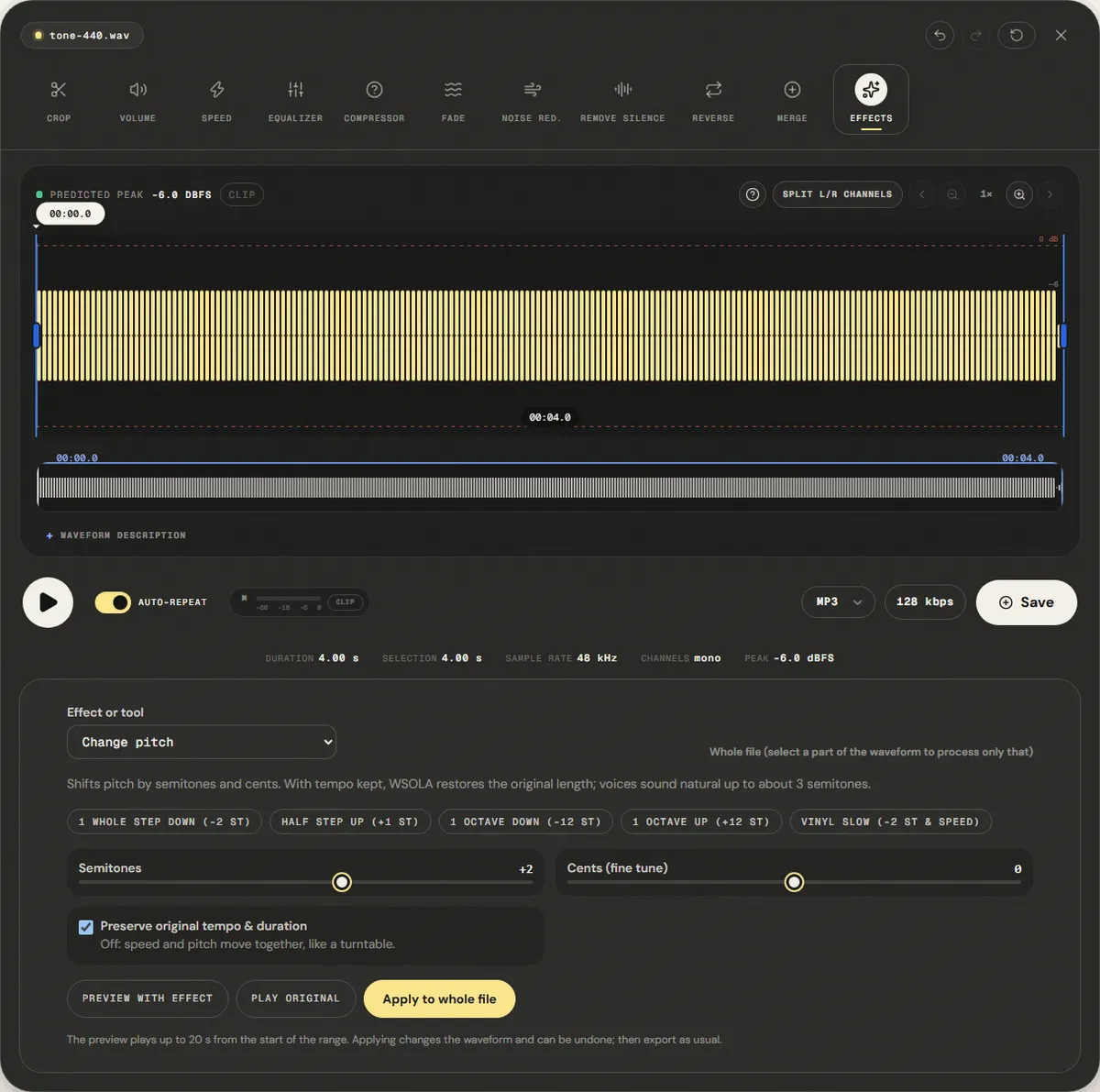
We used a 4.00 s pure tone at 440 Hz (the A above middle C), set Semitones to +2 and kept Preserve original tempo & duration on.
The exported tone measures 494.0 Hz; two equal-tempered semitones above 440 Hz is 493.9 Hz. The file still lasts 4.00 s, so only the pitch changed.
| Measured | Before | After |
|---|---|---|
| Measured frequency | 440.0 Hz | 494.0 Hz |
| Duration | 4.00 s | 4.00 s |
Reference file (before)
Exported file (after)
A steady tone is the easy case for time-stretching. Voices and drums show artifacts sooner: keep voices within about 3 semitones.
Download the reference file (WAV) · Same test on the tool page · Measured on November 11, 2026
Troubleshooting
| What you hear or see | Likely cause | What to change |
|---|---|---|
| The voice sounds robotic or phasey | Shift too large for a voice | Stay within ±3 semitones, or change the key of the backing track only |
| Drums sound doubled or smeared | Time-stretching splits their attacks across grains | Use a smaller shift, or accept a turntable change with tempo preservation off |
| The song got shorter or longer | Preserve original tempo & duration was off | Undo, tick the box, and apply again |
| Still slightly out of tune with my instrument | The original is off by less than a semitone | Add or remove cents until a tuner reads in tune |
| A voice sounds like a cartoon after +12 | Formants move with the pitch | Use large shifts only as an effect, not for transposing a singer |
Limits and alternatives
This is a single-algorithm pitch shifter, tuned for clarity on moderate shifts. It does not preserve formants, so large shifts change the character of a voice, and it treats the whole mix the same way, so you cannot shift the band without the vocal. Dedicated tools offer formant correction and separate algorithms for speech, polyphonic music and drums; DAWs can also transpose MIDI parts without any audio processing at all, which is always cleaner.
If you are a singer choosing a key, it often helps to try both directions: a song that is two semitones too high may sit better one semitone lower and sung with a lighter voice than two semitones lower with a darker one. Download two versions and sing along with each before deciding.
Frequently asked questions
Does changing the key change the tempo?
How many semitones can I shift a song?
How accurate is the new key?
What is the difference between semitones and cents?
Can I find the key of a song here?
Sources and how this was tested
- Wikipedia: Audio time stretching and pitch scaling (resampling, overlap-add methods)
- Wikipedia: Piano key frequencies (equal temperament, A4 = 440 Hz)
Tested on November 11, 2026 in Chromium 153 on Windows 11, with a production build of this site. Screenshots and measurements were made by the scripts in scripts/tool-evidence, from synthetic reference files anyone can download and repeat.